 Разработка ПО
 Менеджмент
 Для компаний
 Для стартапов
 Архитектура ПО
PLATFORM is a direction of Ingello Systems that specializes in custom software development for companies and their business processes.
Оглавление
Video review
History of updates in the software part
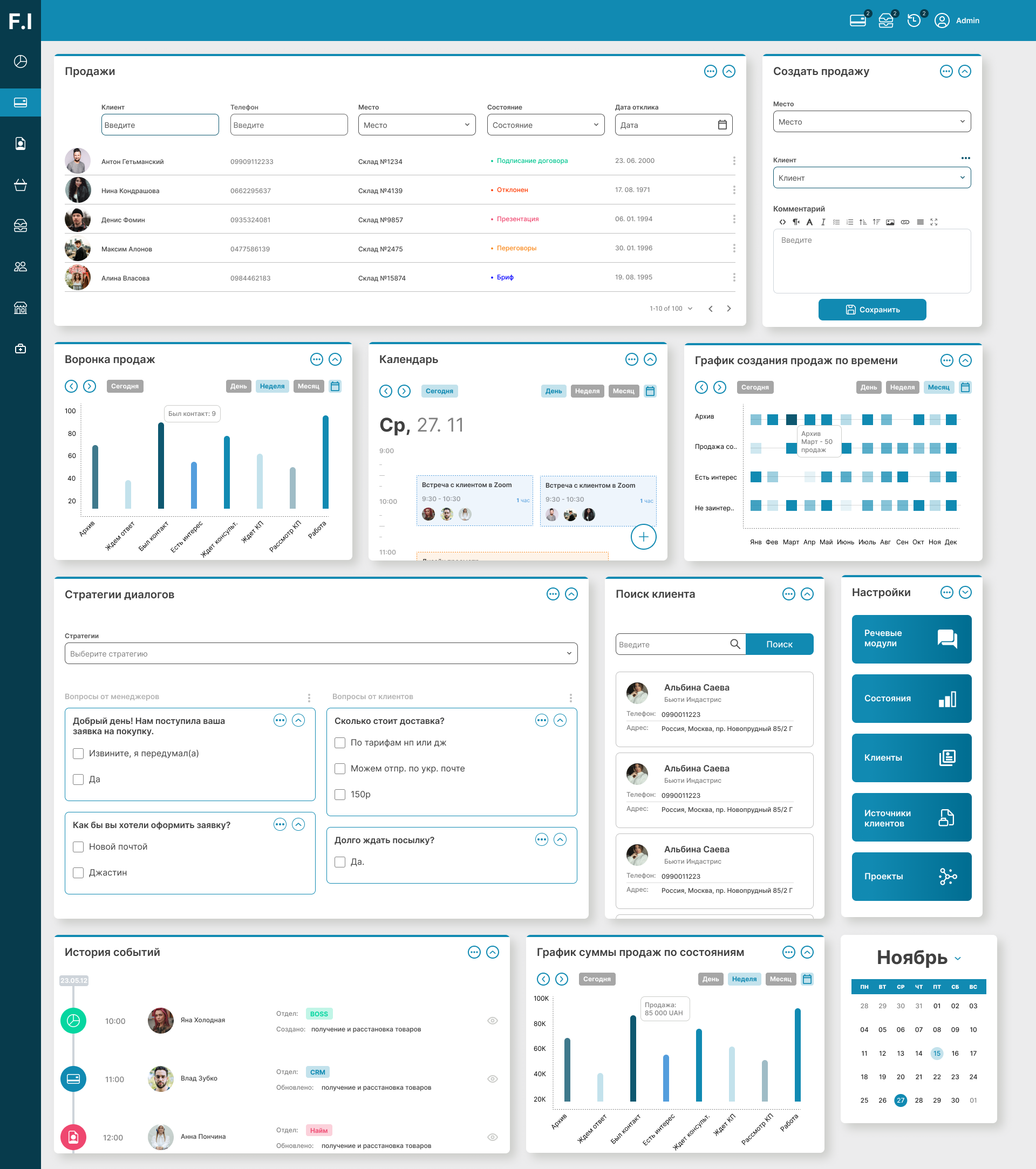
Sales and clients
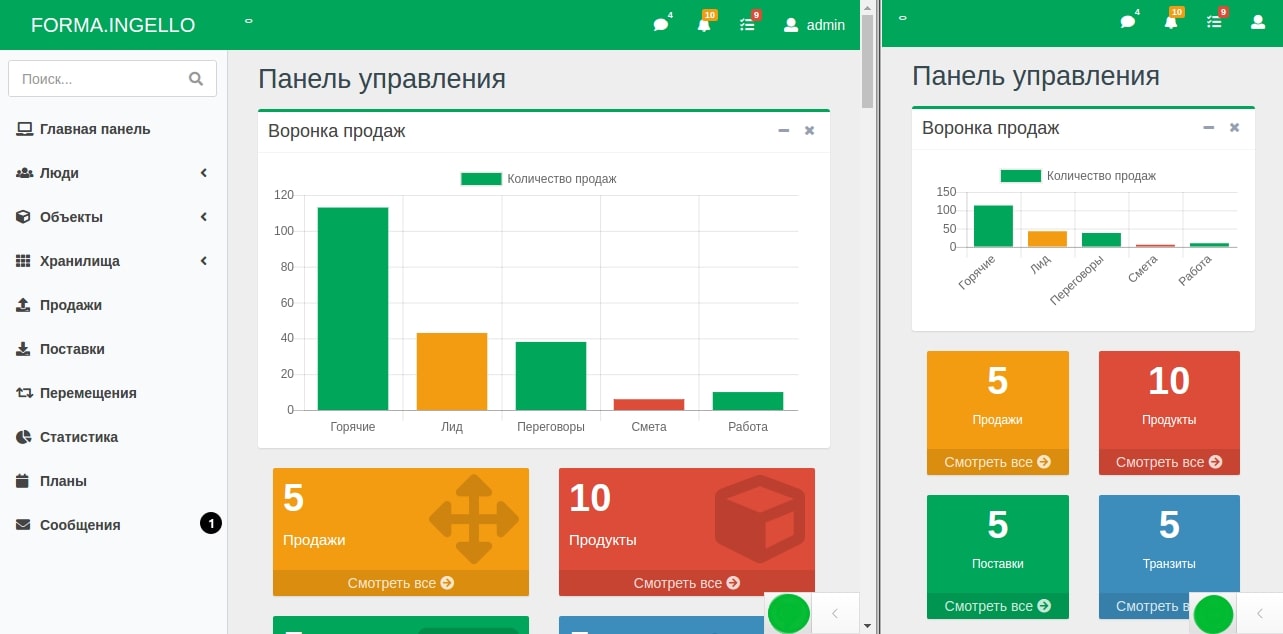
* In the screenshot above, you can see one of the individual design options for your company. And the prototype of the sales system, which has a basic set of functions and which we are ready to adapt for you, is described at this link, and at this link you can experiment with the sales program online.
Sales funnel and GRID
This module is necessary in order to see statistics and progress on sales when examining the stages of interaction with the client in detail. We can see data both as a chart that shows the number of clients at each stage up to the moment of payment, and as more accurate and flexible information in tabular form. In the table (the so-called GRID), we can use pagination functions, sort by date or client name, and search through any data related to the client. The client enters this data independently in advance at the moment of completing the deal. The sales manager can independently change or supplement this data. An important advantage is that the sales stages, their description, and even their interconnection can be easily changed in the system without the participation of programmers and without specific knowledge, which significantly increases the flexibility of the business, whose task is to adapt to a continuously changing market.
Sales panel
This panel is necessary in order to gain maximum control over the negotiation process between the client and the manager. First of all, it is the main tool of the sales manager. But the manager's supervisor can also visit this section. The panel provides a large amount of information, namely: which services and options are currently being agreed with the client, which dialogues were conducted with him (negotiation history), and which comments (visible only to the manager) he left regarding the client. The information is given with dates and times, meaning we see the communication history. In addition, on the panel you can view client data (who they are, where they came from, contacts, and so on).
Client personal page
The client's personal page is a special web page that is available to the client at a secret address. It records the main points of the negotiations (the client and the manager see them), as well as the general commercial offer. If desired, a beautiful and modern design can be developed for this page, which will definitely increase purchase conversion. The client sees the items in their estimate, can leave their phone number and address, and also share the data about them that exists in Google through a special integration button - in one touch - quickly and simply! This page saves the working time of the sales manager, which will allow them to engage in the intellectual tasks necessary to strengthen sales.
Speech modules (scripts)
Speech modules (scripts) are an indispensable section for scaling a company. Imagine that you need to hire new managers and handle an order of magnitude larger volume of requests. This is a very difficult stage, and we made sure that it goes easily and smoothly. Newly hired people will not have deep knowledge of modular panel structures and your services. But this does not mean that they cannot sell. After all, the system has an entire module for automating training and assistance in negotiations. You do not need to instruct each person separately - entrust this to the system. Experienced specialists together with managers can develop special negotiation scenarios through the relevant section. As always, this is very easy to do, and you will not need to hire programmers to change something in the negotiation strategy - anyone can do it.
Negotiations
Sales managers can click the “start negotiations” button in the sales panel (mentioned above). And a whole arsenal of functions will open before them that will help them sell. This is complete information about the client and their history on one side, and a complete list of possible phrases, remarks, and questions that the client can possibly think of on the other. And the most valuable thing is that if the client comes up with unique requests (this will happen at first), the sales manager can add these remarks to the program on the fly, during the dialogue, and the system will remember them forever. The system learns and grows together with the company!
But that is not all. After the dialogue ends, the system will remind the manager that they need to set the date of the next meeting (or call), and will also require them to write a comment on the dialogue that took place. This will allow clients to be moved through the sales funnel and not forget a single one. A special calendar will remember all innovations, and the manager (and supervisor) will be able to view the calendar schedule for the month, week, or day. Everything is accounted for.
Surveys and research
To improve service quality, it is necessary to regularly communicate with the target audience and find out their problems and wishes. For this, the system has a survey system. I will not explain, because you have already guessed that in the future you will be able to create any surveys and tests yourself, without programmers, with various answer input options, from simple input fields to switches with checkmarks and even advanced text editors. This is an indispensable tool for managers. You will be able to place links to surveys and briefs anywhere on the internet, and your clients will not just complete these surveys: the system will remember everything, take the client's contact details, and put them into the database. Now this client is “in the crosshairs” in a good sense), and the sales manager will soon call them in order to help choose the home of their dreams!
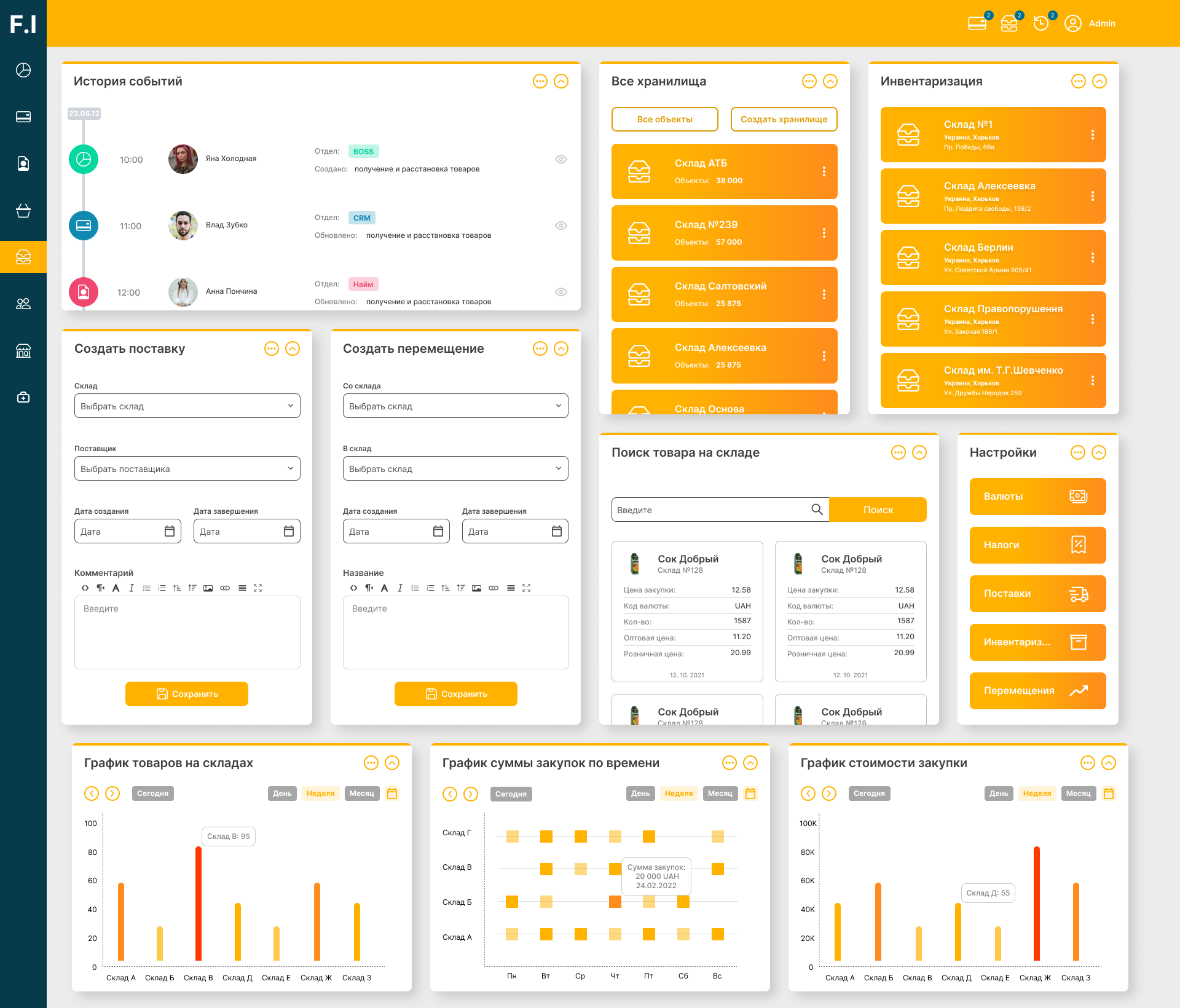
Products and Services
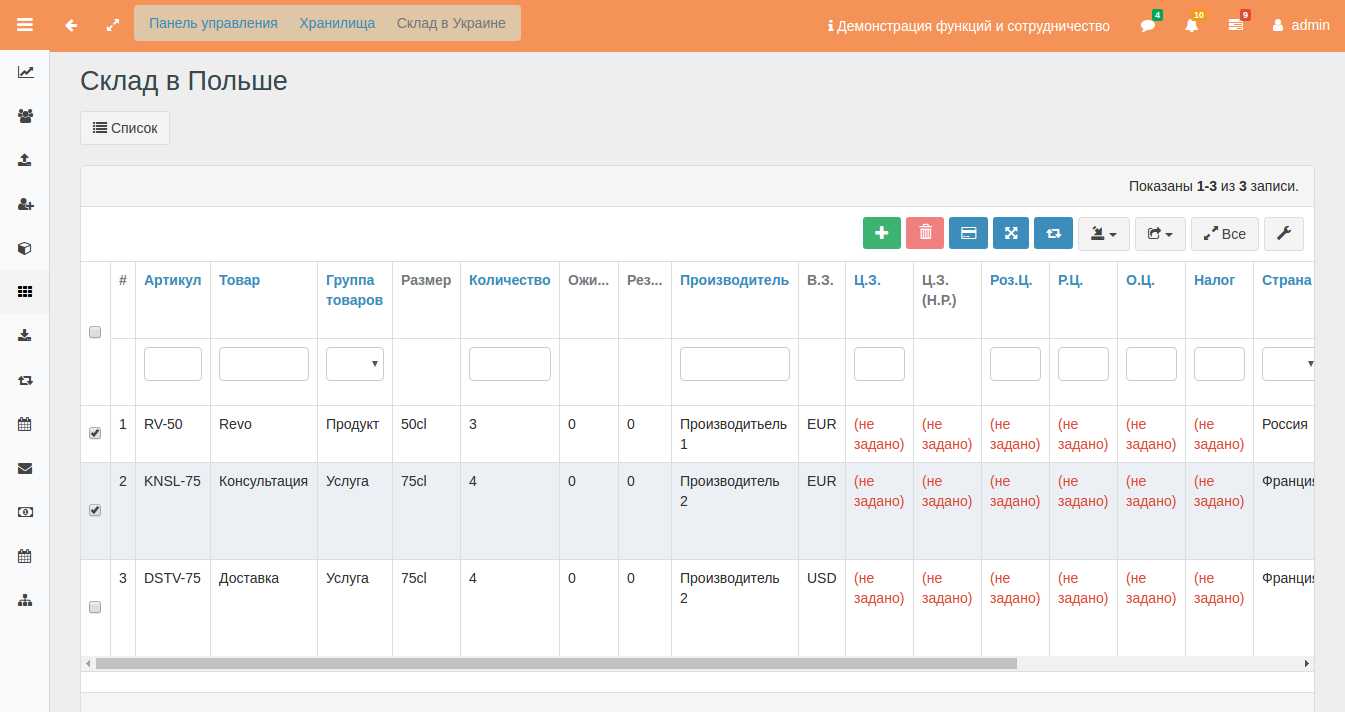
* In the screenshot above, you can see one of the custom design options for your company. And the prototype of a system for a warehouse or production facility, which has a basic set of functions and which we are ready to remake for you, is described at this link, and at this link you can experiment with the warehouse program online.
Catalog
The catalog is a complete list of your products and services. It is presented as a list or a table, whichever is more convenient. You can search by various characteristics of products, services, or consumables. All these materials can be stored in the warehouse.
Categorization
Here you can create categories for products and services so that everything is neatly organized. Categories can be nested and can even inherit special characteristics from each other. Interestingly, various characteristics can be assigned to categories. Thus, for example, if we create a “home component” category, we can immediately add characteristics such as “weight”, “volume”, “density”, “material”, etc. to it. And when you add a new accounting unit, you will not need to do the routine work of adding the same thing over and over. The system will do it for you, just choose the category!
Product Description Form
In this section, you can enter data about a product, service, consumable, or another information object. The most interesting thing is that this section will be integrated with your website, which will allow pages to be automatically created on the internet, indexed by search networks, and bring you organic client traffic.
Production and Warehouse
Consumables accounting. Everything is subject to accounting; this is the foundation of the system. This section will allow you to systematize all your materials for storage in the warehouse, and will also help automate pricing while avoiding the human factor. You can search for any types of accounting objects by any parameters they have. From prices to physical and visual characteristics.
Purchasing
Nothing appears in the production warehouse by itself. Everything that is there was purchased and delivered from a specific point. The system will help account for all suppliers and post objects to the warehouse for further accounting and control.
Transfers
Nothing disappears from the production warehouse by itself. And if it does disappear, it is in order to move to another place. You can manage entire networks of warehouses and move accounting objects between them.
Inventory
Let us not forget that people are involved in the system. And the system trusts people, but verifies. Therefore, regular inventories will help check everything that is in stock and compare it with the data in the system, as well as write off certain accounting objects.
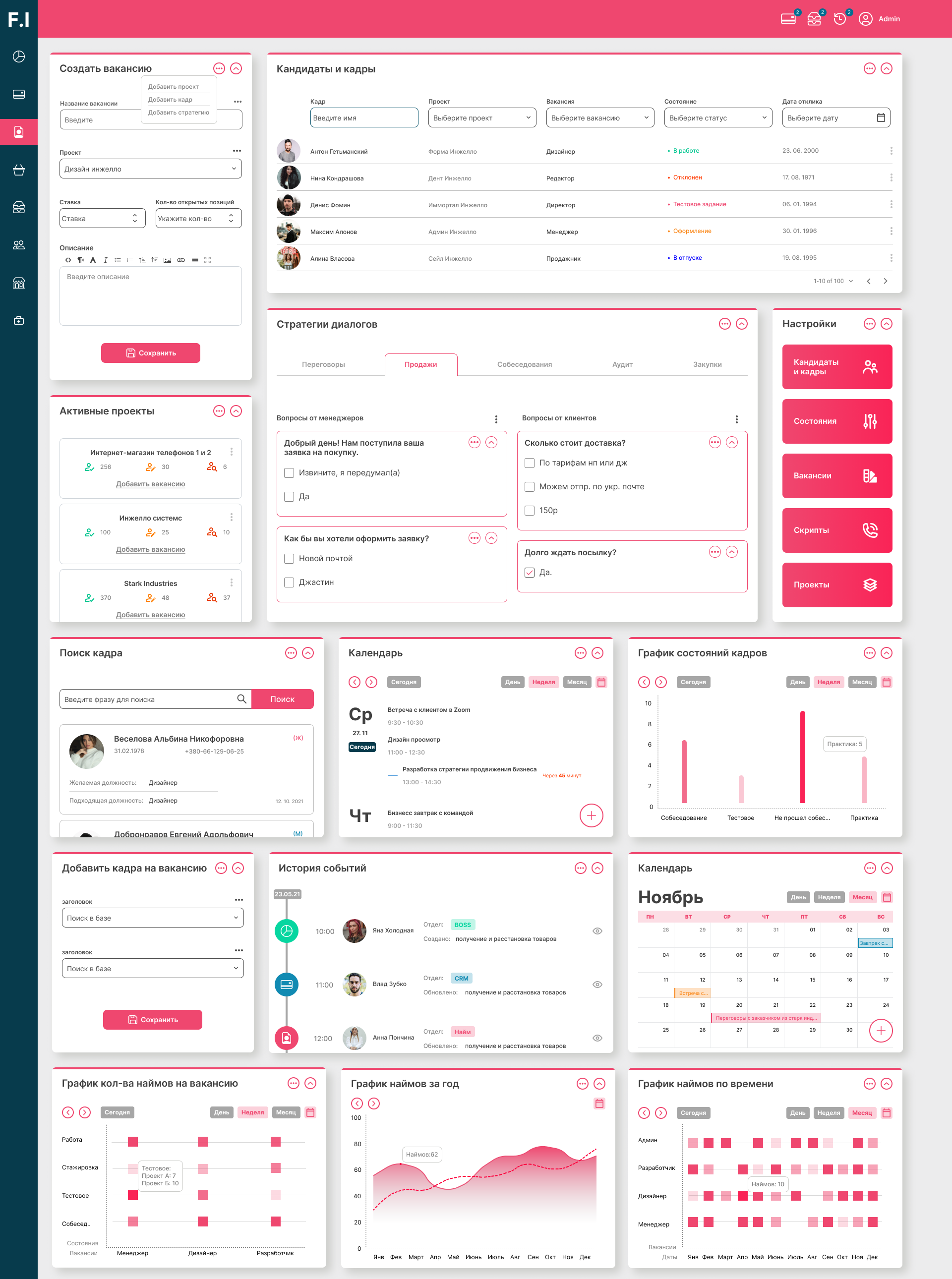
Hiring and Vacancies
Hiring Funnel
As in sales, hiring is a regulated process that must be systematized. The hiring funnel is a visual way to see interview processes. And not just see them, but control them. For hiring managers and HR specialists, this is a good way to automate the routine clearing of candidate queues. This will help find the best people. The best people mean the best company! In this panel, not only the stages of negotiations with employees are visible, but also employee lists queued for specific vacancies. This is an indispensable tool for bringing the company to the external market.
Hiring Panel
The hiring panel is a panel where the HR department has everything at hand for a specific candidate. We see all their passport data, all their preferences, and their entire negotiation history. We see all the information about the vacancy. And of course, this section also has speech modules (scripts, scenarios) built in, according to which negotiations are conducted in your company. We talked about this in the sales subsystem, so we will not repeat ourselves here.
Project Panel
The project panel is a list of work volumes provided for candidates in your company. It is a convenient way to group the company's activities. Projects can be opened and closed. They generate vacancy requirements and let the hiring department know that it is time to conduct interviews and meetings.

Management
Executive Panel
https://business.ingello.com/forma-bpm
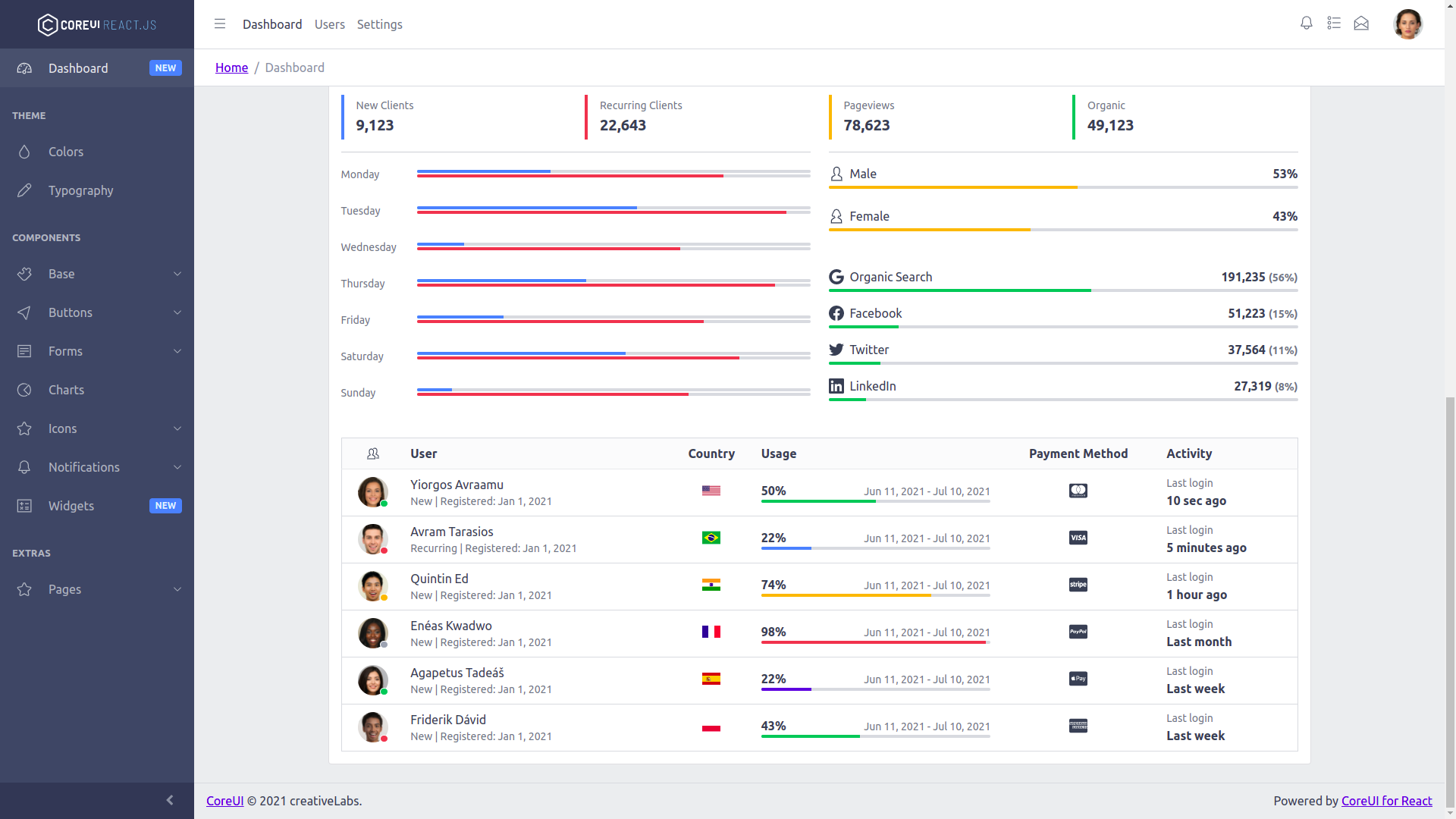
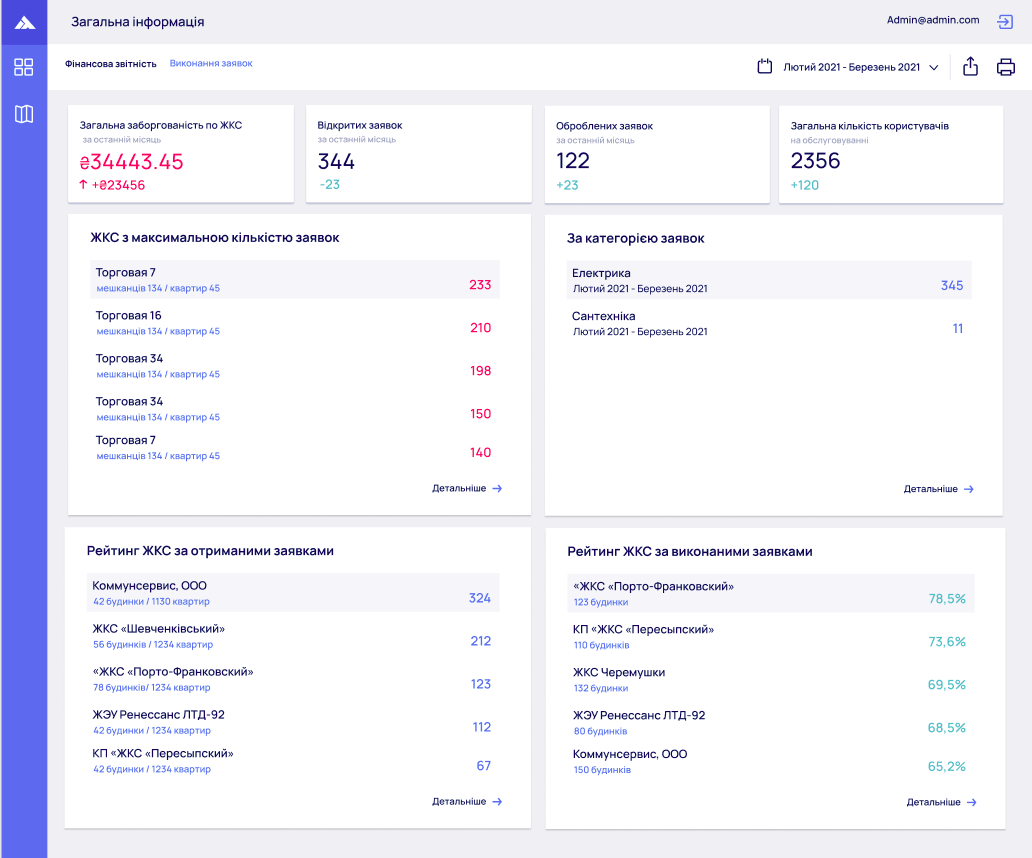
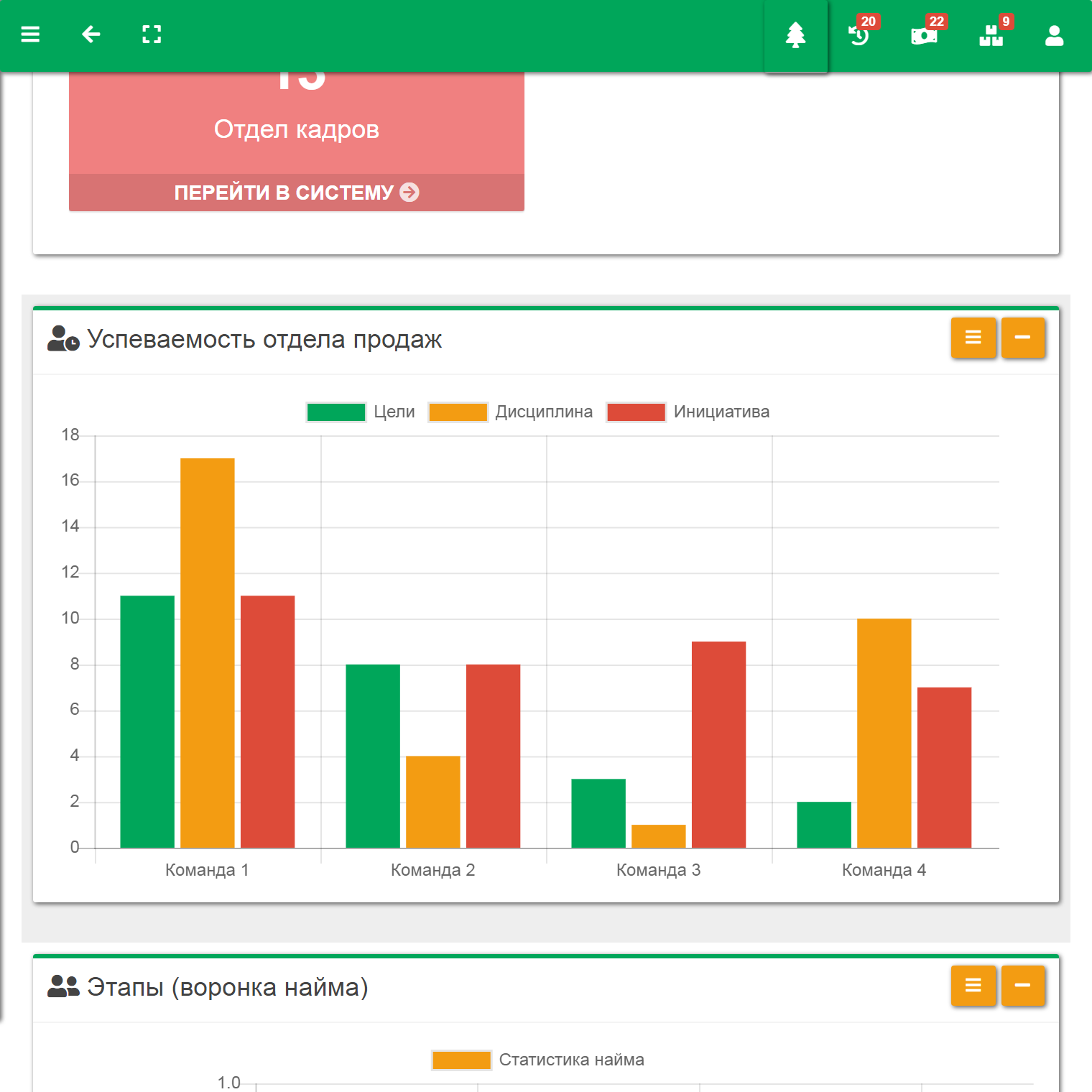
Any executive wants to keep a finger on the pulse of all events in the company. At the same time, of course, they do not want to get bogged down in operational routine, handling the control process more creatively than self-employed and on a regular basis. Providing people with residential buildings is undoubtedly a creative process that must be visualized with quality. And the executive should not spend time building charts, Excel reports, and event summaries. They should observe the company's pulse and create, make decisions, and take the company to a new level. And the company management panel is exactly the tool that will help bring all the entrepreneur's goals to life. It has report summaries, sales statistics, and information about the latest events. The design of this panel is developed together with executives and experienced system designers, for example, with a system architect and business analyst. This is a super-individual process, the helm and compass of your ship. It is also important that we do not just develop this panel, but that in the future you can change it yourself and adjust it to your needs. Thus, the panel will contain an entire menu of all kinds of metrics, widgets, charts, and tables. Calendars and lists, maps and information from external sources, whether the dynamics of plan setting and actual completion, or the dynamics of exchange rates on the stock exchange of specific countries. Anything you want. And you will be able to configure this panel yourself by placing the necessary tools in a specific position with drag-and-drop and removing unnecessary ones in one move.
You can see images of the prototype of this panel, as well as images of prototypes of other system elements, below.
Calendar Plan
The calendar plan is the familiar calendar everyone knows. It can be viewed in month mode, week mode, and of course agenda mode. It will help combine all events in the company, get everything done in time, and most importantly, forget nothing.
Company Regulations
Company regulations are almost the only way to scale production. Any platform, one way or another, must contain such a section. It collects the company's unique traits brick by brick and allows them to be described. And most importantly, something no other platform has, it allows them to be redirected to specific system elements. Your sales department is unique. And that is a problem. But not with this subsystem. Because it is here that your managers will receive the necessary instructions for starting work, information about the company's hierarchy and rules, and most importantly, the system itself, with simple buttons, will open small windows over the documentation, in which it will introduce a person to the main elements of the system. For example, it will explain how to use the sales funnel or scripts.
System Events and Reports
System events and reports are an entire system, thousands of events every day. Someone added a new resume, someone deleted an event, someone edited client information. All these events create a huge stream of data. And data is gold. Initially, it can be used to generate quarterly reports for different departments. But in the future, this data will be able to be used by statistical and intelligent algorithms that will automate not only areas of actions, but entire vacancies. This is the future that has already arrived in many fields. All that remains is to implement it to create the #1 transnational corporation in its field, the field of rapidly erected buildings.
Design System
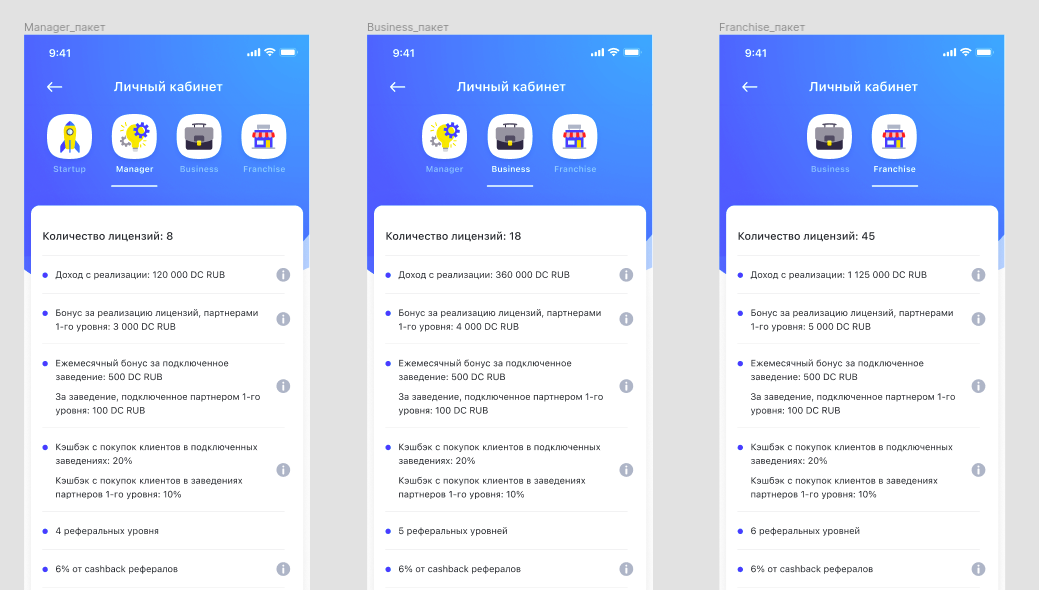
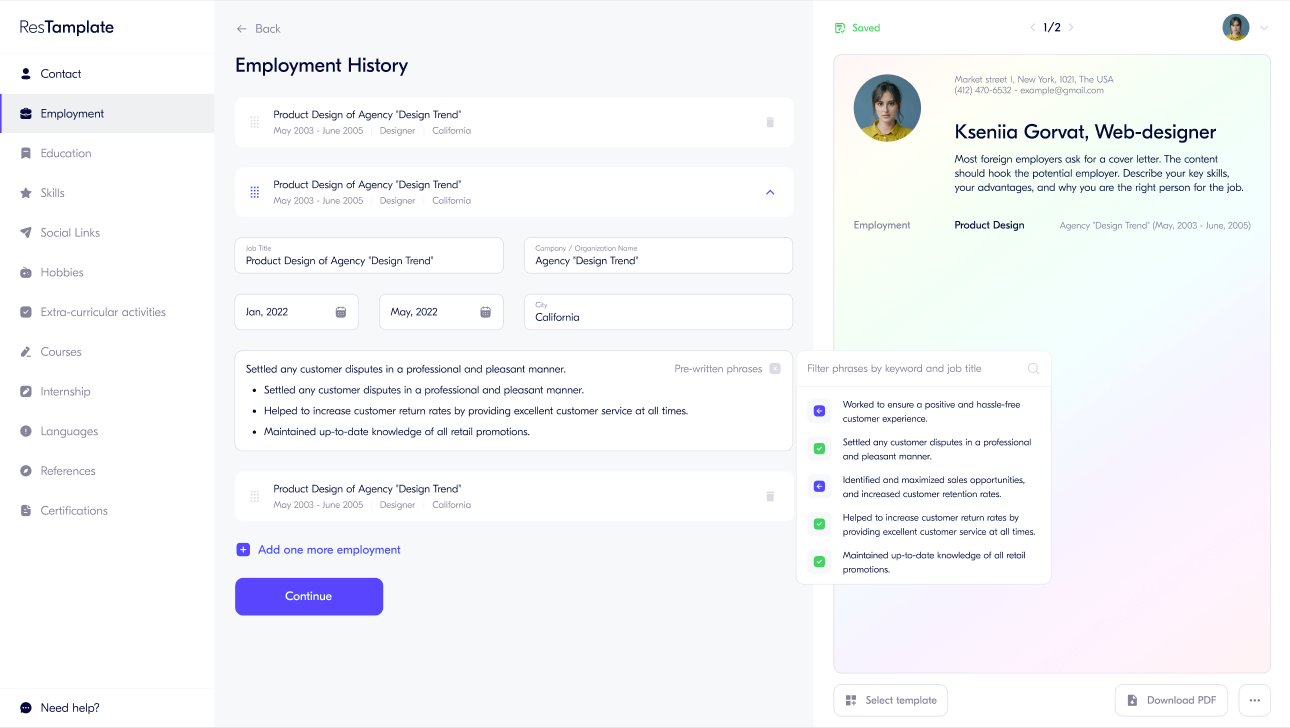
Next, we present to your attention the style system we developed, which we can adapt for you (all source files belong to us and are stored as standard Figma components)