 Разработка ПО
 Менеджмент
 Для компаний
 Для стартапов
 Архитектура ПО
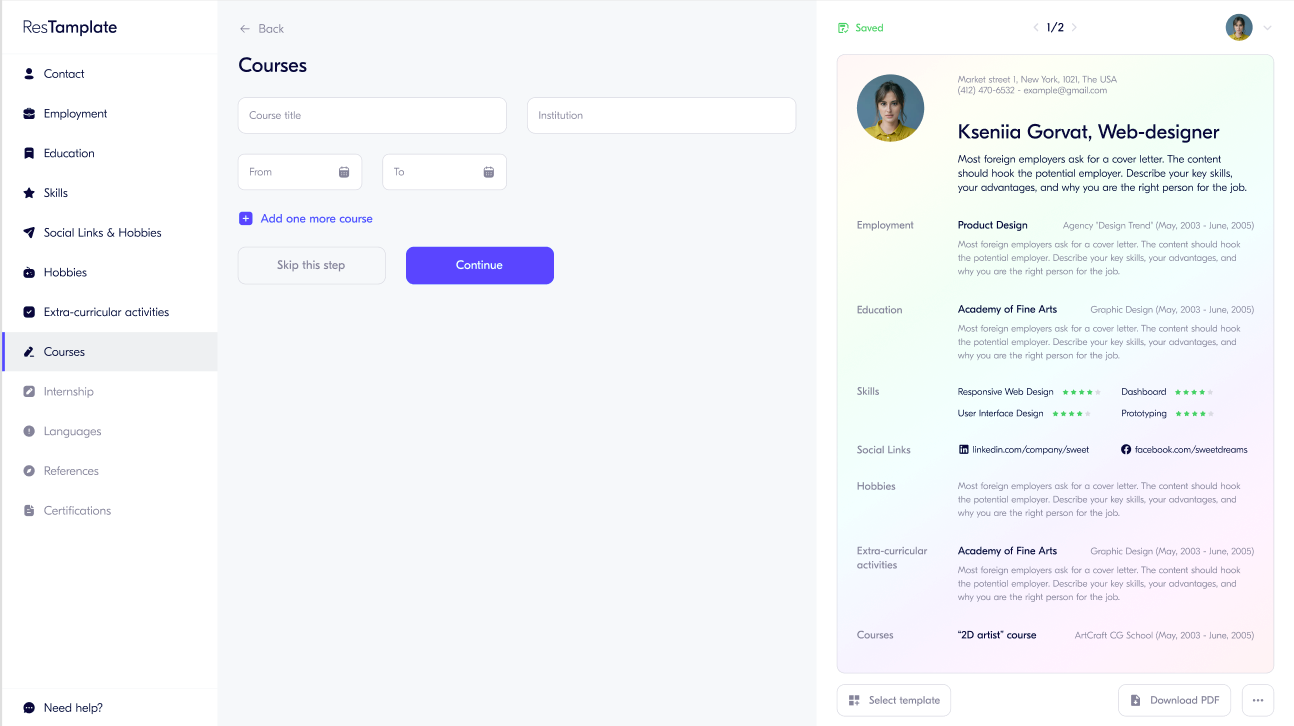
During this project, a reactive single-page application was developed that allows information to be collected from the user in portions using different sections and to aggregate this information into a beautiful resume that can be downloaded in PDF format.
Оглавление
Video review of the 3rd week of development
Roles:
Guest - unauthorized system user
User - authorized user
Use cases at the first stage of development:
(In this stage: the template does not change, PDF upload does not work, there is no payment, no mask is applied to fields)
- Create a new resume
Description:
1.1 Guest enters user information (Contact session)
- First Name - input field
- Last Name - input field
- Photo
- E-mail - input field
- Phone - input field
- Country - selection
- City - input/selection
1.2 Guest can add additional information
- Address
- Zip code
- Driver licence
- Nationality
- Place of birth
- Date of birth
1.3 After moving to the next item, the system displays updated information in the right block (not dynamically after each field is filled in, or deleted).
- Registration
Description:Guest registers using email and returns to the resume creation process
- Login
Description:Guest logs in using email and returns to the resume creation process
Alternative scenario: Guest recovers the password by email, after which they log in
- Filling out the resume template
Description: The user fills in information by sections:
Items can be filled in out of sequence
Items at this stage are not mandatory to fill in
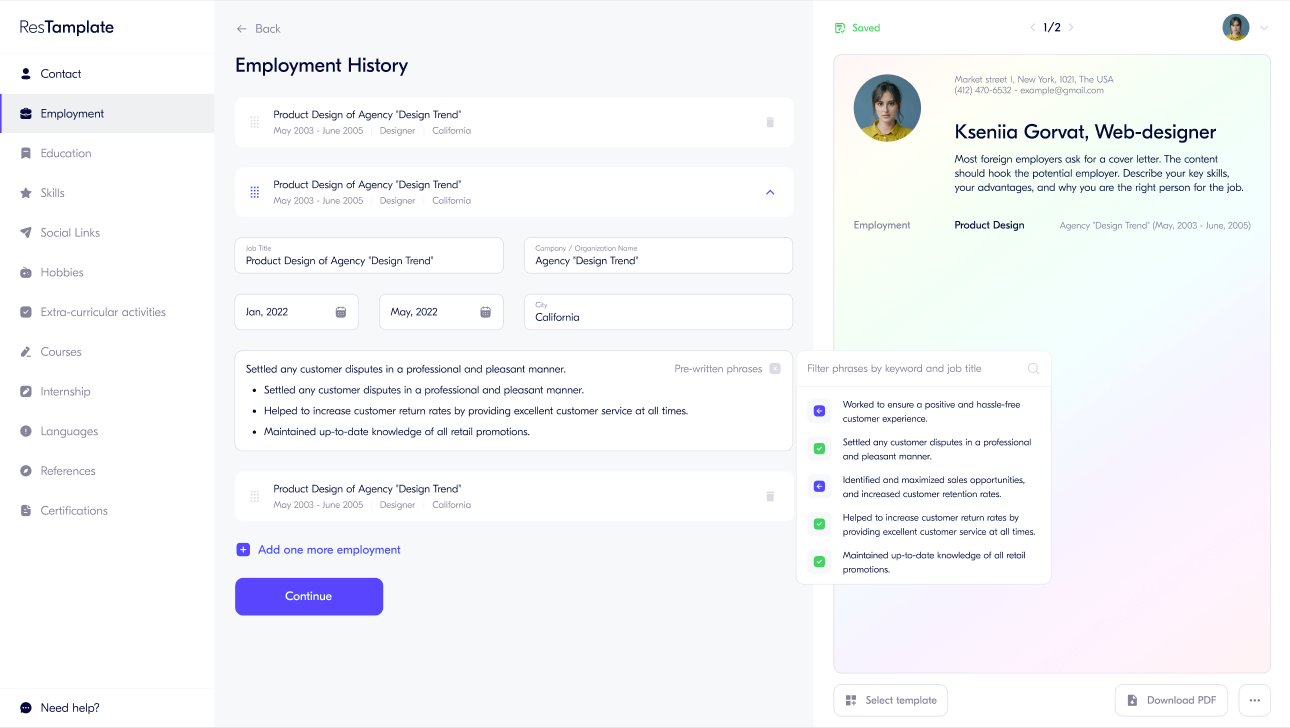
4.1 Employment - user adds a workplace (or several workplaces)
- Job title
- Company|Organization Name
- From - To
- City
- Description
- The system displays a list of responsibilities
- The user adds responsibilities to the description by selecting from the suggested templates
- The user removes responsibilities from the description by clearing the selection from the suggested templates
4.2 Education - user adds a place of education
- Facility
- Degree
- From
- To
- Field of study
- Awards
- Description
- The user adds another place of education
- The system hides the previous place into a panel
- The user can delete a place of education
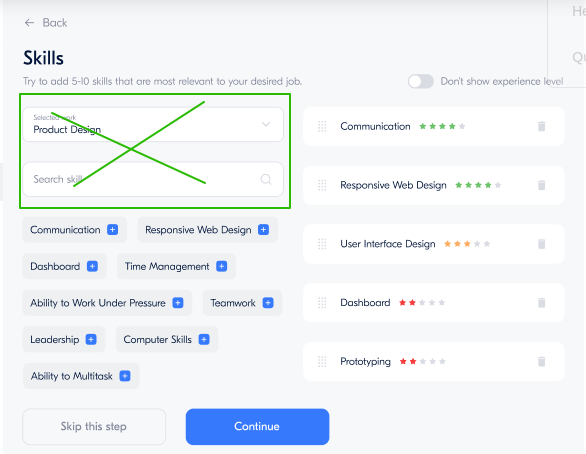
4.3 Skills
- The system suggests template skills
- the user selects skills from the templates and indicates the level of each skill
- the user adds their own skills and the level of each skill
- the user deletes a skill
4.4 Social links
- the user can add a Link to a social network and a Label name
- does the system pull in the icon?
- the system adds another field for entering a link
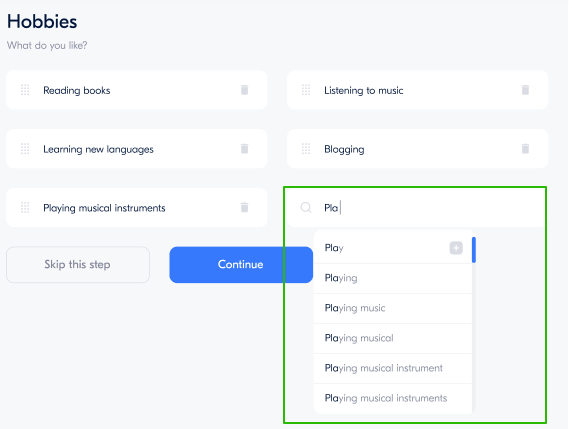
4.5 Hobbies
- the user can enter a hobby
- the system shows a list of template hobbies
- the user can choose a hobby from the suggested ones
4.6 Extra-curricular activities
- The user can add an additional activity
- Function Title
- Employer
- From
- To
- City
- Description
- The user adds another additional activity
- The system hides the previous one into a panel
- The user can delete an additional activity
4.7 Courses
- The user adds a course
- Course title - input field
- Institution - input field
- From - calendar
- To - calendar
- The user adds another course
- The system hides the previous one into a panel
- The user can delete a course
4.8 Internship
- The user adds where they did an internship
- Internship title - input field
- Institution - input field
- From - calendar
- To - calendar
- Description - input field
- The user adds another internship
- The system hides the previous one into a panel
- The user can delete an internship
4.9 Languages - The user can choose from the list which language they know and their level
4.10 References - The user can specify 1 recommendation by filling in the fields:
- Referent full name
- Company
- Phone
4.11 Certifications - The user can add certificates by entering the name
After moving to the next item, the system displays updated information in the right block (not dynamically after each field is filled in, or deleted).
- Saving the resume - the user saves the information on the server
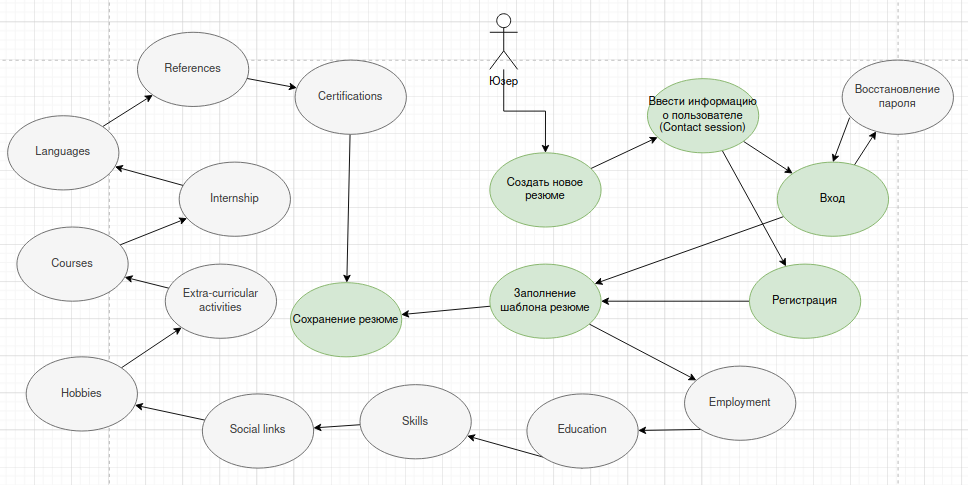
Transition scenario diagram
Requirements for the quality of technical implementation of the first version of the resume builder project.
External interface type:
Reactive and single-page, without page reload after performing certain actions.
Framework for implementation:
Vue or React.
Input field validation:
In the first version, field validation is not provided.
Input masks for fields are not provided.
Performance metrics:
In the first version, special tools for measuring performance will not be used.
Cross-browser compatibility, cross-platform compatibility:
Operating systems:
- Windows
- MacOS
- Linux
Support for modern browsers is required.
- Safari.
- Chrome.
- Firefox.
- Opera.
- Edge
(clarify versions)
Screen sizes:
For now, specific screen sizes are not specified; the developer is guided by a typical laptop screen.
Code quality.
Moderate compliance with code writing standards is required.
Linters will not be used.
Code documentation.
Code documentation is required.
Documentation of technical decisions is required.
Layout standards and methodologies:
For now, this is not being clarified. The behavior of elements during standard interactions in the design is not being worked through in the first version. Accordingly, it will not be taken into account in the layout.
Infrastructure for interaction:
- 1 auto-deploy
- 2 docker
- 3. gitlab-ci
- 4 there will be no special CD/CI systems
- 5 brief manual
Additional edits:
Any additional changes are accepted for work and estimated separately
Component breakdown:
Unique elements:
Common:
- -Top menu
- -Left menu
- -Dynamic resume visualization component
- -Registration panel
- -Login panel (authorization)
- -Local cache storage component
- -Active form component
Visual components:
- -Input field, dropdown input list
- -Photo uploader
- -Hiding additional fields
- -Transition action (next, back, skip)
- -Text field (textarea)
- --Text field templates
- -Calendar
- -Elements dynamically added by the form
- --addition
- --deletion
- -Input fields dynamically added during filling
- -Skills multi-select
- --addition
- --deletion
- --rating
- --Search by skills multi-select
- --Adding custom skills
- -Binary toggle
Integration:
27 endpoints
Estimate:
27 API endpoints for integration
7 Main components
18 Unique visual logical components
6 Complexity assessment of quality requirements
8 Degree of risks related to system changeability
Final number of units: 66
API
http://resume.waytrel.pro/swagger/doc
Bonus work
Editing employments (by clicking on an already saved employment, load its data into the form for editing and subsequent saving).
Deleting employments by clicking the "delete" button.
Retrieving the saved list of employments.
Editing Educations
"Do not show experience level" button.
Editing social links, deleting social links.
Editing additional activities.
Editing courses.
Editing languages
Deleting languages
Changing certifications
Deleting certifications
Validation (future groundwork + layout)
Programming field types (date pickers, dropdown lists).
Basic
- First name
- Last name
- Picture
- Phone
- Country (DB) Have
- City (DB) Have
- Adress (DB) Have
- Zip code (DB) Have
- Driver license (DB) Have
- Nationality (DB) Soon will be
- Place of birth (Country/City) (DB) Have
- Date of birth Callendar
Employment history
- Company DB (have)
- Title DB (have)
- Period (month/year from -to)
- Country DB (have)
- Assignment DB (have)
Education
- Facility DB (have)
- Date (from- to)
- Degree DB (have)
- Field of study DB Will have
- Avards DB Will have
- DEscription of education
Links (Name and url)
Skills (with or without level) DB Have
Hobbies DB Will have
Extra-curricular activities
- Title
- Employer DB
- Date (from to)
- CIty DB
- Description
Course
- Course title
- Institution
- Date (from to)
Internship
- Job title DB
- Employer DB
- Date
- City/country DB
- Description
Languages
- Language DB Have
- Level (A1-C2)
Reference
- Referent Full name
- Company DB
- Phone
Certificates
- Name of the cert. DB Have