 Разработка ПО
 Менеджмент
 Для компаний
 Для стартапов
 Архитектура ПО
In this logistics company automation project, there was non-standard and risky development that we do not recommend you repeat at home, but in this project everything ended well and with benefit for the client. Administrative systems are not famous for unique and beautiful design. Admin panels are more often made any old way, as long as they work. But this client — the large transportation company North West — required high-quality design with an emphasis on UI\UX and a stylish interface for all users of this CRM.
Оглавление
- Video overview of the third stage
- Development features
- Advantages of the chosen approach
- Design became a common language between business and development
- Task delegation happened easily
- Freedom of engineering interpretation gave speed
- We managed to quickly reach a large MVP
- FRACTAL delivered savings where other teams would have inflated the budget
- Disadvantages and limitations
- No full technical specification
- The large scope of the early version required stabilization
- We had to make compromises
- Main project challenges
- A complex hierarchical domain area
- No classic design stage
- Fixed budget and tight deadlines
- The basic screen states were not described in advance
- Functionality decisions
- Super admin
- Manager
- Client company
- Technical admin panel
- Service and administrative sections
- Planning and working interfaces
- General task management screen
- Annual calendar with color coding
- Interactive calendar
- Profile and personal settings
- User profile
- Uploading personal files
- Documents and statuses
- Document registry
- Transport and companies
- Truck registry
- Companies and transport in one contour
- Uploading and processing documents
- Unified management panel
- Knowledge base and user support
- Questions and answers section
- Task calendar
- Tasks for the day and status details
- Internal communications
- Chat for communication and document exchange
- Technologies
- Why this stack gave the client a real advantage
- Why clients come to us with projects like these
- We know how to work where chaos begins for others
- For the client, this gives not abstract development, but concrete benefit
- Unobtrusively, but honestly
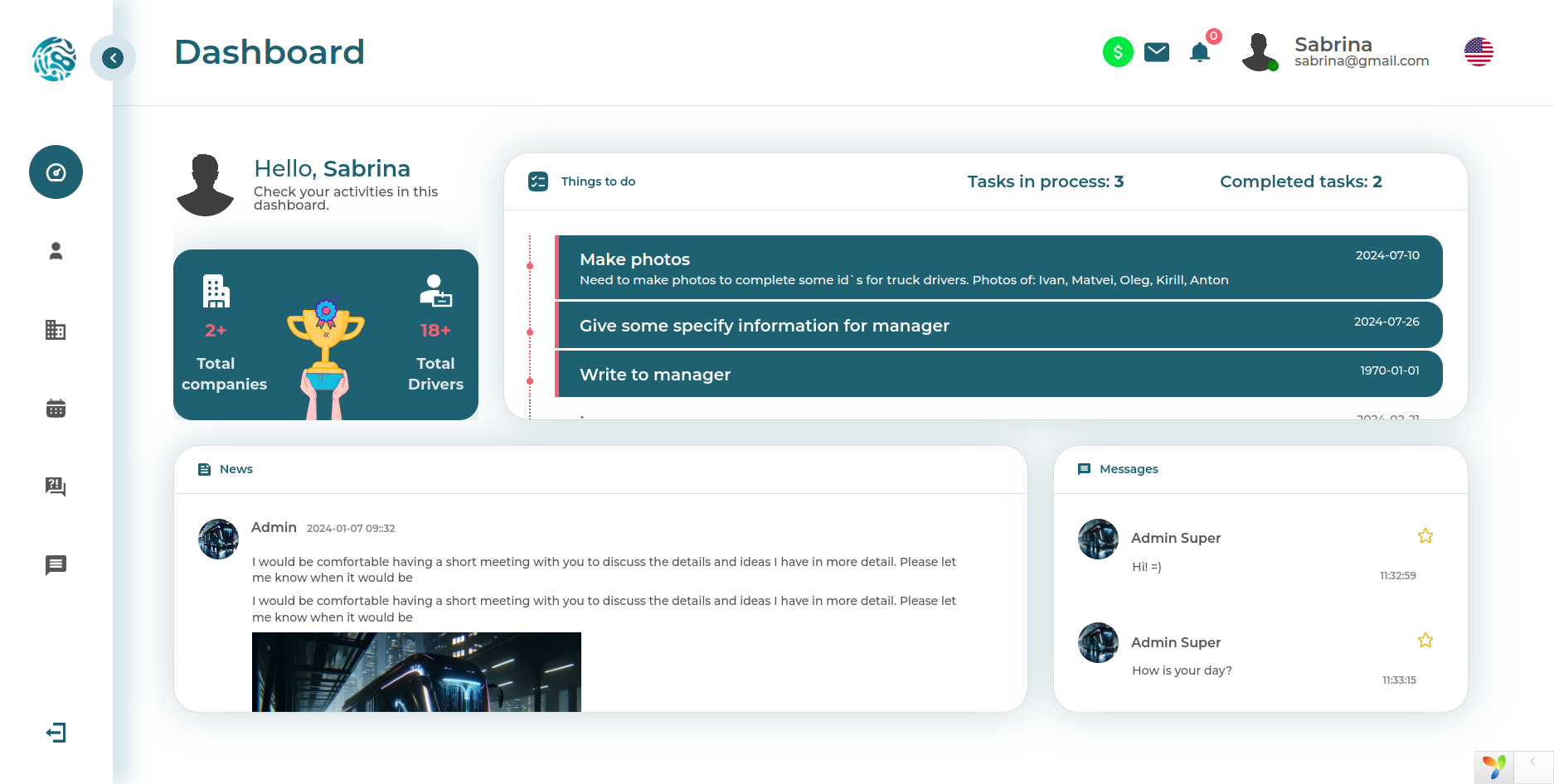
The clients simply called this system a CRM. Formally, however, it is TMS (Transportation Management System, meaning a system for managing transportation processes). But speaking like a human, what we had before us was a large working tool for the transportation business, where it is necessary to account for companies, drivers, trucks, documents, tasks, correspondence, and statuses. And all of this without the feeling that in the morning you are once again opening a digital branch of hell =)
The system was intended for managing many trucking companies that transport cargo. The program accounts for drivers, vehicles, documentation for each organization, tracks statuses, helps plan employee tasks, and contains an internal chat and knowledge base. Inside, several types of accounts are provided for different roles: managers, operators, client companies, and technical administration.
At its core, this is a multi-level B2B platform with a pronounced role-based access model (RBAC, rights separation by roles), object states (state machine, permitted transitions between statuses), and complex document flow. If you are interested in similar projects in logistics and transportation, also pay attention to NorthWest, LEX, Svit BUS, BusTicket and UNO Taxi.
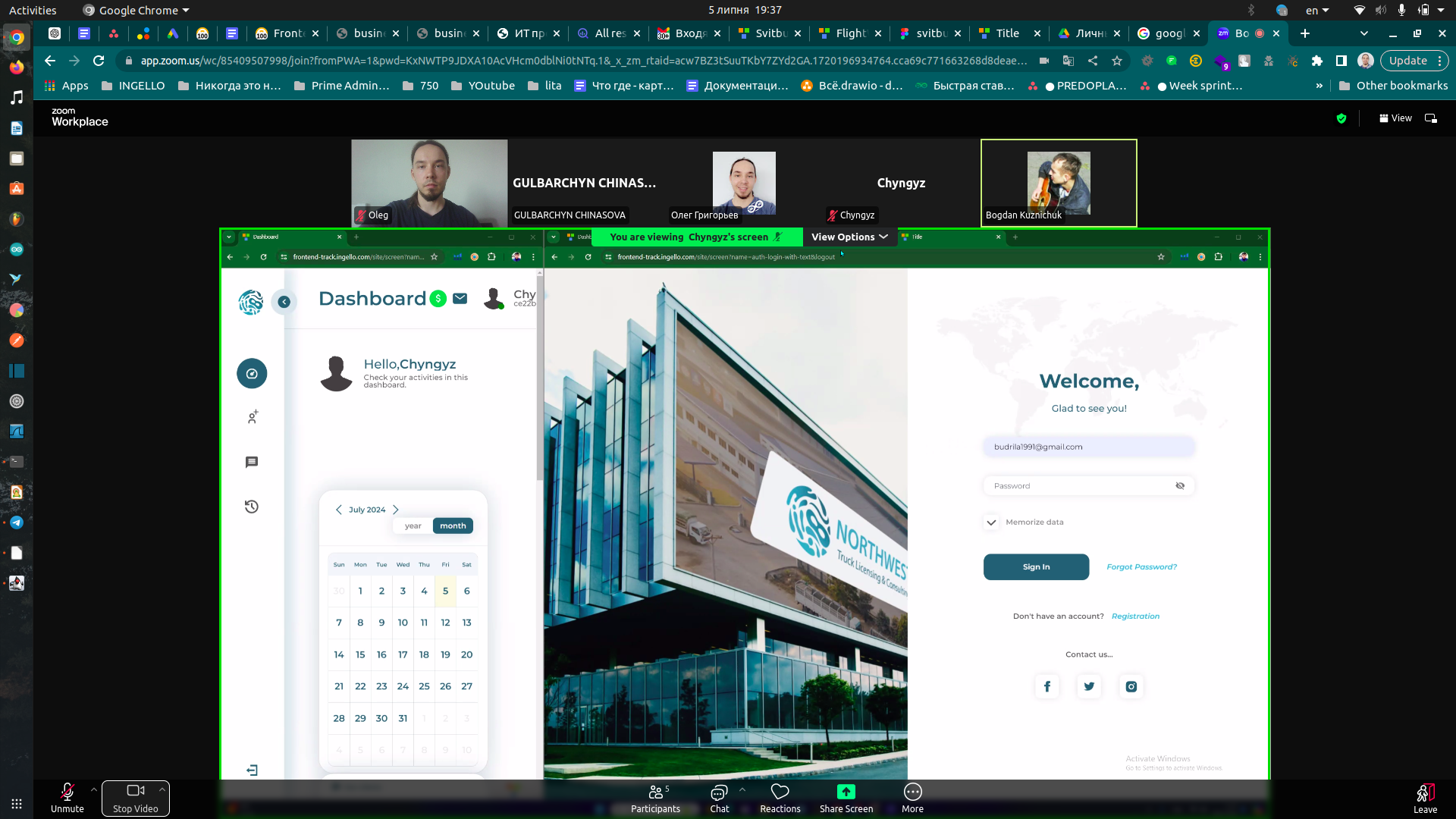
Video overview of the third stage
The video captures the third stage of the project. Later versions were not recorded, but even this overview shows the scale of the interfaces and the volume of functionality already assembled well.
Development features
This project was interesting not only because of the subject area, but also because of the launch format itself. The client came not so much with ready analytics as with a clear visual representation of the future product. Already during the first negotiations, we agreed on a model atypical for us: design became the main carrier of business requirements.
Usually we prefer to first allocate a design stage: describe roles, entities, scenarios, constraints, validations, access rights, and only after that move into development. Here, however, the decision was different. Because of the need to get a result quickly, we consciously proceeded without a full pre-project stage and without re-estimating the budget after deep analysis.
It is risky, but in our case it worked. We had our own automation tools that allowed us to assemble working contours of the system in a short time. Especially helpful was SFL — a structural fractal language that makes it possible to quickly describe entities, relationships, APIs, and documentation, rather than molding everything manually piece by piece. In parallel, we used FRACTAL.ingello — our technology for deterministic code generation and accelerated application construction. This is not about neural network magic and not about random generation, but about engineering predictability: when the architectural skeleton of a project grows out of its internal logic, not out of chaos.
In a matter of weeks, a database prototype was prepared, the integration programming interface was assembled, the administrative panel was built, and the main interfaces were laid out according to the design. At the third stage, the most interesting part remained: connecting the visual layer with backend logic, implementing auxiliary modules on the frontend, completing the chat, and programmatic document processing.
This format of cooperation turned out to be beneficial for the client specifically in this case. But it is important to understand: this is not a universal pill. Sometimes a quick start without separate design accelerates the path to the result, and sometimes it simply transfers the pain to a later stage. So let us examine honestly where the approach had strong sides and where we had to pay for speed.
Advantages of the chosen approach
Design became a common language between business and development
For administrative systems, this is rare luck. Usually it is the opposite: there is a long technical specification, but no visual model, and each side imagines the product in its own way. Here, however, design became the synchronization point. Everything related to interfaces, user routes, and visual logic was agreed quickly and without unnecessary drama.
Task delegation happened easily
Since a significant part of the decisions could be read from the mockups, we quickly prepared internal documentation and distributed the work among specialists. The team did not waste extra days guessing the idea. Simply put, instead of chaotic task football, the result was a quite well-assembled conveyor.
Freedom of engineering interpretation gave speed
The client trusted us to make decisions independently on the issues that cannot be literally read from the design. And there are many such issues in a live project: error states, empty data, constraint scenarios, hidden dependencies, role logic. For a weak team, that kind of freedom is a trap. For a strong one, it is a serious advantage.
We managed to quickly reach a large MVP
An MVP is usually imagined as something small, modest, and slightly sad. Here it turned out differently. Thanks to automation and internal tools, we assembled an early version of the product that, in terms of the scope of capabilities, looked noticeably richer than a typical MVP on the market. This is the kind of case where the client pays not for the promise of a future system, but already sees a living mechanism.
FRACTAL delivered savings where other teams would have inflated the budget
In this project, it was precisely the fractal approach that worked well. We found the DNA of the system: described the data structure, mapped the interfaces onto it, automated the assembly of repeating layers, and because of this were able to fit a large amount of functionality into a limited budget. In ordinary manual development, a significant share of the money would have gone simply into routine work.
If the topic of corporate automation is close to you, also take a look at platFORMA, FORMA BPM and FORMA CRM. These are good examples of how we approach complex internal systems, processes, and management contours.
Disadvantages and limitations
No full technical specification
When logic lives in the design, part of the requirements still remains between the lines. A mockup does not explain who can change a status and under what conditions, which errors must be handled, or how the system behaves with empty or conflicting data. All of this has to be built out already during the development process.
The large scope of the early version required stabilization
Yes, formally it was an MVP. But in reality, it contained too much for a regular MVP. This is pleasant for the business and slightly cruel to the team: the broader the early version, the more time later goes into stabilization, polishing scenarios, and aligning module behavior.
We had to make compromises
With a fixed and comparatively small budget, it is impossible to endlessly dive into ideal architectural beauty. In some places, decisions were made faster; in others, secondary improvements were postponed to the next iteration. This is not shoddy work, but the mature economics of development. And that is exactly why the result surprised the client in a good way.
Main project challenges
A complex hierarchical domain area
In essence, it was a multi-level B2B system: the managing side, client companies, employees, drivers, transport, documents, and statuses. Almost B2B2B2B, if you look at it after the third cup of coffee =)
No classic design stage
We deliberately abandoned the usual phase of detailed analysis in order to move to a working product faster. This accelerated the start, but shifted part of the analytical load directly into development.
Fixed budget and tight deadlines
We needed to assemble a large system without endlessly expanding the estimate. That is why internal automation and reusable solutions became not just convenient, but strategically important.
The basic screen states were not described in advance
Empty pages, errors, validations, conflicting statuses, role restrictions — all of this is rarely drawn in beautiful mockups, but this is usually where the real life of a product begins. And yes, these things had to be built out along the way.
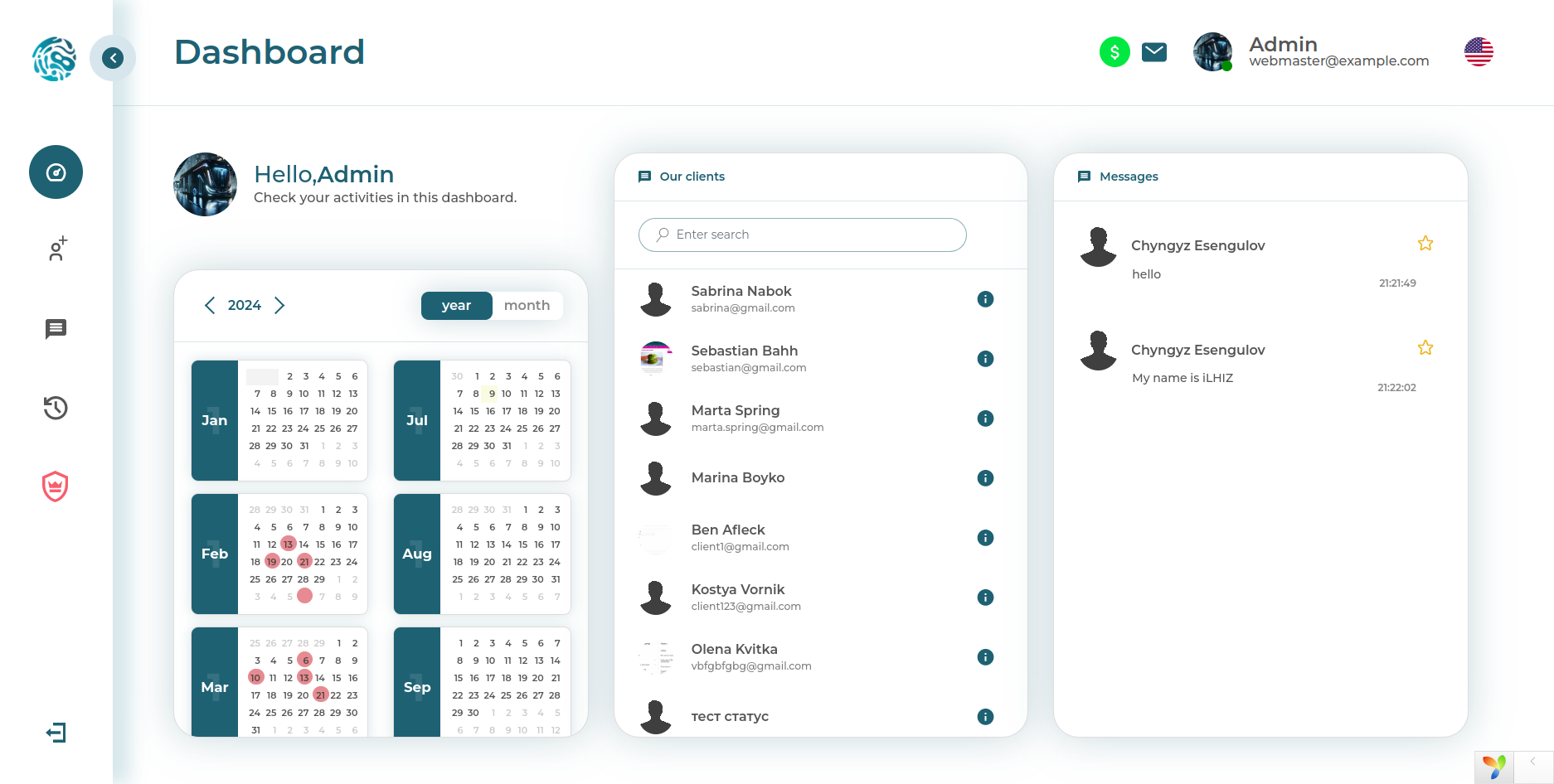
Functionality decisions
Super admin
This screen shows the top-level cabinet for managing the platform. The super admin receives centralized control over the system, can manage company managers, and effectively holds the overall management contour in their hands. These are not just settings, but a control point over the role model and the structure of the entire platform.
Within this role, functions for managing company managers, basic administrative actions, and global control over the internal organization of the system were implemented.
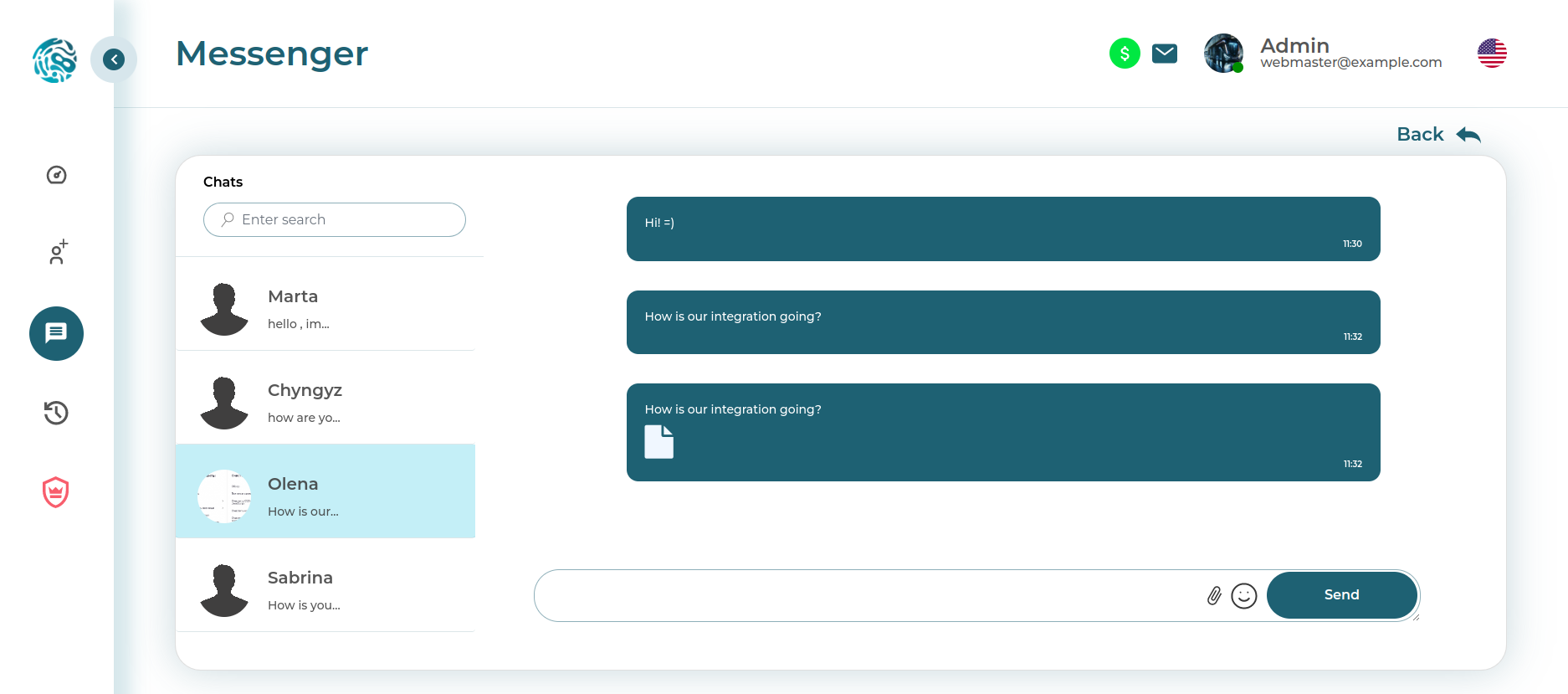
Manager
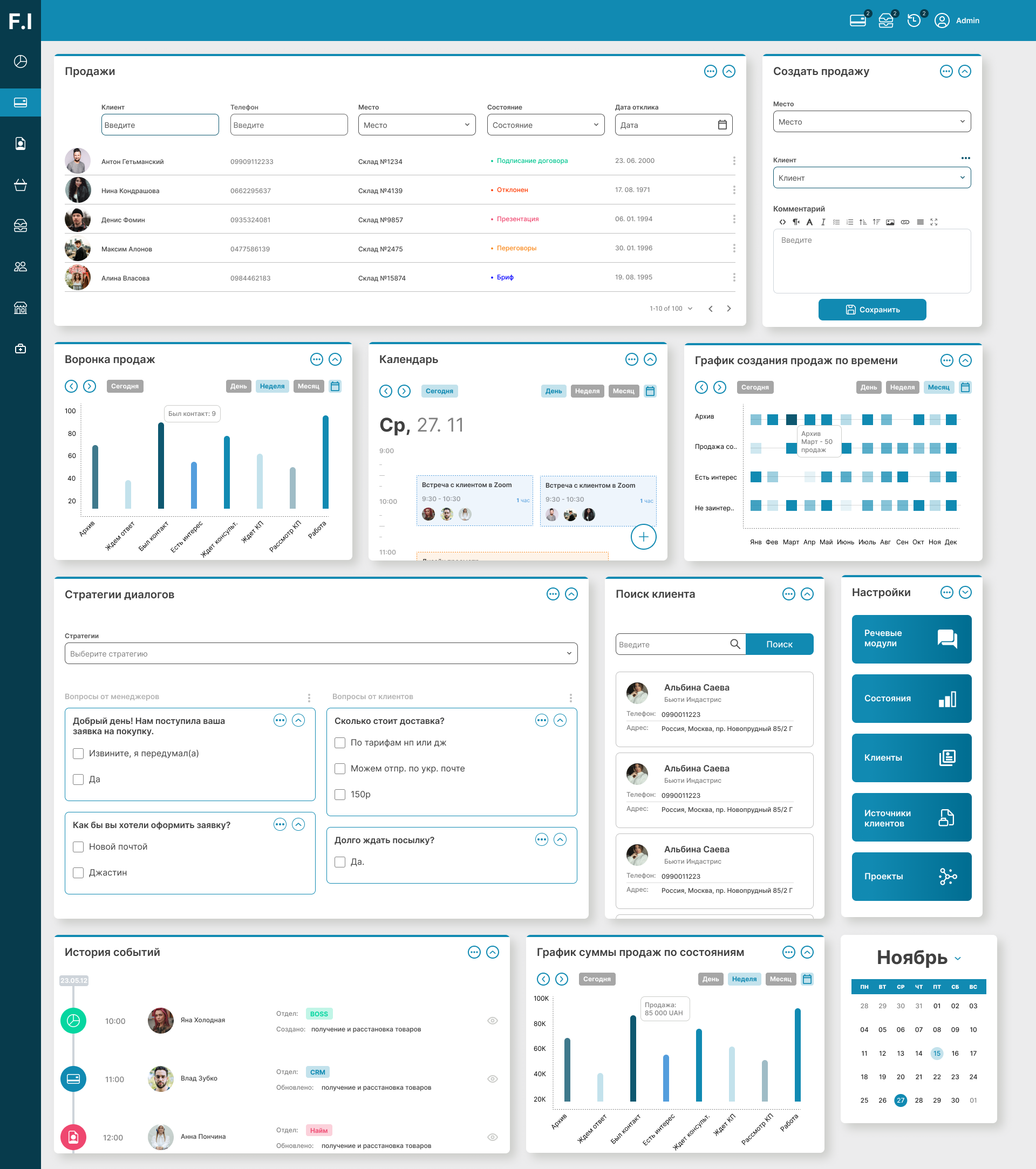
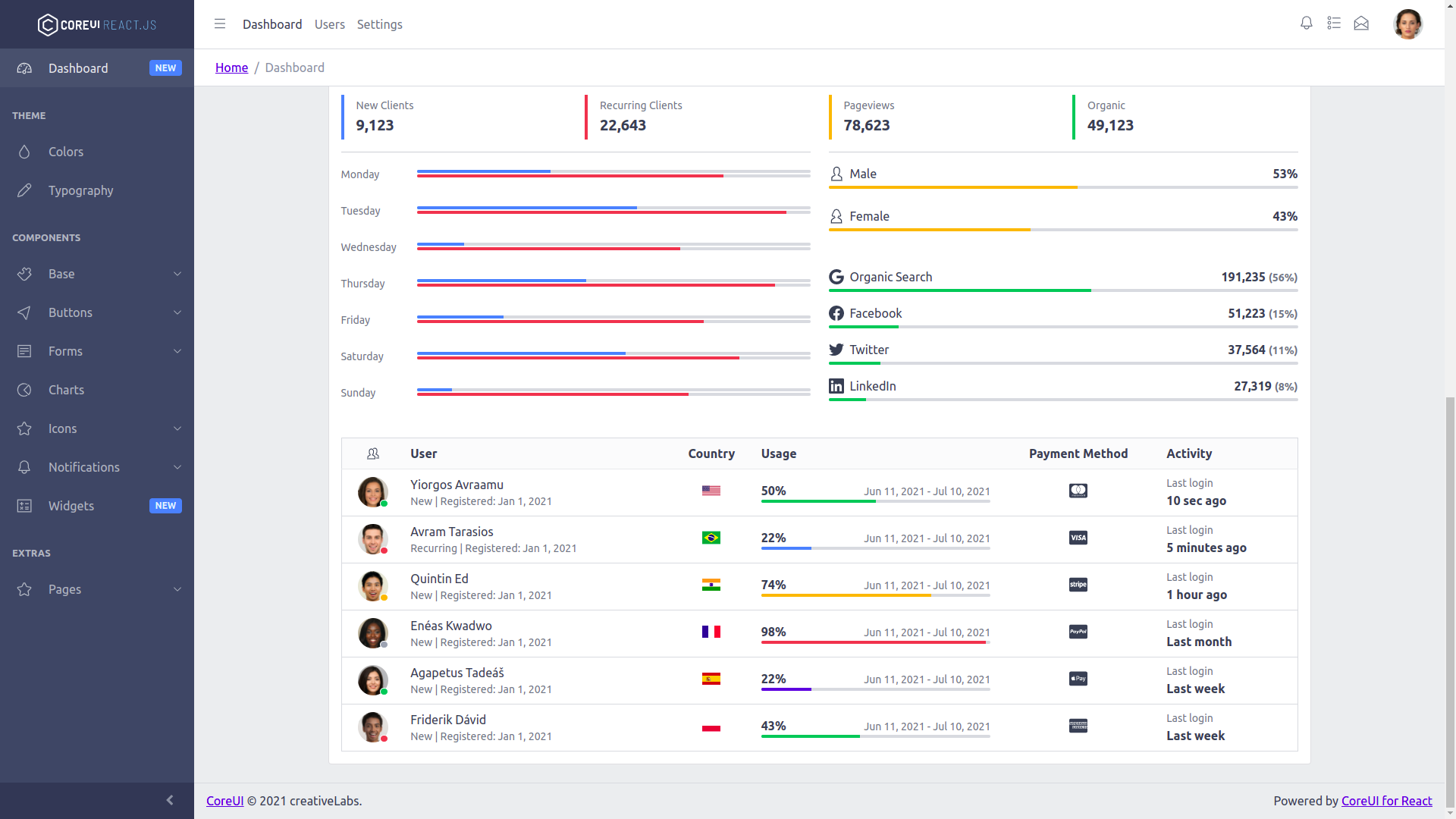
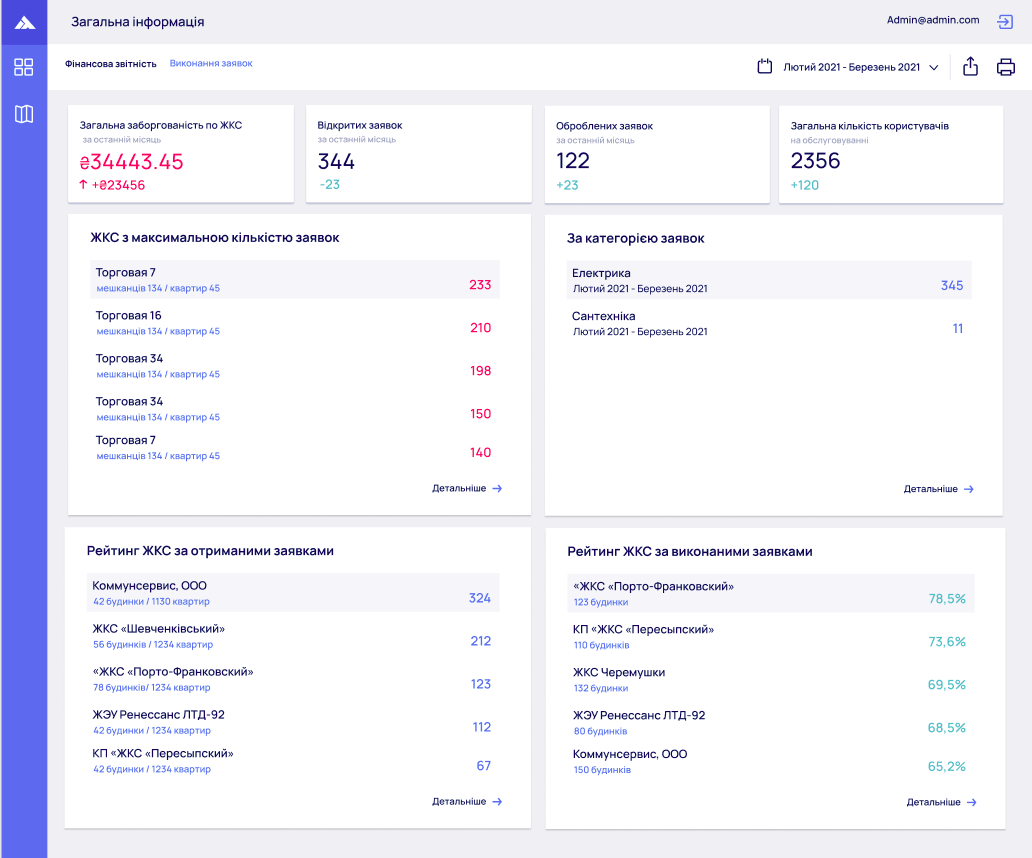
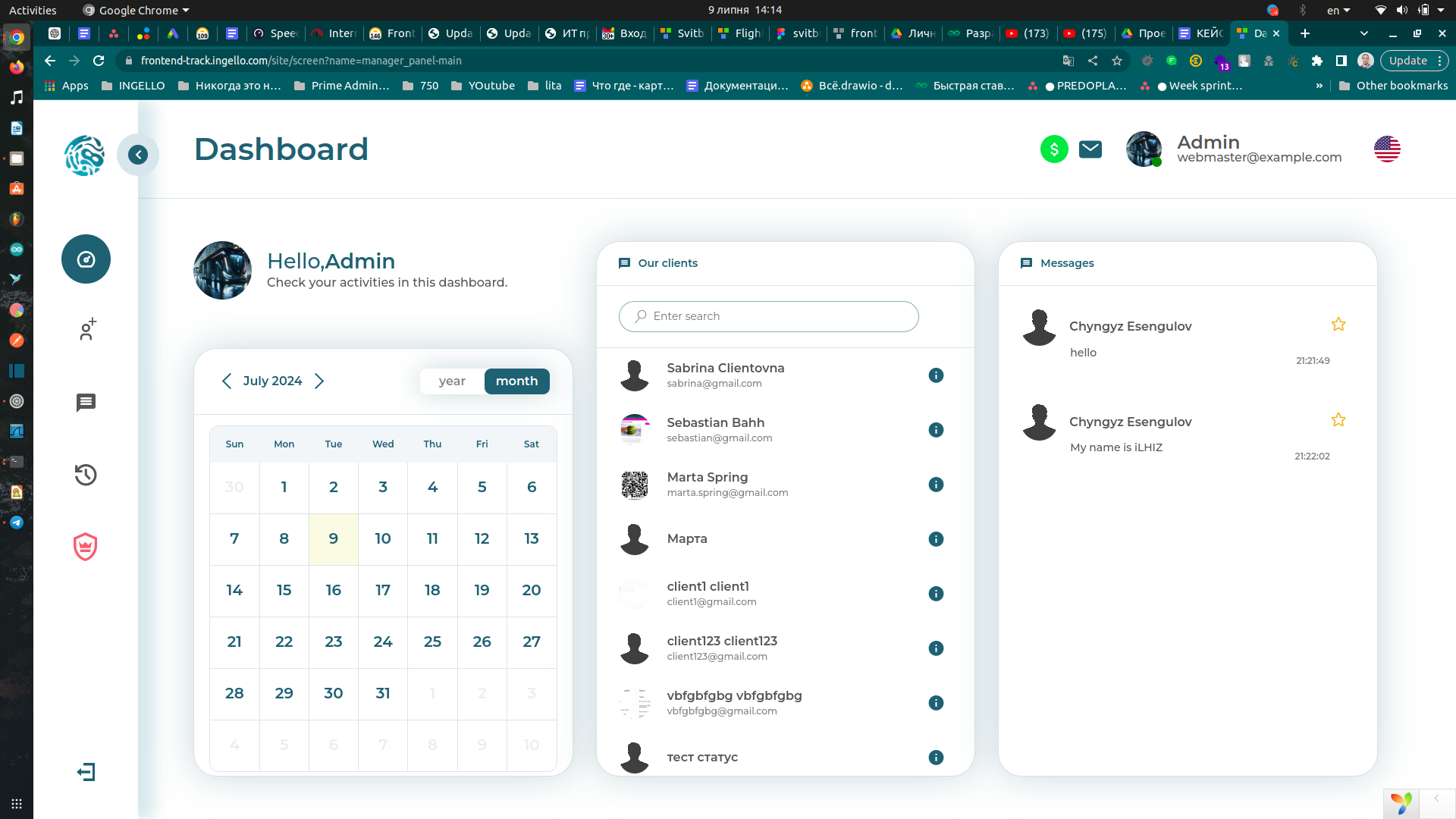
This is already the main working cabinet of the manager. It brings together quick access to key sections, client and company management, event monitoring, calendar planning, and internal communication. It is precisely screens like these that turn a system from a set of tabs into a real tool for daily work.
The manager sees a quick access panel, controls organizations, monitors events, plans tasks, and communicates within the system without having to jump between external services.
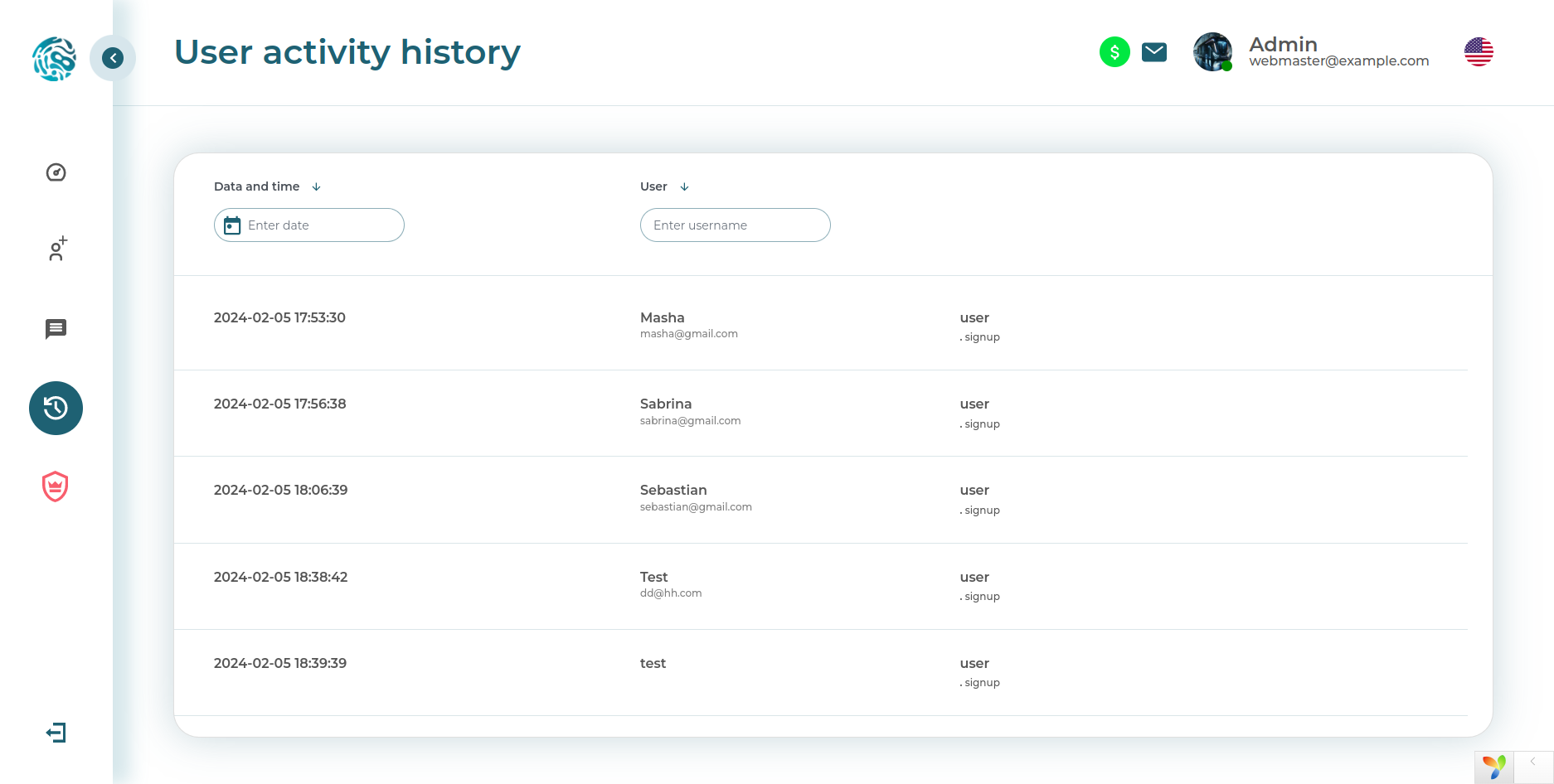
Client company
This screenshot shows the cabinet of a client company. This is no longer the level of the managing side, but a space for the carrier's daily operational work: trucks, drivers, documents, tasks, calendar, and chats. In other words, not abstract digitalization for the sake of the fashionable word digital, but a specific working tool.
Inside this cabinet, we implemented a dashboard, calendar planning, internal correspondence, transport and driver management, as well as document uploading with control over their states.
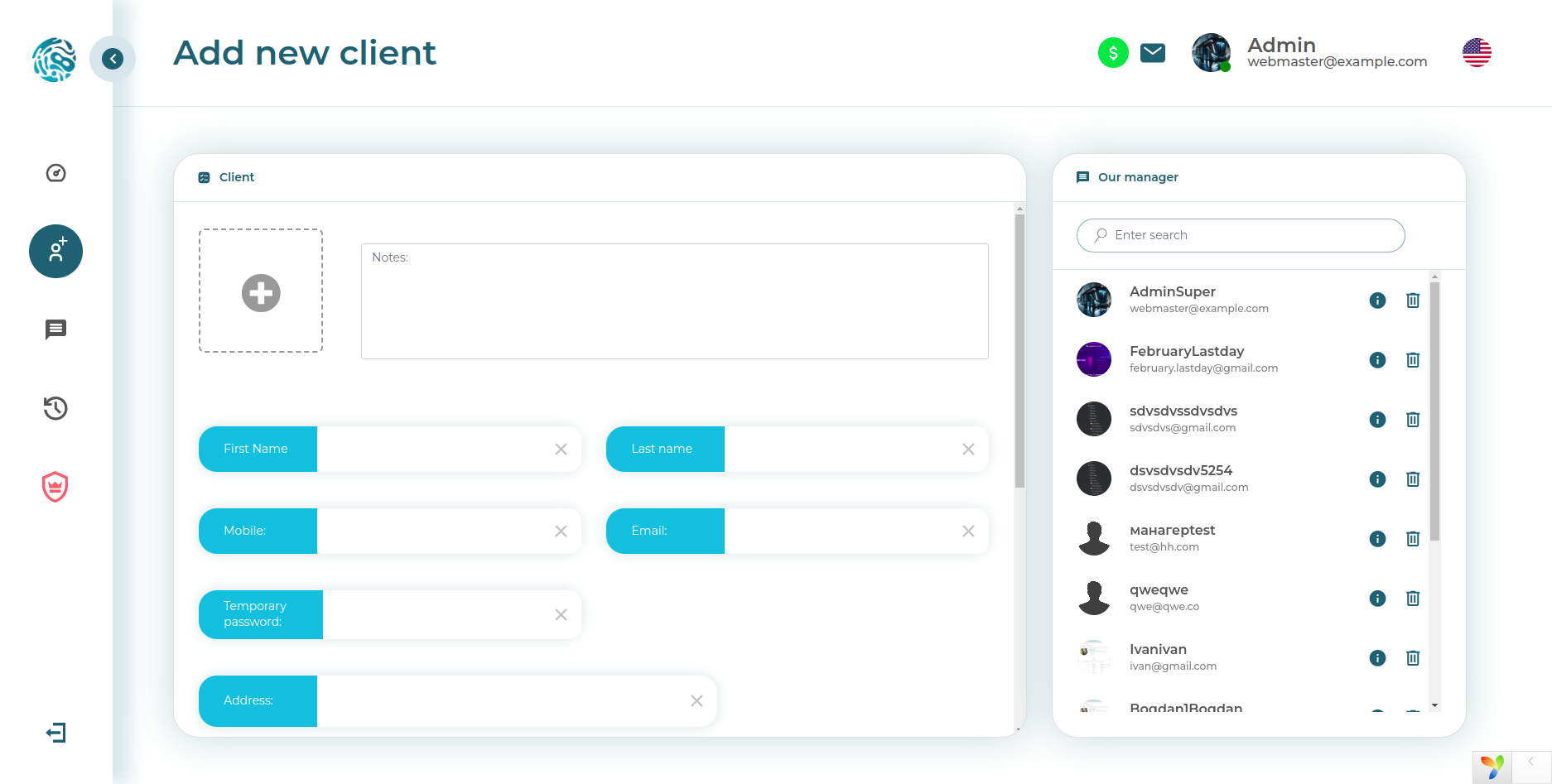
Technical admin panel
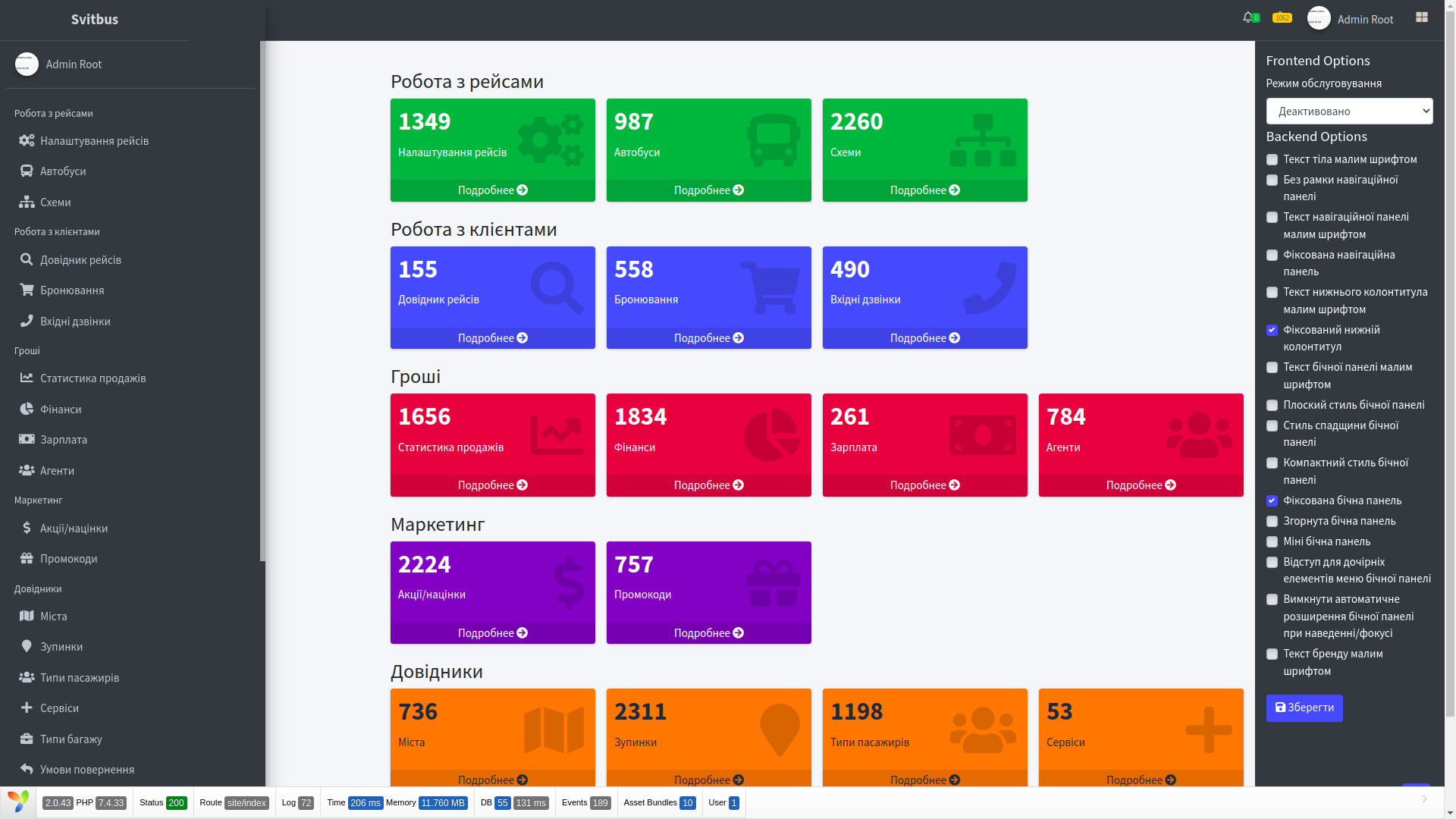
As a separate layer, we assembled the technical contour of the system. This is especially important in complex corporate products: the business must see its processes, and the support team must see the health of the platform itself. These screens are where the tools live that later save everyone from unnecessary nighttime adventures.
Here we provided an error log, server status, general data summaries, credential management, and directories.
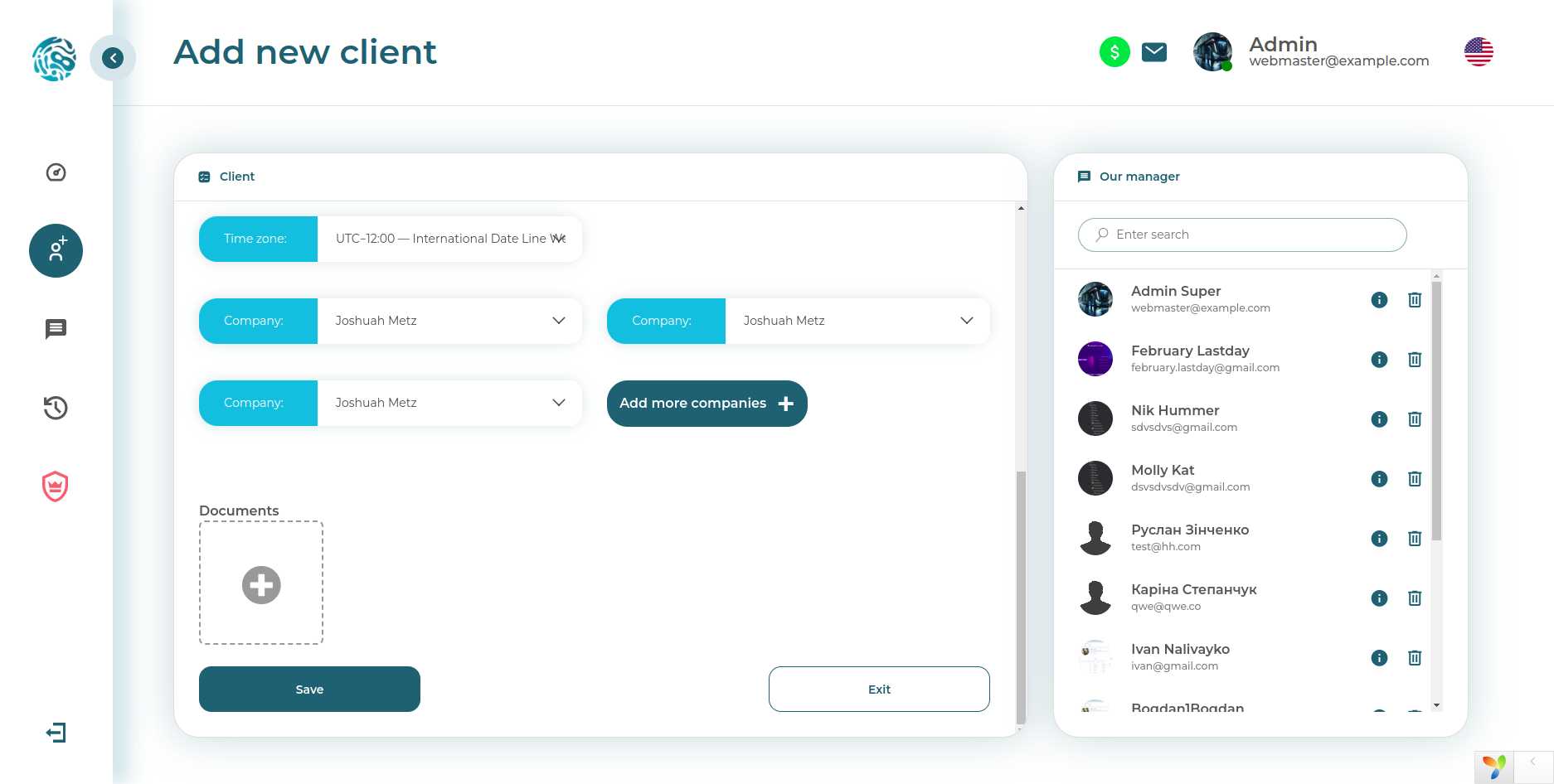
Service and administrative sections
This screen shows how technical administration works not only with errors and statuses, but also with directories, system settings, and internal data structures. It is precisely sections like these that make the support system mature rather than decorative.
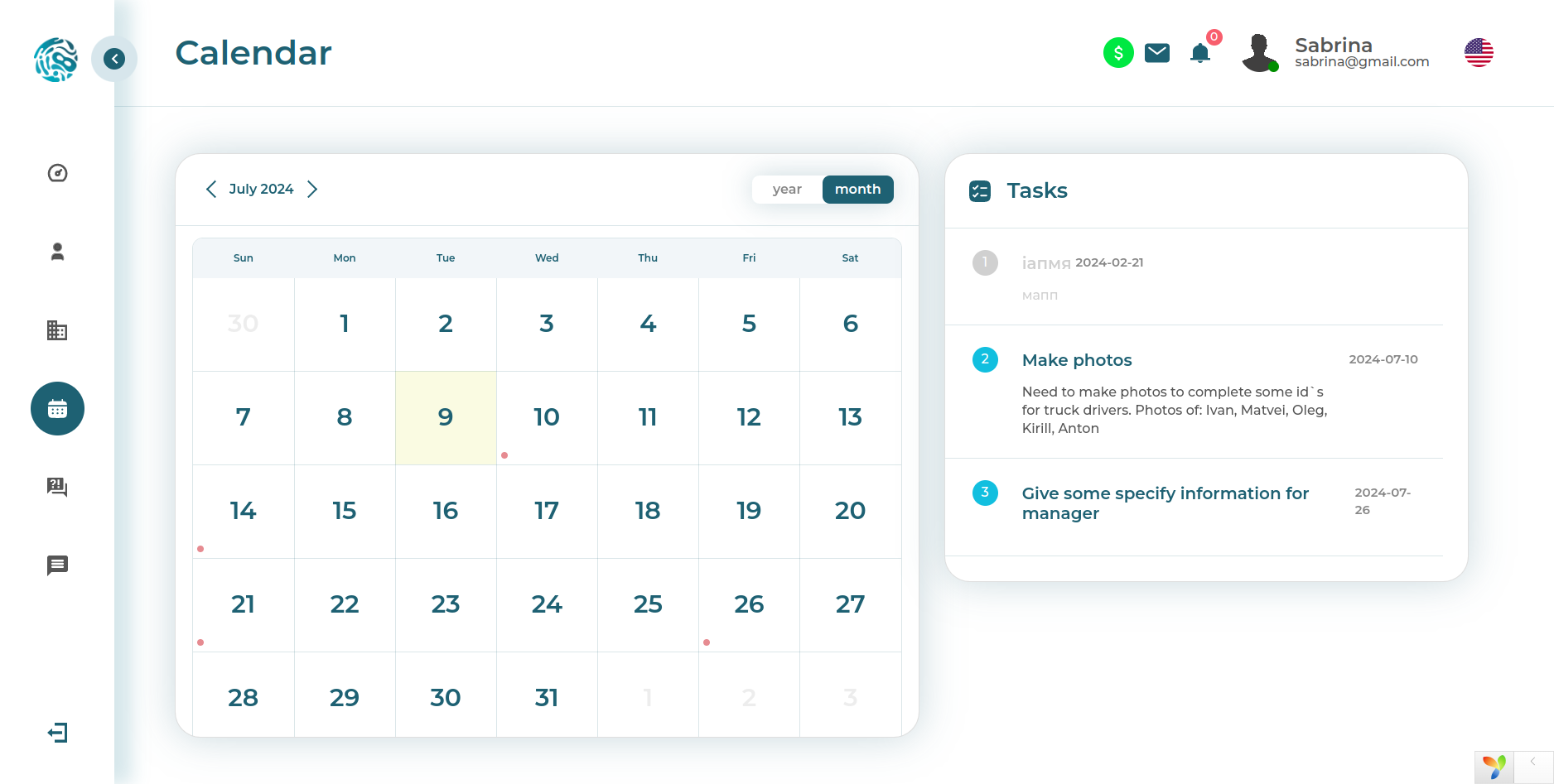
Planning and working interfaces
General task management screen
This screen shows that the system was not limited to registering entities and storing documents. It had a full-fledged operational layer: planning, status control, working with tasks, and quick transition to actions. In other words, this is no longer just a database with pretty buttons, but a working environment for the team.
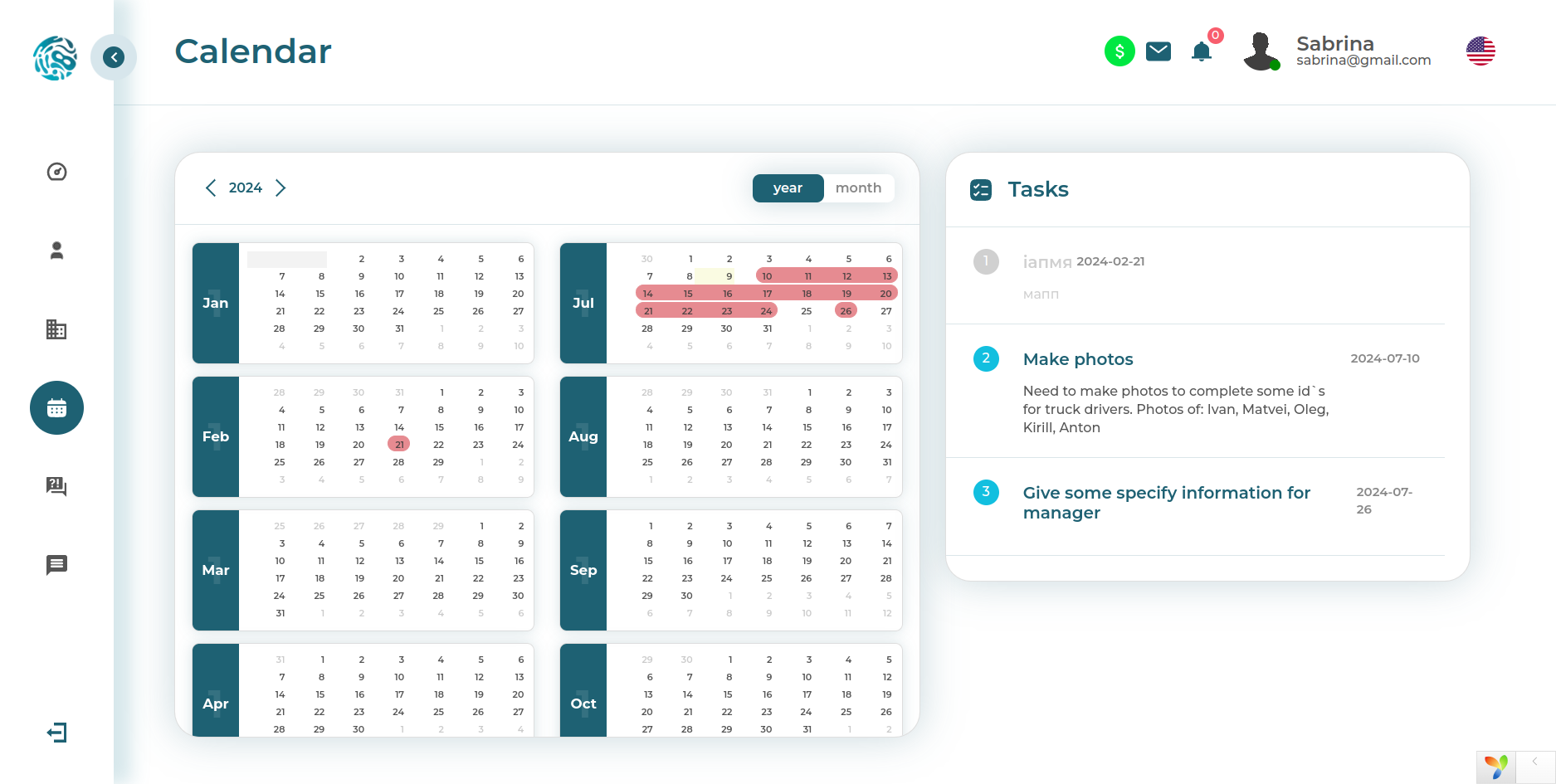
Annual calendar with color coding
Here we show the format of an annual calendar with tasks marked by category using colors. This interface helps instantly see process density, seasonal peaks, and overloaded areas. For management, this is convenient: the system does not just store tasks, but visually shows where overload is brewing.
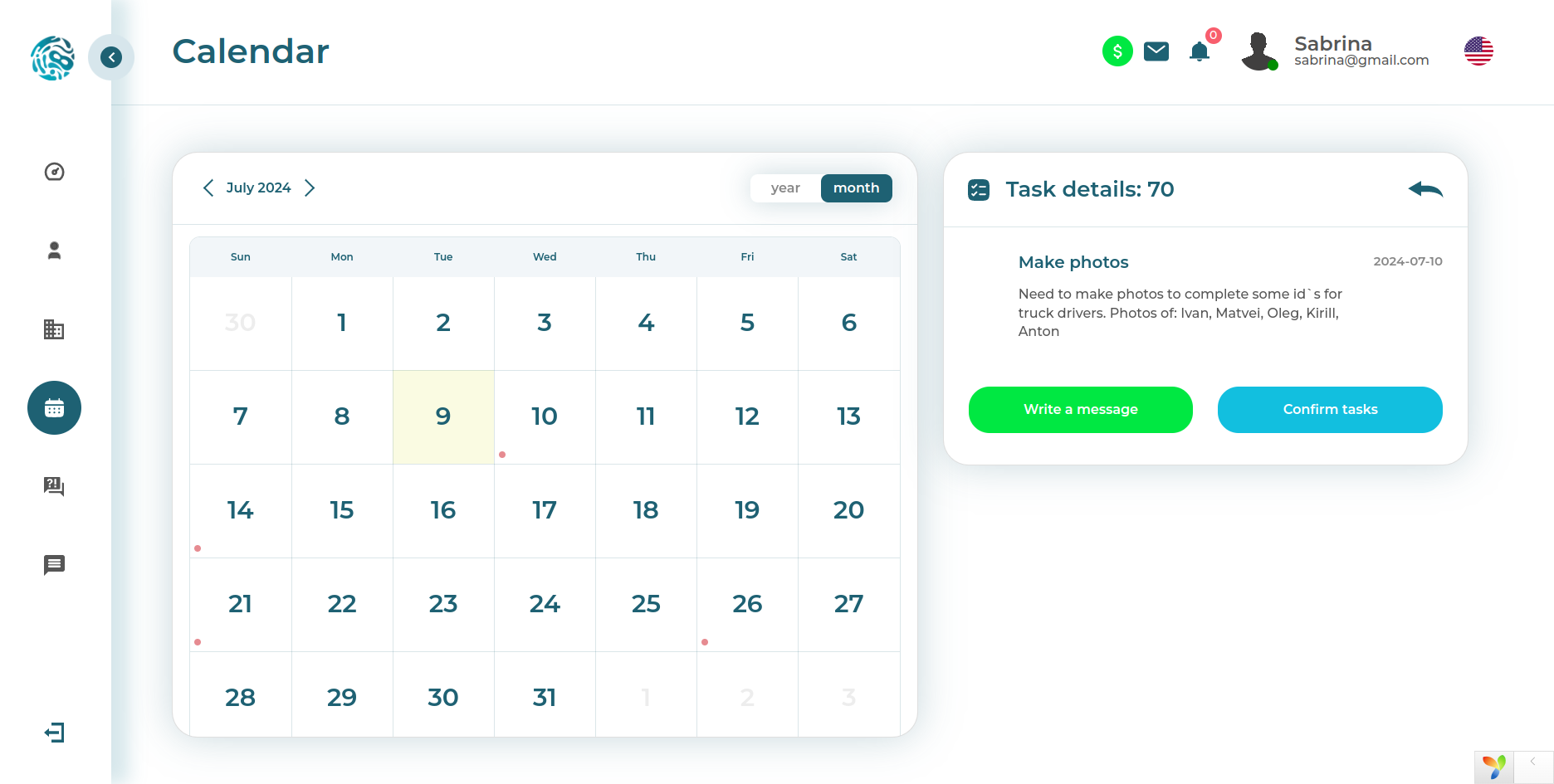
Interactive calendar
And here there is already an interactive calendar by months and years with task notifications and the ability to quickly make decisions on them. This is the layer of the product where data turns into everyday management: reminders, actions, statuses, and deadlines converge in one place.
Profile and personal settings
User profile
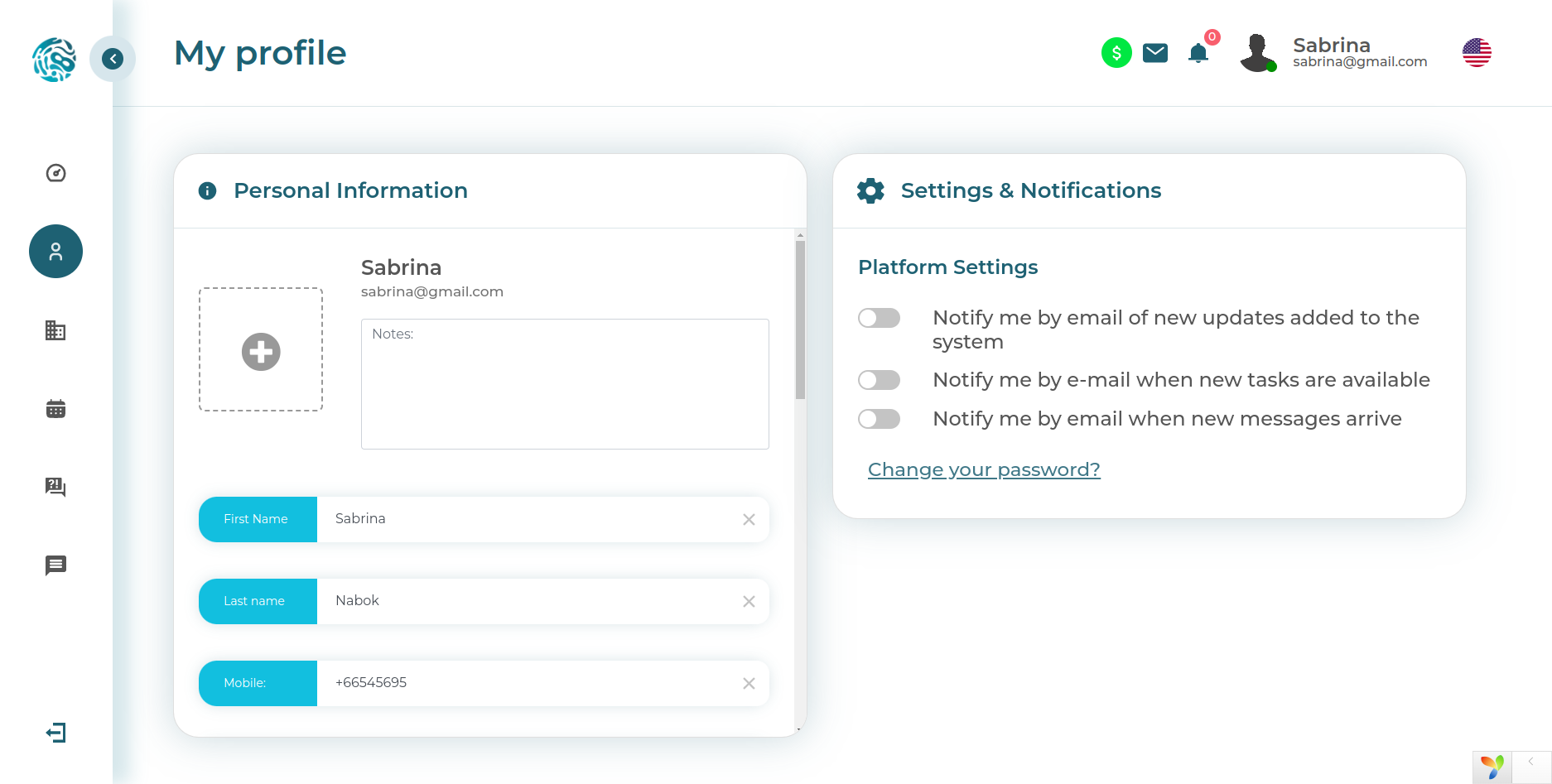
This screenshot shows a profile with photo upload, notification settings in the form of toggles, and the ability to change the password. Such modules are often underestimated, although they strongly affect the feeling of product integrity. The user should feel that the system knows how to work not only with companies and documents, but also with the user themselves.
Uploading personal files
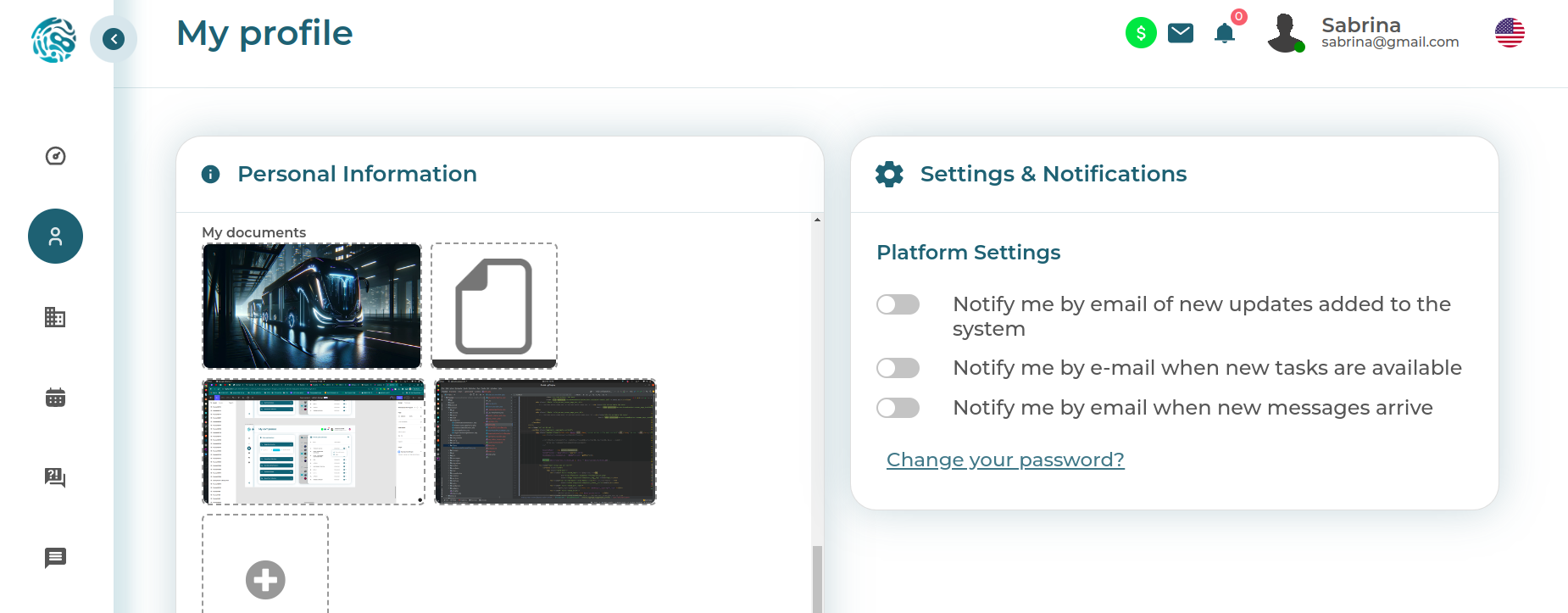
Here you can see how files and photos with personal information can be uploaded to the profile. This is important because in corporate systems, a document almost never exists by itself. It must be linked to a person, an entity, a role, and a specific working context.
Documents and statuses
Document registry
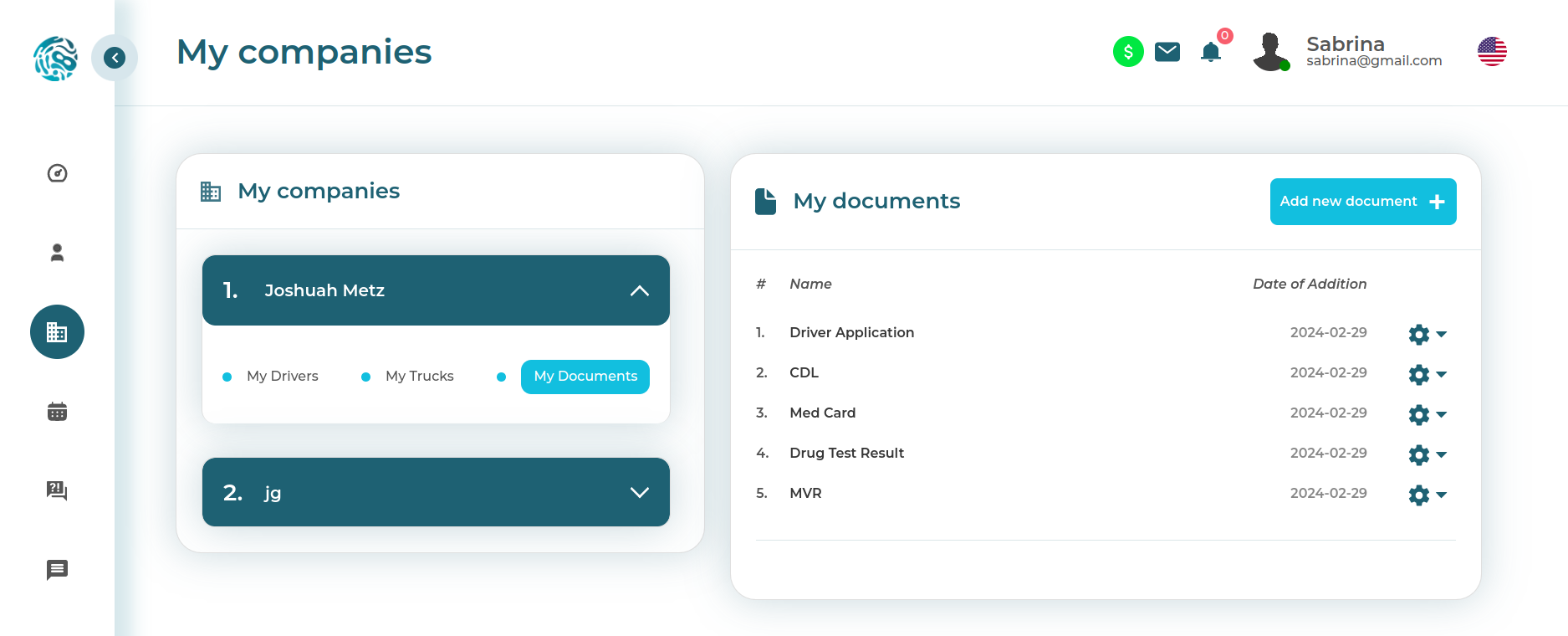
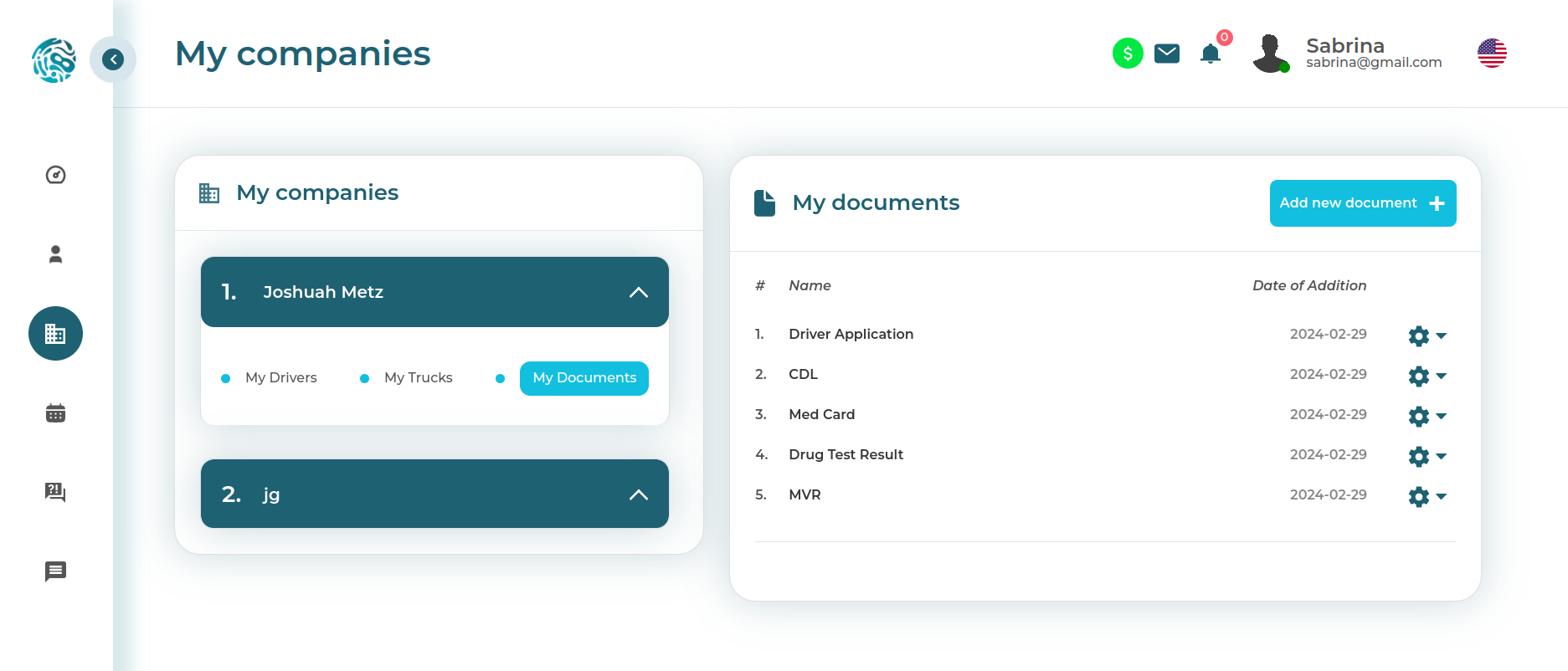
This screen presents a list of documents with upload dates and settings. It is especially clear here that document flow in the system is not decorative, but working. Each document goes through its own life cycle: upload, verification, status, available actions, and connection with system objects.
Transport and companies
Truck registry
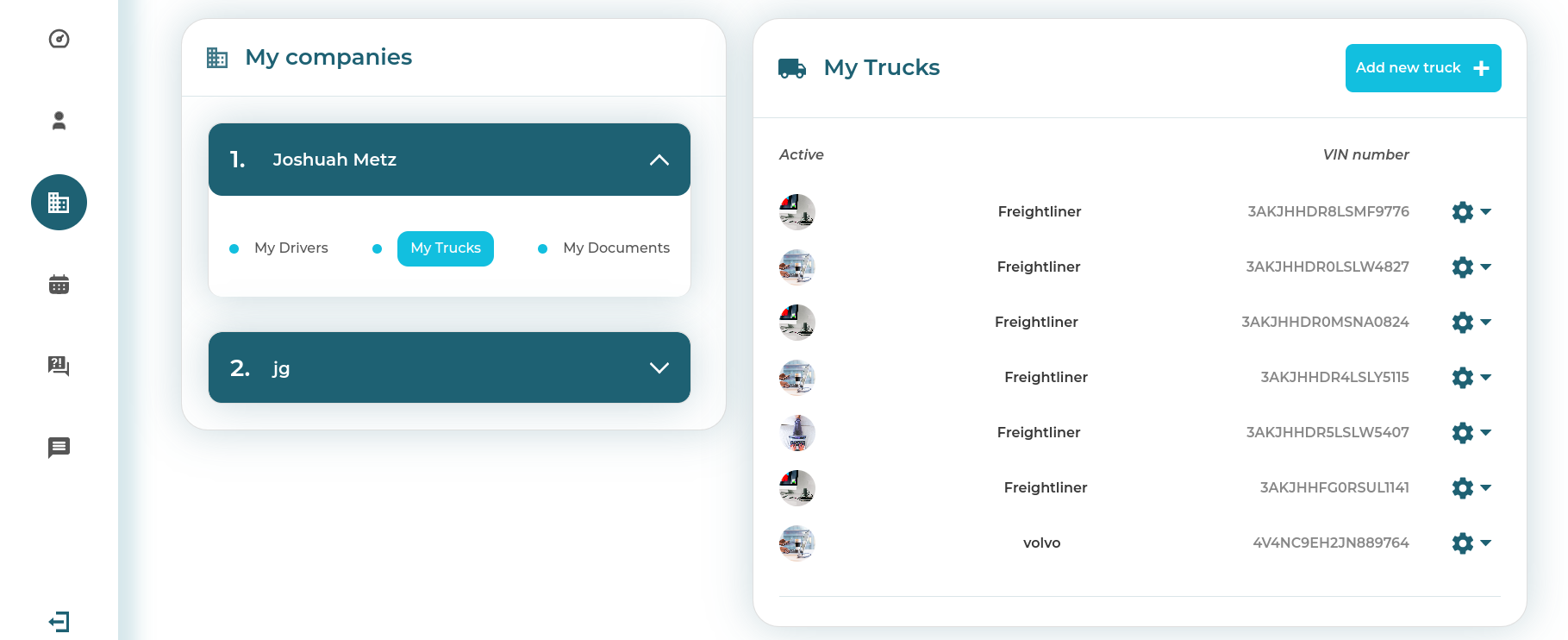
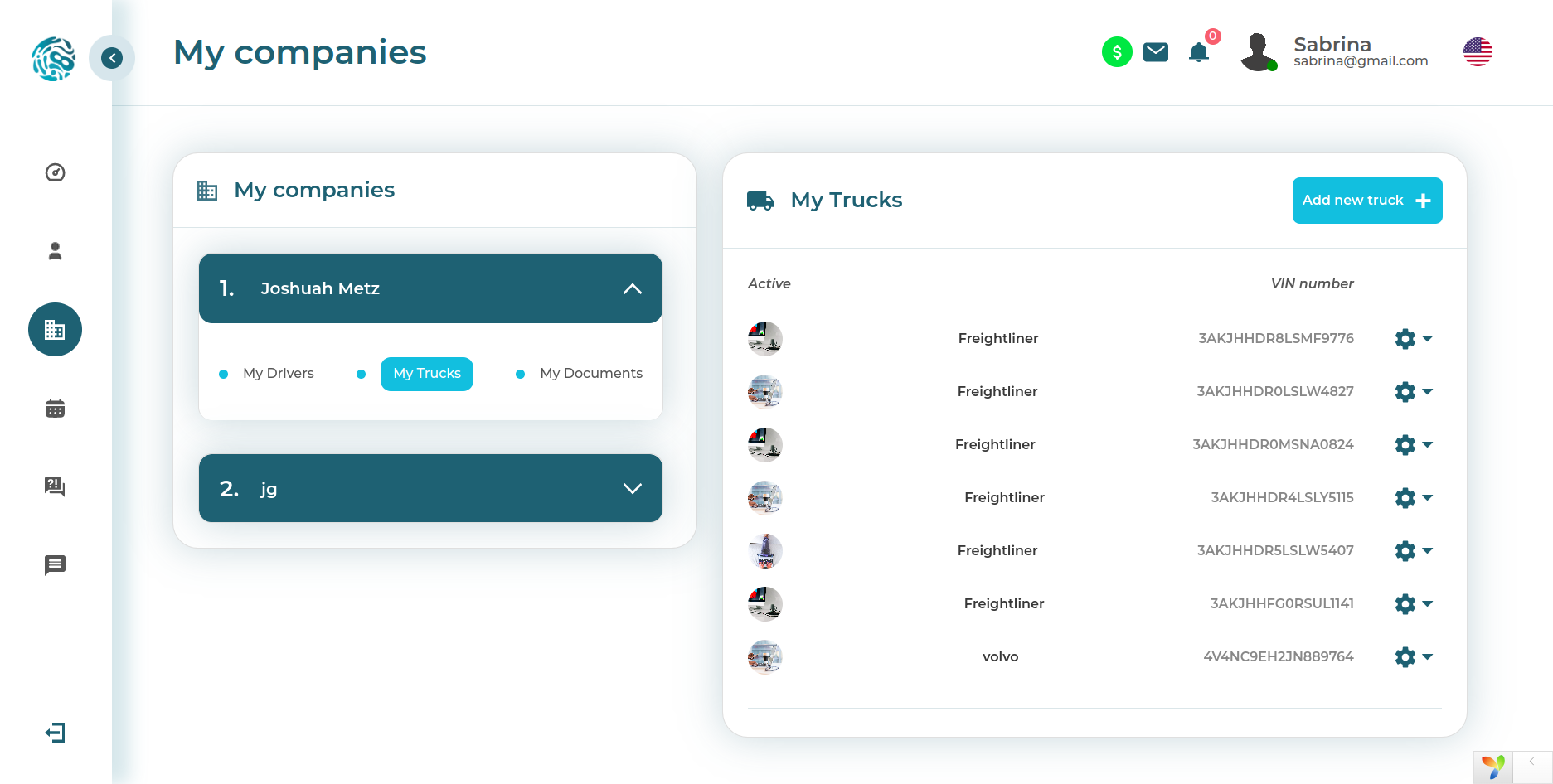
This screen shows a list of trucks, VIN codes, and the ability to configure each object separately. Here the domain core of the platform is already visible: transport as a full-fledged entity with its own attributes, identifiers, and working actions.
Companies and transport in one contour
This screenshot shows a list of companies and trucks with the ability to configure them. The system connects different levels of the domain area into one manageable picture: the organization, its transport, employees, and documentation no longer live in different tables and messengers.
Uploading and processing documents
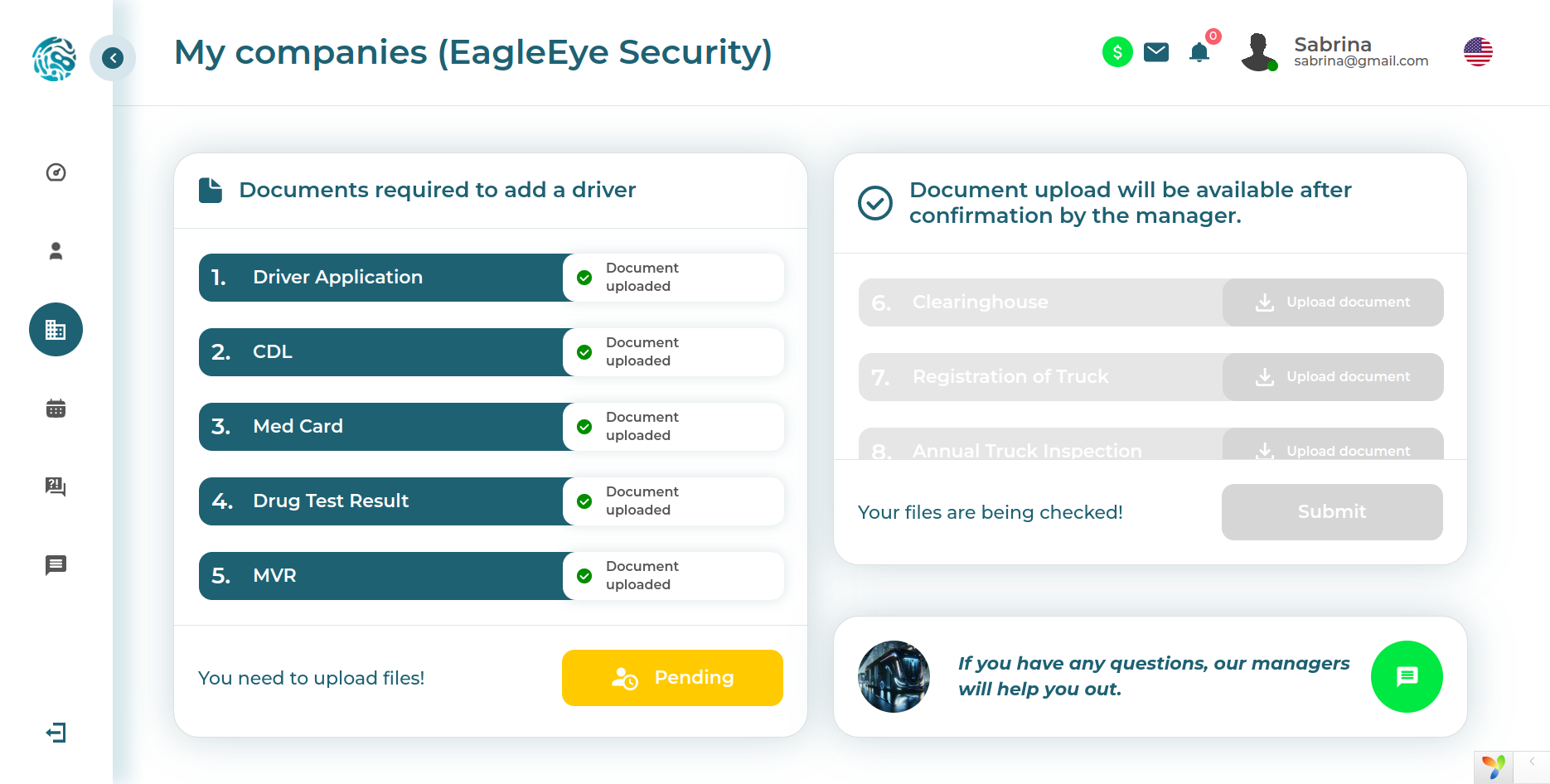
Here we show a key working scenario: uploading documents, processing them, and tracking statuses. For a transport business, this is one of the most sensitive contours of the system. A document here is not just a file, but a reason for action, confirmation of a process, and sometimes the main source of operational pain if something is wrong with it.
Unified management panel
This screen brings together an overview of companies, trucks, drivers, and the complete set of documentation. This is a good example of a composite interface where several interconnected entities are connected into a single management panel. Fewer switches, less loss of context, fewer chances to miss something.
Knowledge base and user support
Questions and answers section
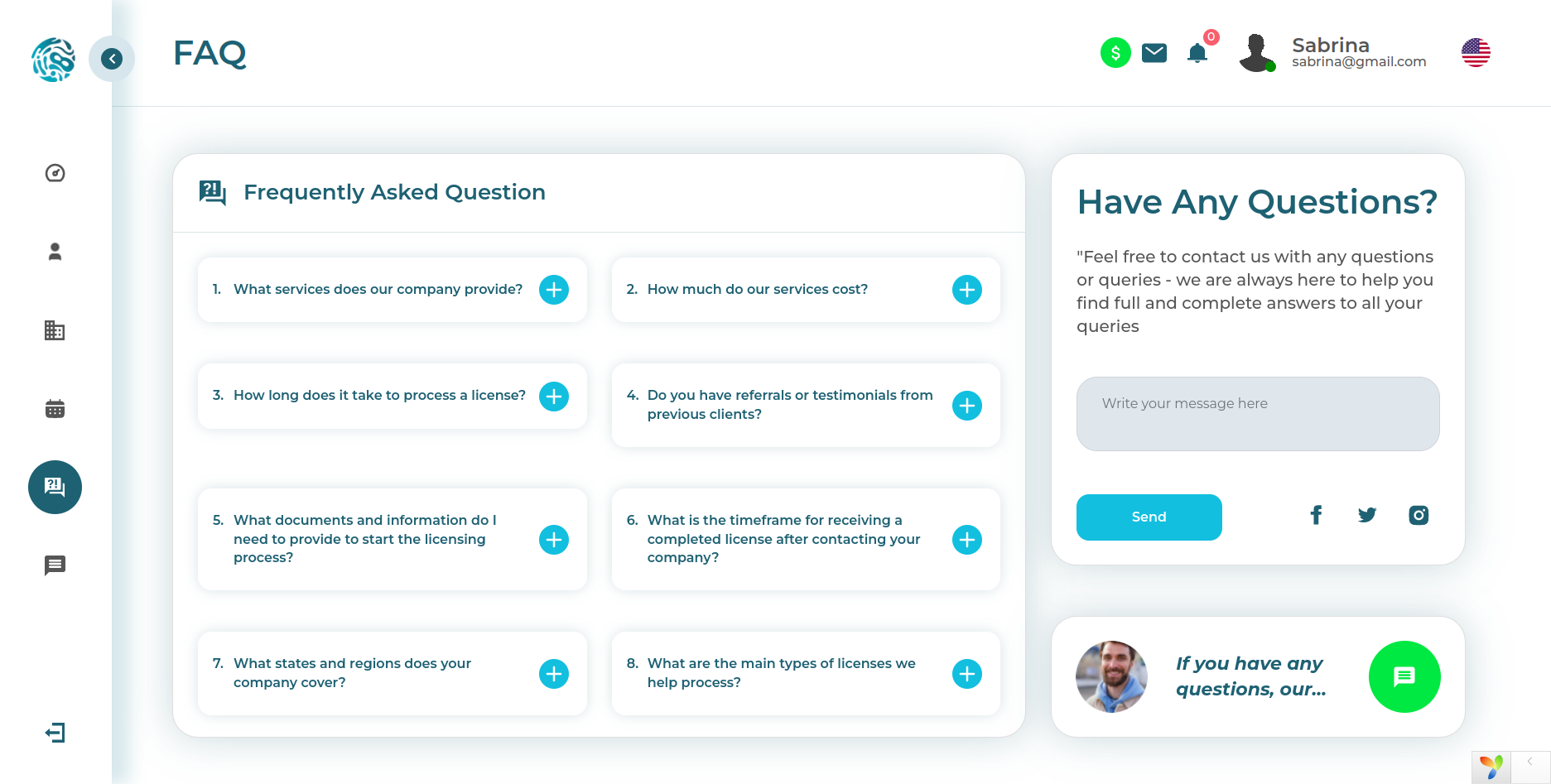
Here we show the question-and-answer section for the system, with the ability to ask your own question, receive an answer, and after moderation, automatically add it to the knowledge base. This is a useful product layer: it reduces the load on support and gradually turns scattered user requests into the system's accumulated useful memory.
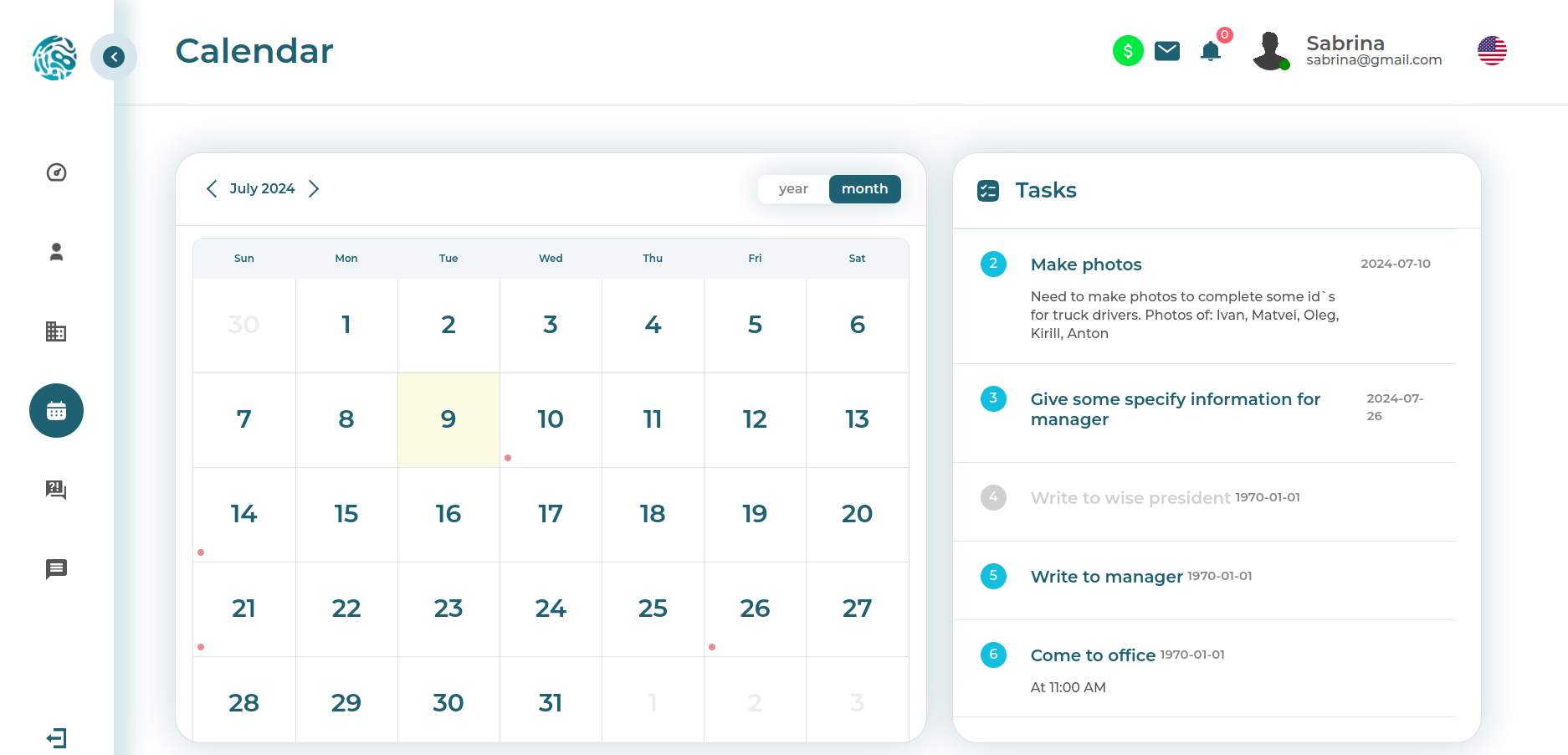
Task calendar
Tasks for the day and status details
In this screenshot, the calendar already shows a list of tasks for a specific day and allows you to click through to detailed information. This format is convenient because it combines overview and operational speed: the manager sees the workload by date and can immediately move to specific actions.
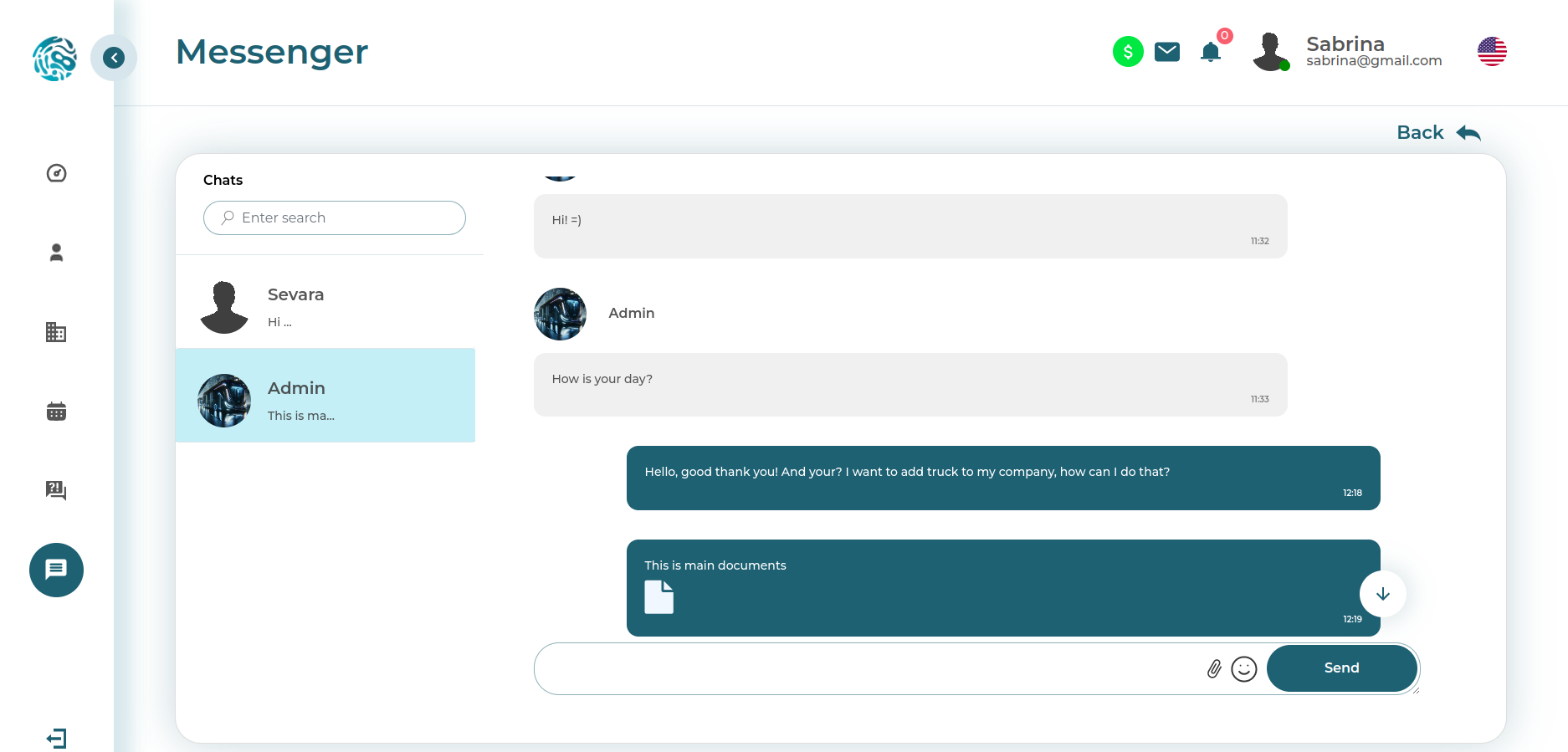
Internal communications
Chat for communication and document exchange
And here there is already an internal chat. In corporate products, this is a very important module, because people will communicate about tasks, files, and statuses anyway. The only question is whether they will do it inside the working contour, where messages are connected with system objects, or once again drown in external messengers, where after two days no one will find anything.
Technologies
Why this stack gave the client a real advantage
A list of technologies by itself impresses no one. The client is not interested in a set of fashionable words, but in the answer to a simple question: why exactly this stack made the project faster, cheaper, and more manageable. In this case, the technologies were important not as decoration for a tender, but as a tool for saving time, budget, and nerves.
SFL made it possible to accelerate database, API, and documentation prototyping. PHP provided a predictable server foundation for a complex business system. JavaScript, HTML and CSS provided a lively and understandable interface layer. Linux, BASH, Docker, Docker Compose, FastCGI Process Manager, MySQL and Nginx provided a stable server environment and manageable operation.
But the main advantage came not simply from the stack, but from how it was assembled around FRACTAL.ingello. It was precisely the fractal approach that made it possible to sharply reduce the share of manual routine, assemble the system framework faster, and fit into the budget a scope of functionality that, for an ordinary team, often ends with the words this will already be in the second phase. Here, a lot was included immediately. And that is exactly why the client received not just an MVP on paper, but a large, living, feature-rich system that could be shown, tested, and developed further.
If you are interested in other projects where we built not just interfaces, but full-fledged management contours, take a look at platFORMA, FORMA BPM, FORMA CRM, as well as the transport cases NorthWest, LEX, Svit BUS, BusTicket and UNO Taxi.
Why clients come to us with projects like these
We know how to work where chaos begins for others
Complex systems rarely begin with beautiful order. Usually they begin with tired employees, spreadsheets, manual actions, document forwarding, disconnected services, and the feeling that everything is somehow holding together, but it is not clear on what. It is precisely in these conditions that what is needed is not just a contractor, but a technical partner who knows how to break chaos down into entities, roles, statuses, scenarios, and architecture.
We do not sell the illusion of easy development. We help move from a vague idea or tangled operations to a system that can be scaled, maintained, and used without constant manual heroics. To do this, we combine project thinking, architectural discipline, automation, and a sober view of the budget.
For the client, this gives not abstract development, but concrete benefit
First, you get not a set of programmers, but a team that knows how to think about the business process as a whole. Second, we know how to quickly enter a complex domain area and isolate what matters most. Third, our internal technologies accelerate the path from idea to working product and reduce the amount of expensive manual routine. And finally, we are not interested in endlessly inflating the project — it is more beneficial for us to build the system so that it is understandable, stable, and economically justified.
If you already have a set of spreadsheets, regulations, chats, and mismatched processes, this can be turned into a working system. If you only have an idea and the understanding that you need a strong technical partner, that is also our format. We know how to start with architecture, analysis, design, an MVP, and a gradual phased launch. The main thing is to do it not blindly, but correctly.
Unobtrusively, but honestly
If this approach is close to you, visit systems.ingello.com. There you will find a description of the working principles, stages of cooperation, reviews, interaction format, and the opportunity to submit a consultation request. No loud promises and no circus. You can simply calmly discuss your project, understand its real complexity, and assemble a solution that will work not only in a presentation, but also in real life.