Most of the systems we build for businesses are not typed out by hand from scratch; they are described. We define the data structure, the screens and the links between them in three small languages, and the Fractal 2 generator turns that description into a database, a documented REST API, an admin panel, a React interface and a technical specification. Below is how it all fits together: frontend, backend, infrastructure, where AI sits in the process, and the checks without which generated code cannot be trusted.
Every screenshot was taken on a working test bench. The running example is Dubrava, a furniture factory, and all its data is test data. The Fractal 2 studio in the screenshots has a Russian interface, while the Dubrava app itself is in Ukrainian.
The approach: a description instead of code
Conventional development keeps the same system in several places at once: in the specification, the database schema, the backend code, the frontend types and the API documentation. Every change has to be made everywhere, and within six months those places start to drift apart. The documentation lies, the frontend expects a field that no longer exists, and an integration breaks for no obvious reason.
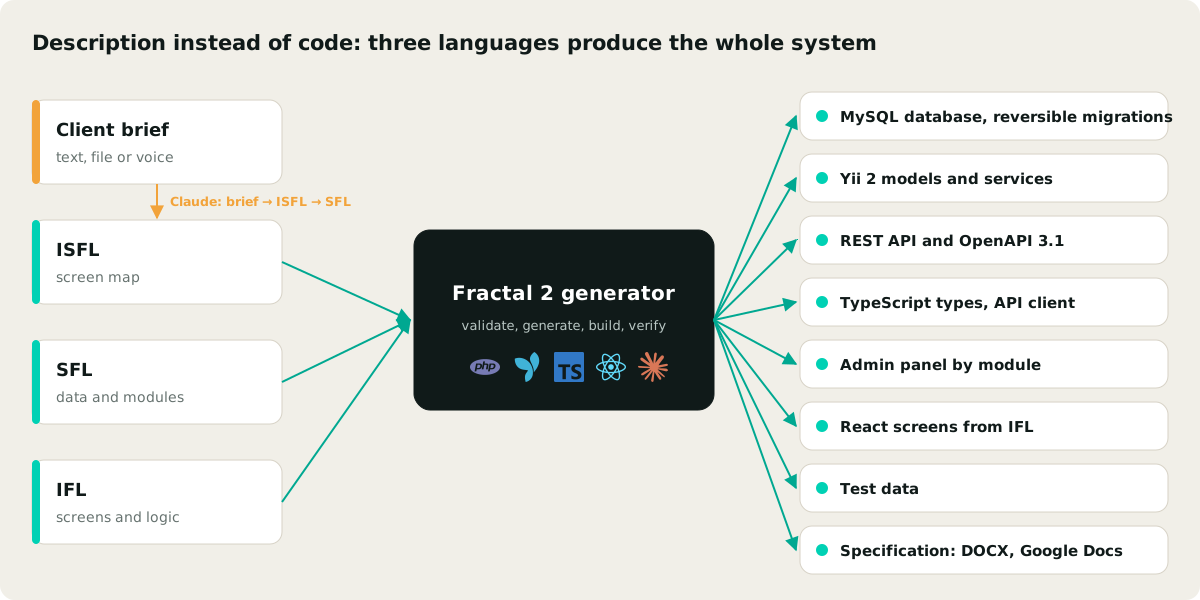
In Fractal there is a single source, written in three languages:
- SFL (Structurer Fractal Language) describes the data: tables, fields, types, relations and modules;
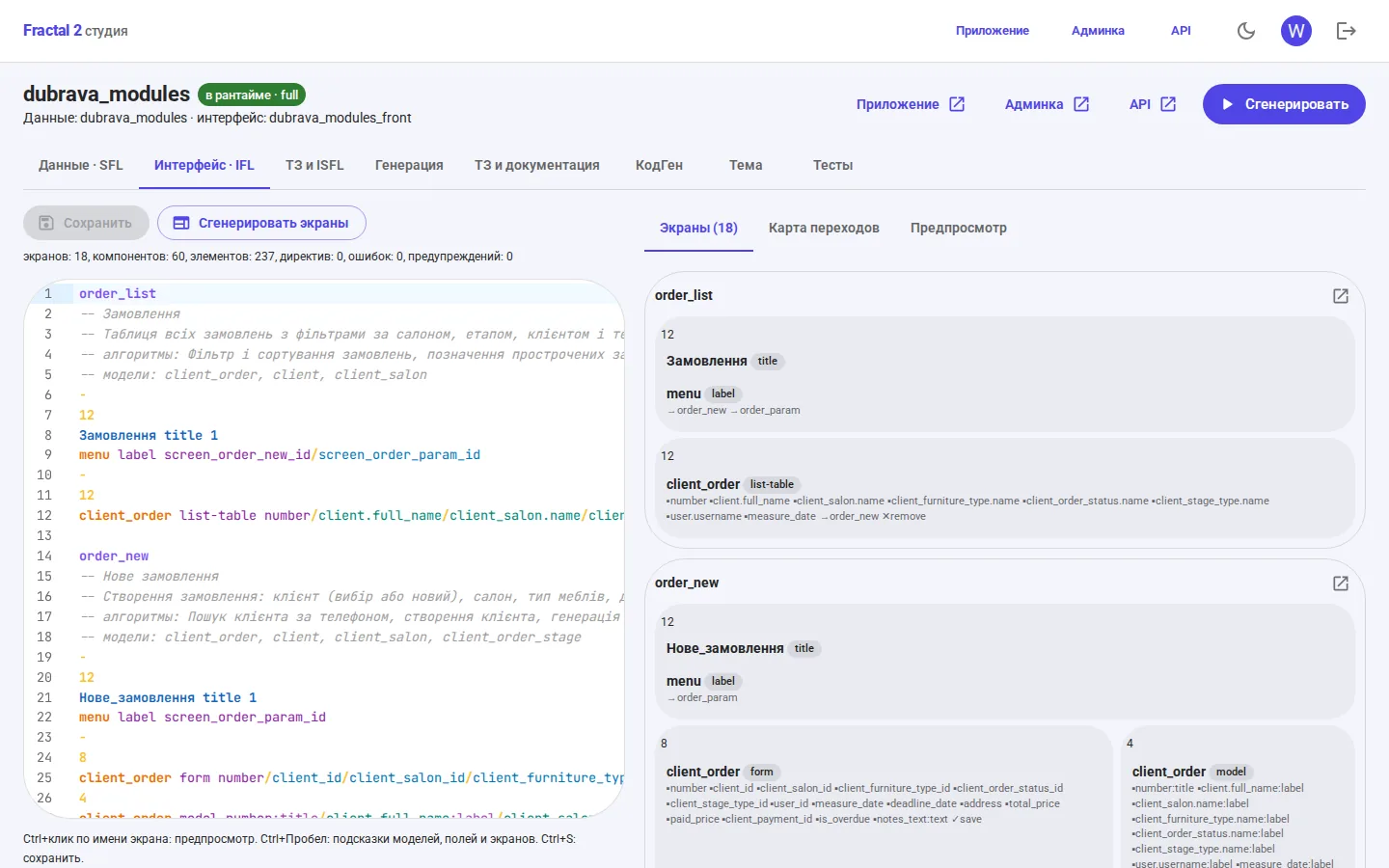
- IFL (Interface Fractal Language) describes the screens: the grid, components, fields and transitions, plus business logic directives;
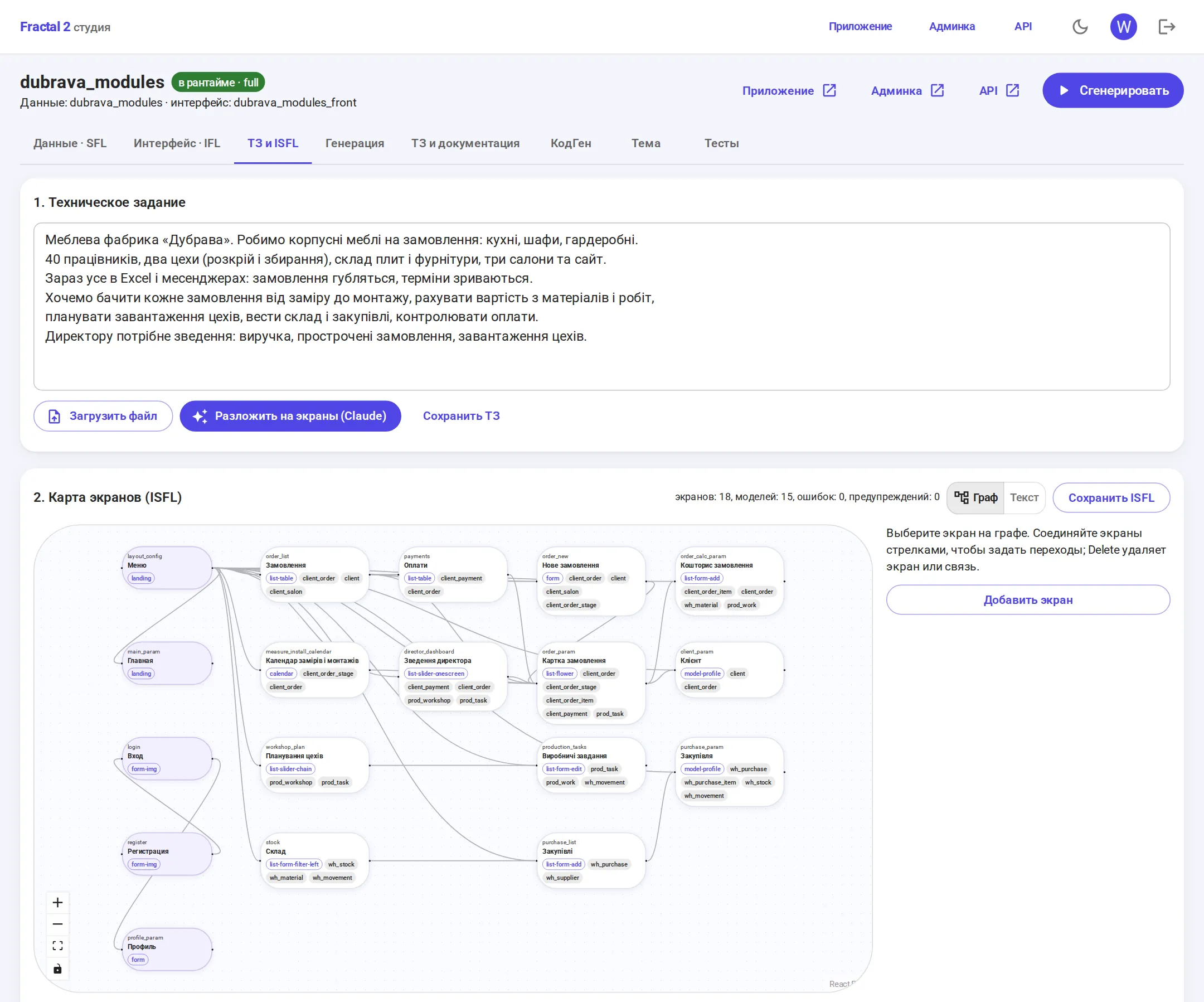
- ISFL describes the screen map: which screens exist, which patterns they are built on and how they link together.
The generator derives everything else from that description. So changing the structure takes minutes, and the documentation and code cannot drift apart by definition: they are built from the same place.
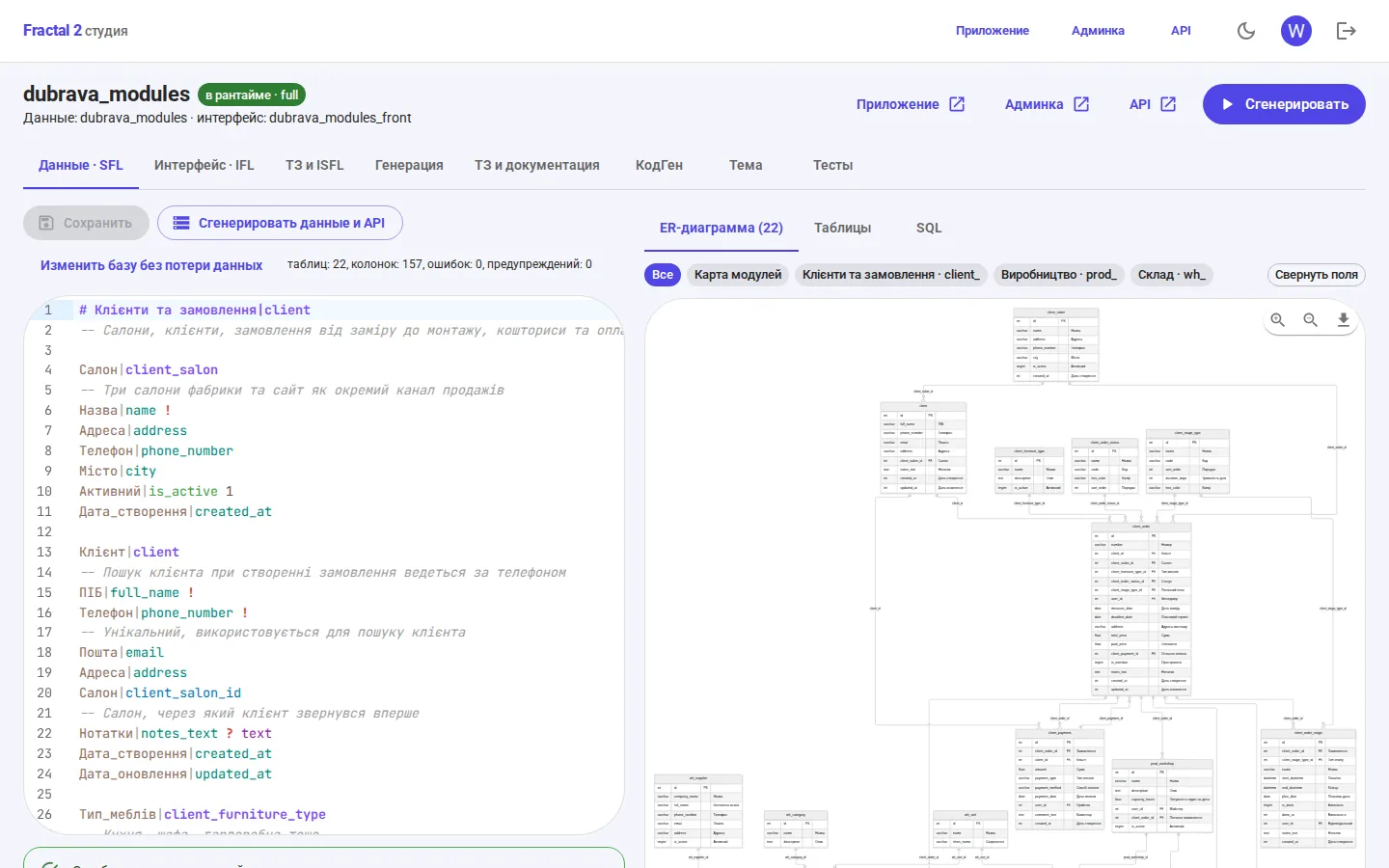
This is what SFL looks like. One line describes one column, a field ending in _id becomes a foreign key, and an exclamation mark makes the field required:
User|user
Name|name !
Email|email !

Order|order
User|user_id !
Amount|sum float(10,2)
Status|status
Created|created_at
The table name prefix sets the module, as in Odoo: sales_order goes into the sales module, wh_stock into the warehouse module. Admin menus, API sections, ER diagrams and specification chapters are then split by module automatically.
From client brief to working system
Dubrava has forty staff, two workshops, a warehouse of boards and fittings, three showrooms and a website. Everything lives in Excel and messaging apps, orders get lost and deadlines slip. The director wants to follow every order from measurement to installation, cost each job from materials and labour, plan workshop capacity, run the warehouse and purchasing, and keep track of payments.
An analyst pastes this text into the studio as it is, as a file or by voice. From there the path is:
- Claude breaks the brief down into screens, patterns and models. The result is an ISFL map that the analyst edits on a graph, adding screens and connecting transitions with arrows.
- From the map, Claude designs the data schema with modules and comments. The SFL parser checks the response and, if it finds errors, sends it back for correction.
- The generator builds the database, backend, API, admin panel and screens, then checks that everything responds.
For Dubrava that comes to 22 tables and 157 columns across three modules (clients and orders, production, warehouse), plus 18 screens containing 60 components and 237 elements. Not a single parser error or warning.
Frontend: React assembled from the description
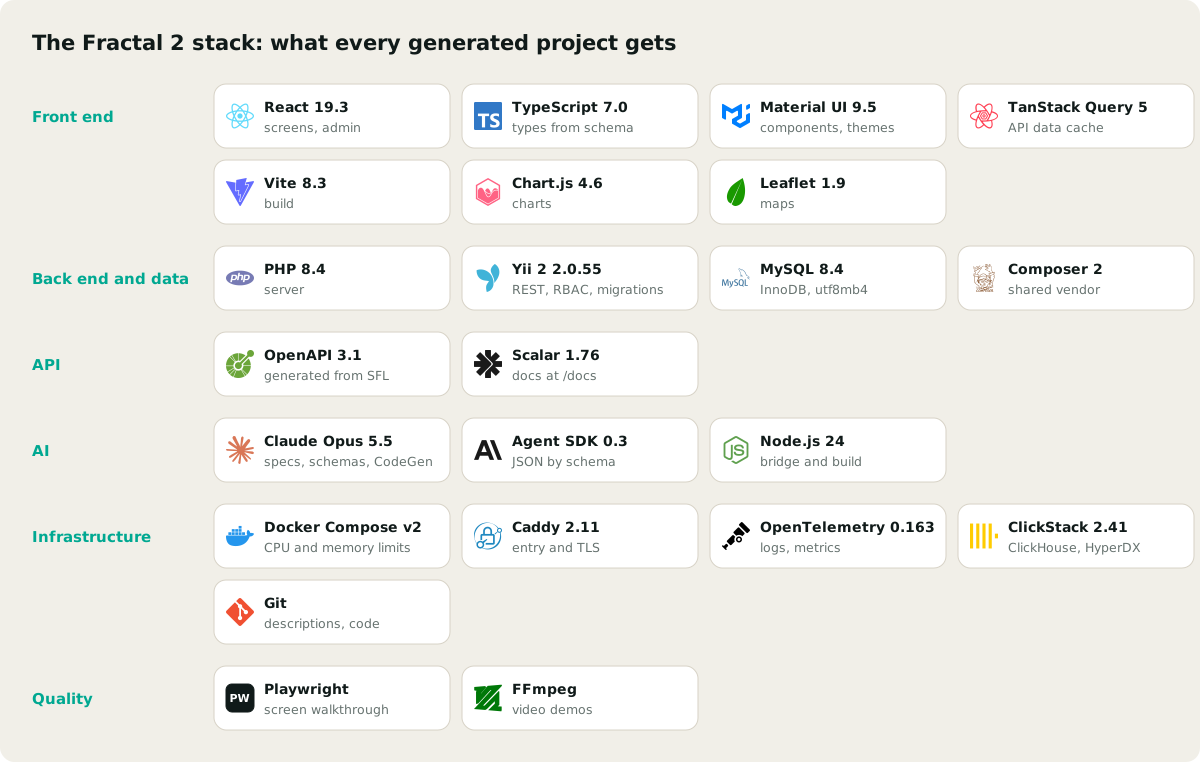
Every IFL screen becomes a React 19 and TypeScript 7 page built from our UI kit on Material UI 9. Data arrives through TanStack Query, Vite handles the build, Chart.js draws the charts and Leaflet the maps. The interface is responsive from 360 px, comes with light and dark themes, and supports Ukrainian, Russian and English.
The key architectural decision here: the TypeScript types and the API client are generated from the same schema as the backend. If a field changes in SFL, the frontend finds out at type-checking time, not from a user in production.
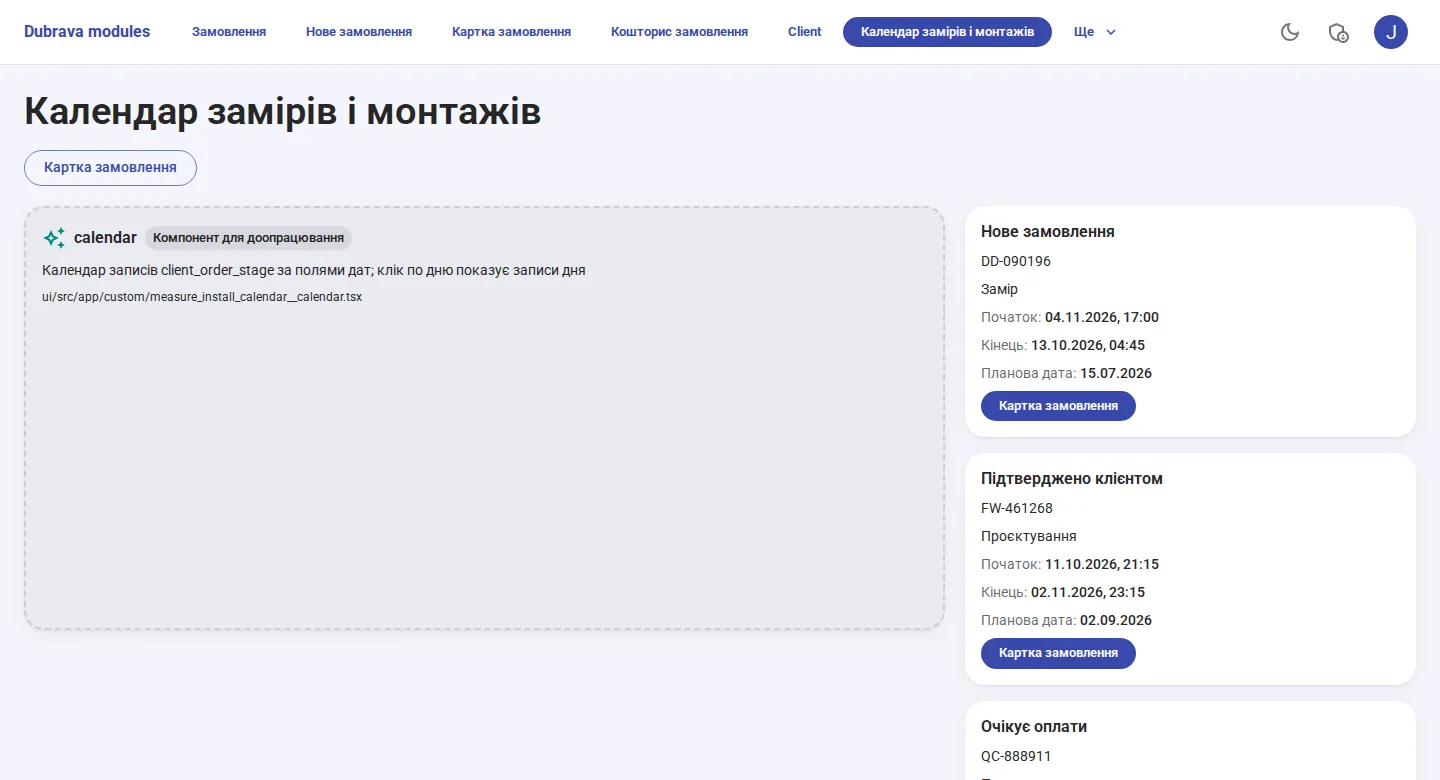
The frontend only displays. Calculations, validation and data changes live on the server, so the rules cannot be bypassed from the browser. Components that standard patterns cannot describe are created once as a stub and from then on belong to the developer: the generator does not overwrite them.
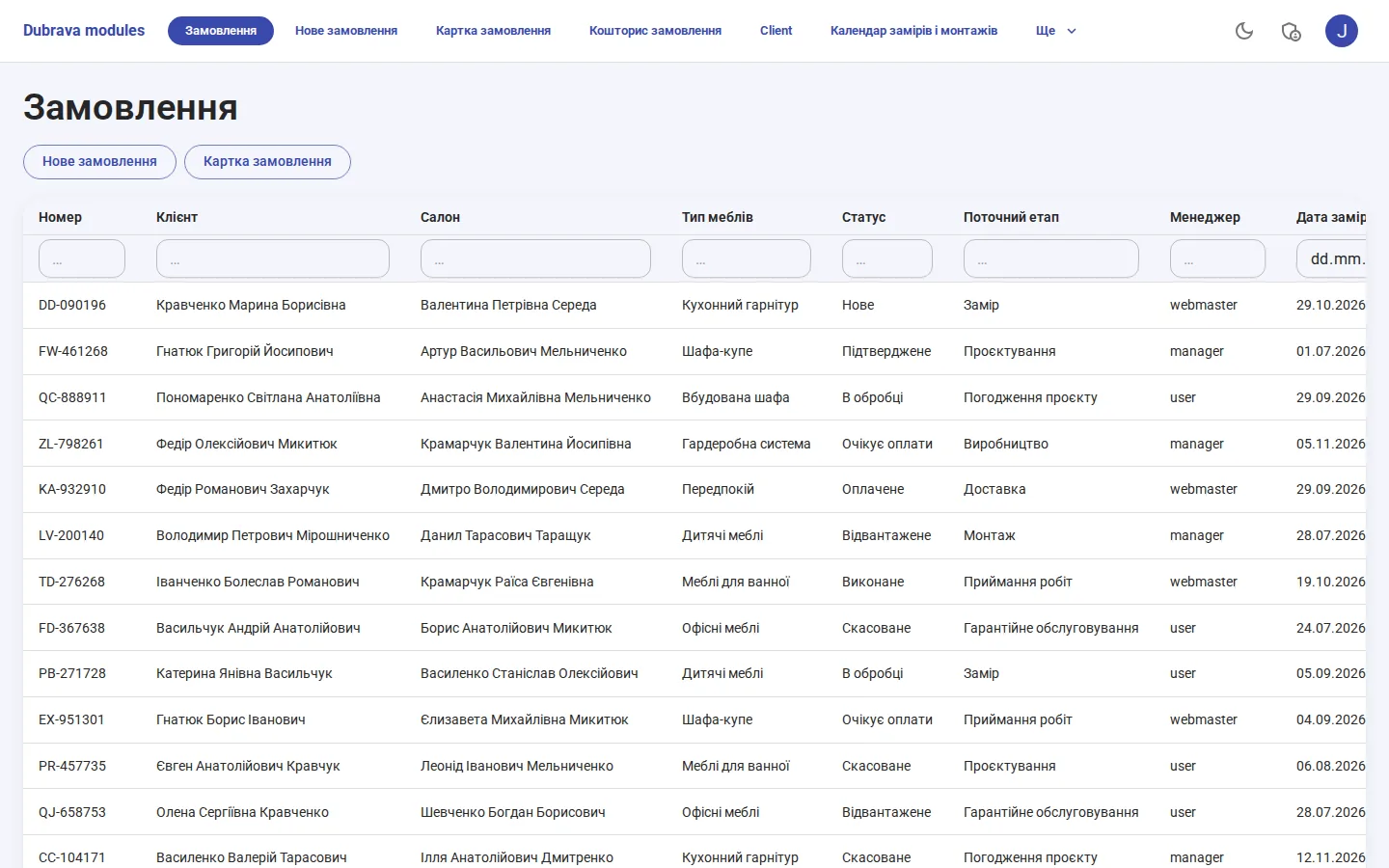
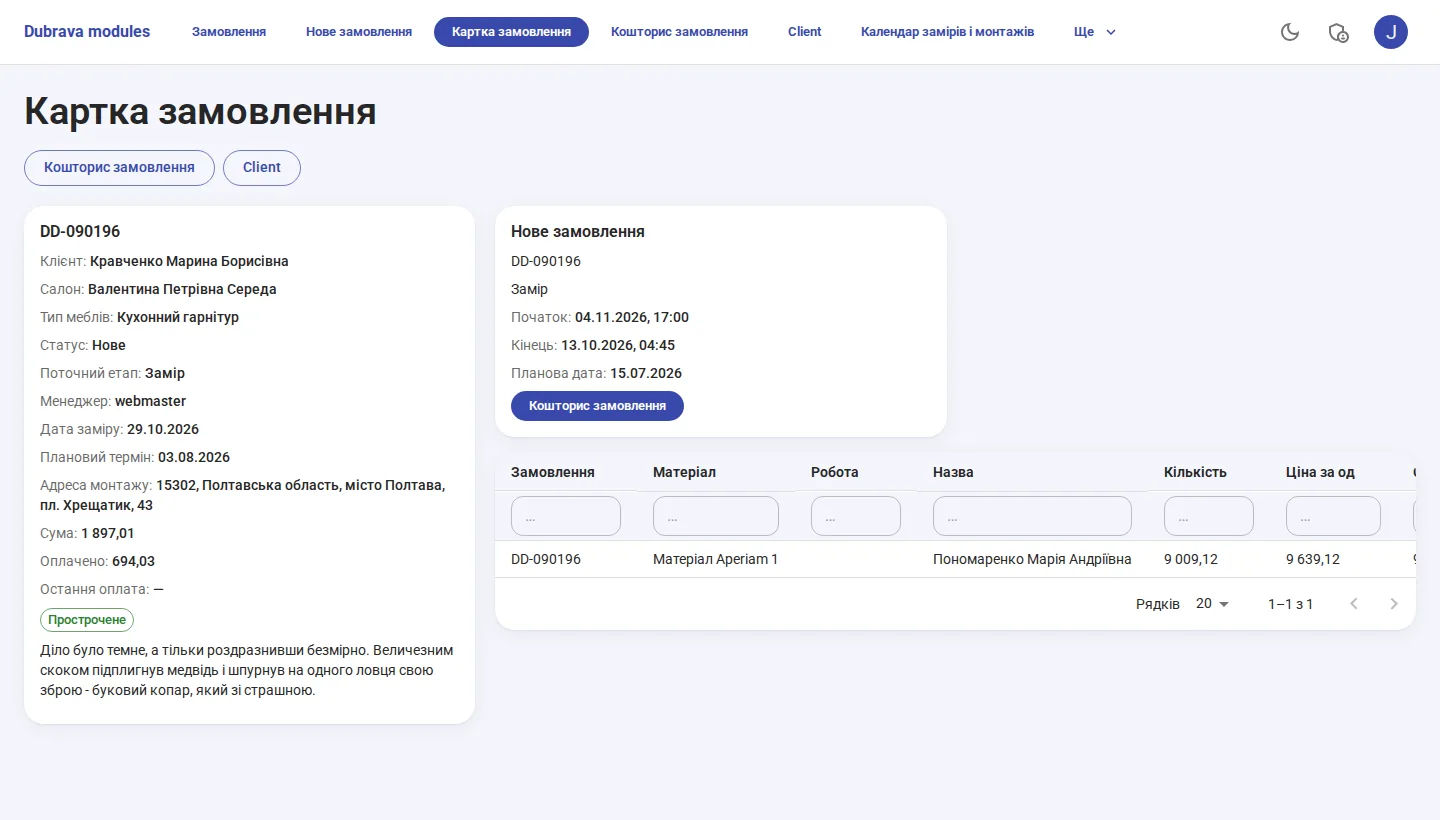
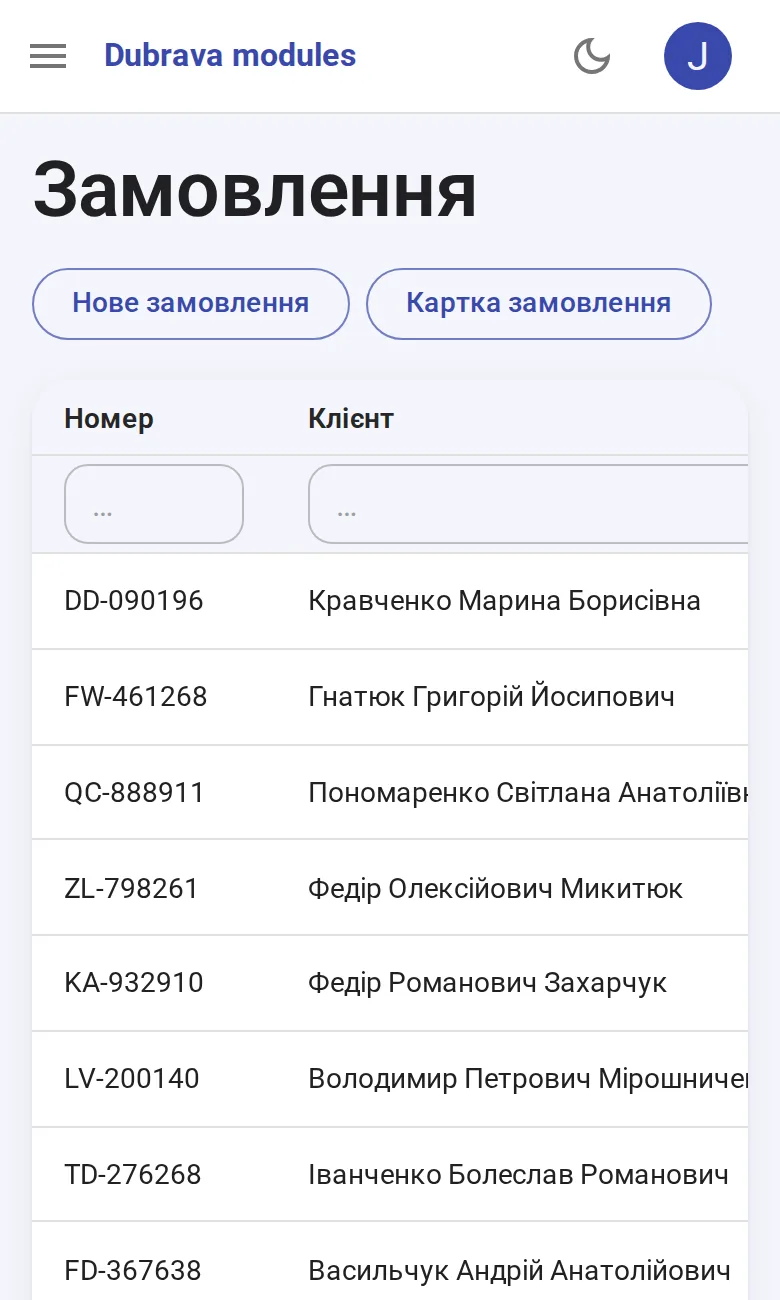
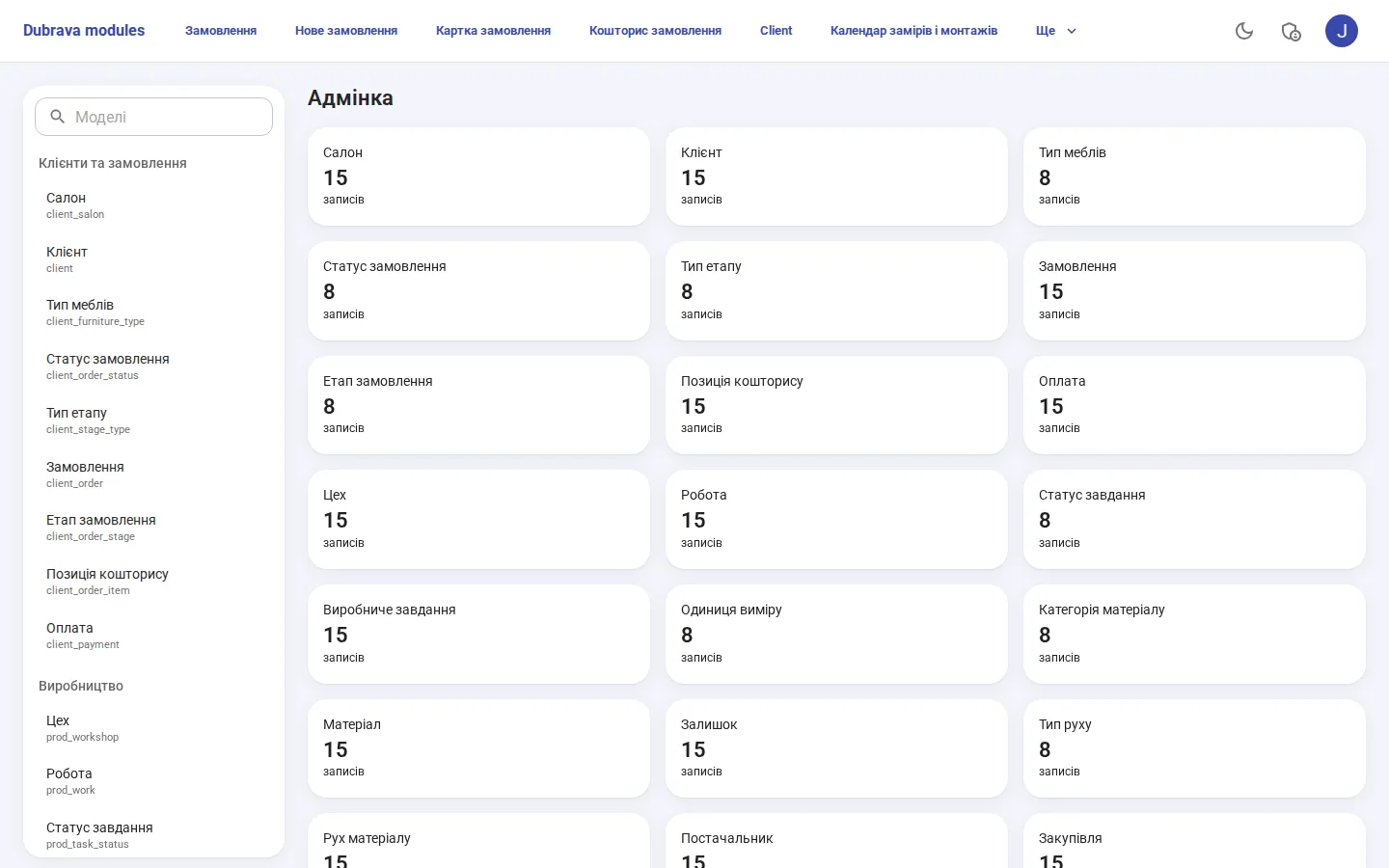
The admin panel is not written separately. It is built from the schema metadata: a table, search, filters, sorting, a card with related records, a form and deletion for every model, and menus grouped by module.
Backend: API first, logic only on the server
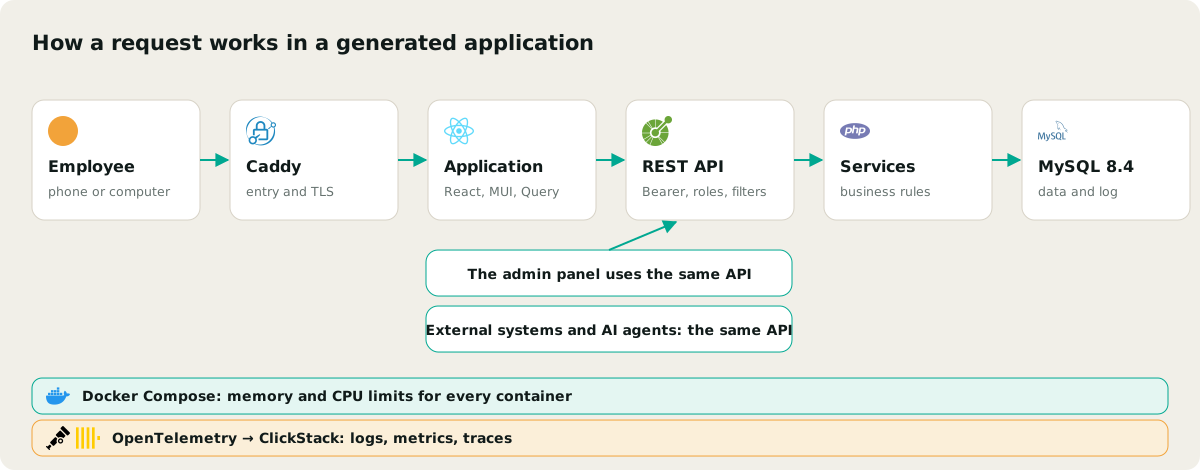
The server runs on PHP 8.4 and Yii 2, with a MySQL 8.4 database on InnoDB with foreign keys and utf8mb4. Every table immediately becomes a REST resource: paginated lists, filters by field and relation, search, sorting, expanding relations in a single request, aggregates, actions and service methods. The OpenAPI 3.1 description of the API is generated from SFL, and interactive documentation is available at /docs.
The frontend and the admin panel call the same API as external systems do. So integrating with a CRM, 1C, a website or an AI agent needs no separate development: the API already exists and is already documented.
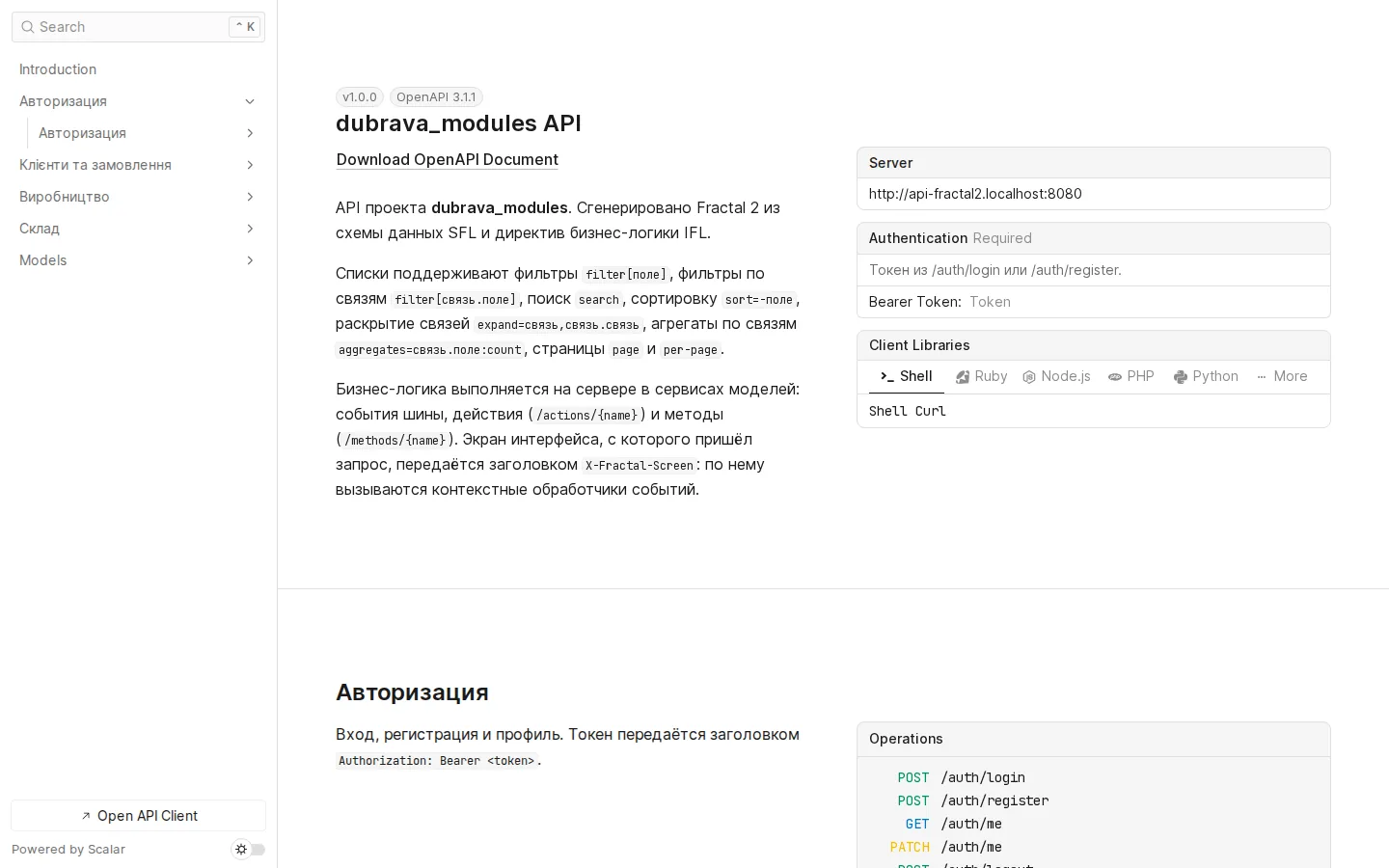
Business logic lives only in server-side services. IFL directives become their methods: before-save and after-save events, button actions, calculations for screens. The method body is written by a person or by CodeGen, which is covered below.
Security is on by default:
- role permissions are checked on the server, and the interface merely reflects them;
- secret account columns are unavailable in filters and aggregates;
- the token is accepted only in the
Authorization: Bearerheader; - studio requests that change data carry a separate anti-CSRF header, and after 10 failed sign-ins within 10 minutes, sign-in is blocked.
Why Yii 2 rather than a fashionable framework? The 2.0.55 core, with no known vulnerabilities, runs on PHP 8.4 and MySQL 8.4. Rewriting a working foundation for the sake of fashion means spending the client's money on something they will never see.
The generation pipeline and changes without data loss
Generation runs as a background job with a step log: PHP-FPM has a 45-second limit, and building a project takes longer. The studio shows the progress of each step in real time.
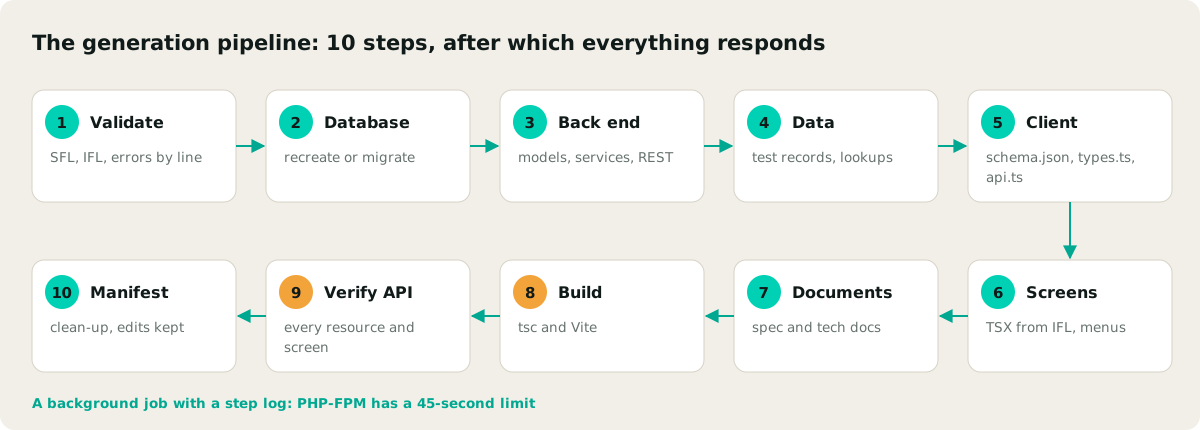
Two things make regeneration safe at any point in a project:
- Your own code is never lost. Base classes and the
_generatedfolder are overwritten, stubs are created once, and the manifest stores file hashes and deletes an outdated file only if nobody has edited it. - The database changes through migrations. Change mode compares SFL with the live database, writes a Yii migration with rollback and applies it. Columns missing from the description are not dropped. Migration history and a rollback button are available in the studio.
That is why a client's system can evolve together with its description instead of being frozen after the first version.
Where AI works and why it can be trusted
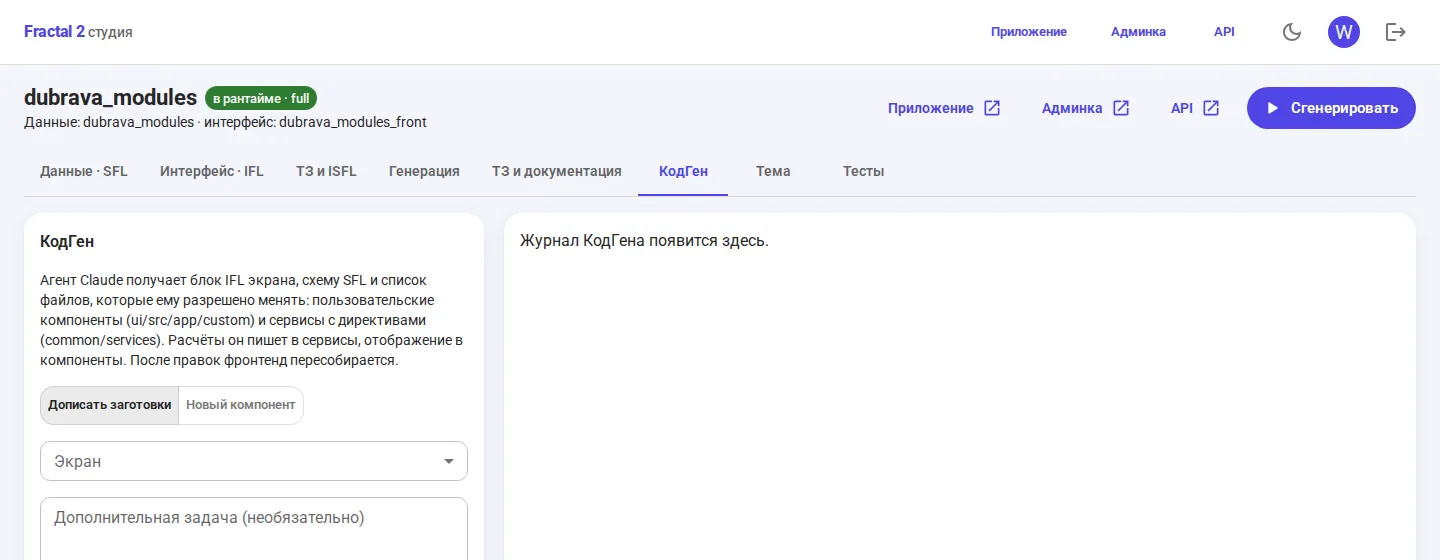
The generator uses Claude Opus 5.5 through the Agent SDK on a subscription. It breaks the brief down into screens, designs the data schema, populates reference lists (statuses, types, stages) and writes custom components and service methods. We use it in two modes, and both are constrained:
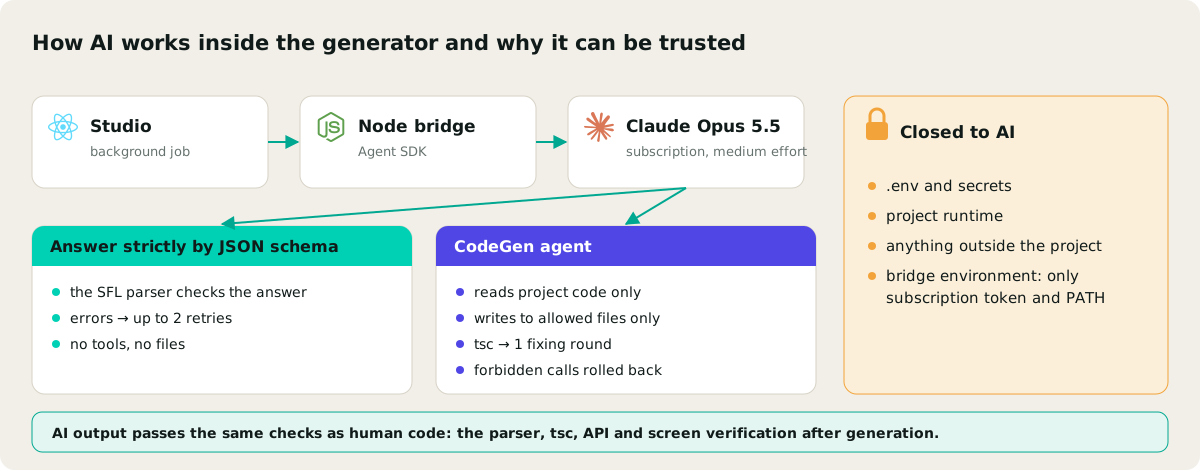
- Responses strictly to a JSON schema. No tools and no file access. The parser checks the response, and if there is an error it is sent back for correction up to two times.
- The CodeGen agent. It reads only the project code and writes only to permitted files: the custom component and the screen's services. After edits, type checking runs, errors get one round of correction, and forbidden calls are rolled back.
.env files, secrets and the runtime are closed off to AI, and the bridge environment is stripped down to the subscription token and the path to the programs. A CodeGen task can be dictated by voice right in the studio: the component is added as a line in IFL, the generator creates a stub, and the agent completes it.
Infrastructure: one setup for every project
Every project runs in Docker Compose. The application container with PHP-FPM 8.4 and Node 24 is shared across projects, with a common vendor directory, while MySQL 8.4 runs separately with backups and scheduled jobs. Caddy with TLS handles the entry point for every address.
Each container has memory and CPU limits. This is a deliberate decision: generation, tests and video have to run alongside other work rather than eat up the whole machine. Container logs and metrics are collected by OpenTelemetry and sent to ClickStack (ClickHouse and HyperDX), configured to be economical.
Checks: never take generation on trust
Fractal 2 is tested at three levels:
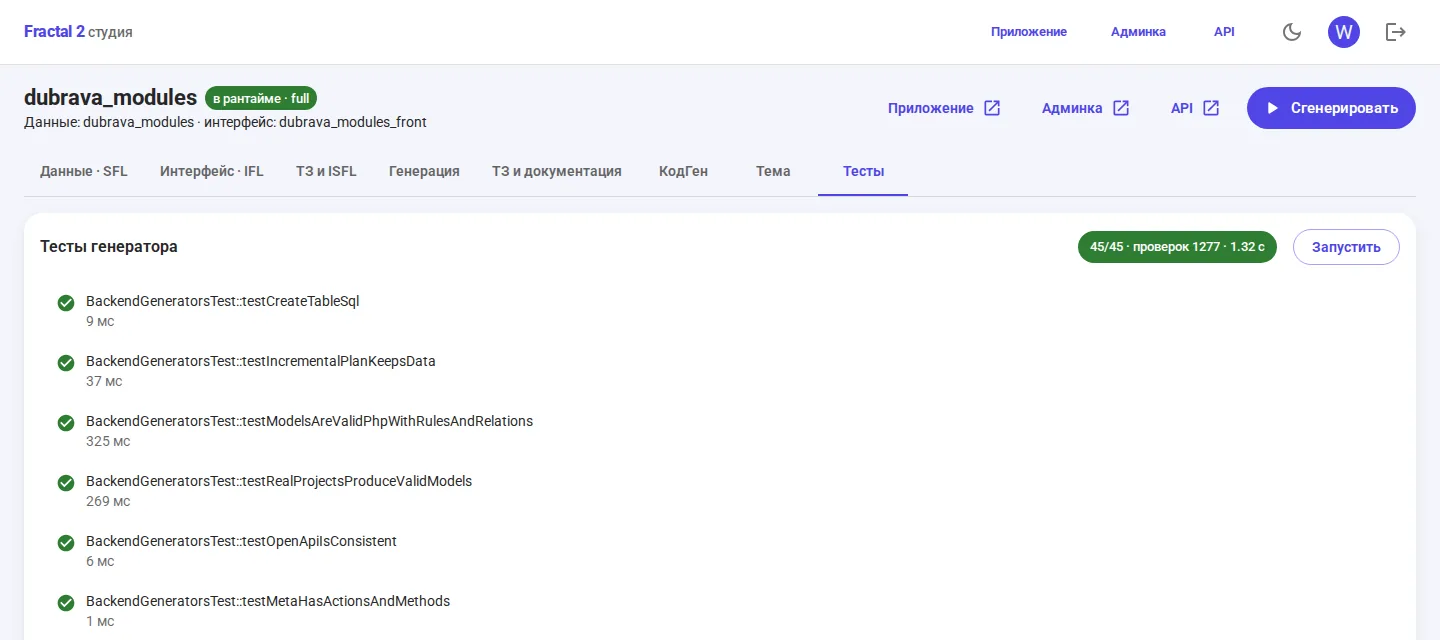
- Generator tests: 45 tests and 1,277 checks in 1.3 seconds. Parsers, patterns, modules, migrations with rollback, code generators, the specification and CodeGen safeguards.
- Every generation: type checking across the entire frontend plus an HTTP check: sign-in, list and record for every resource with relations expanded, service methods, every screen and the admin panel.
- Browser: Playwright opens every screen, fills in and submits forms, applies filters, sorts tables, and creates and deletes records in the admin panel.
A run across ten registry projects on 27 October 2026: 799 pages and 593 actions, zero errors. The same engine records narrated video walkthroughs of the screens, and FFmpeg stitches them into a single film.
A specification built from the same description
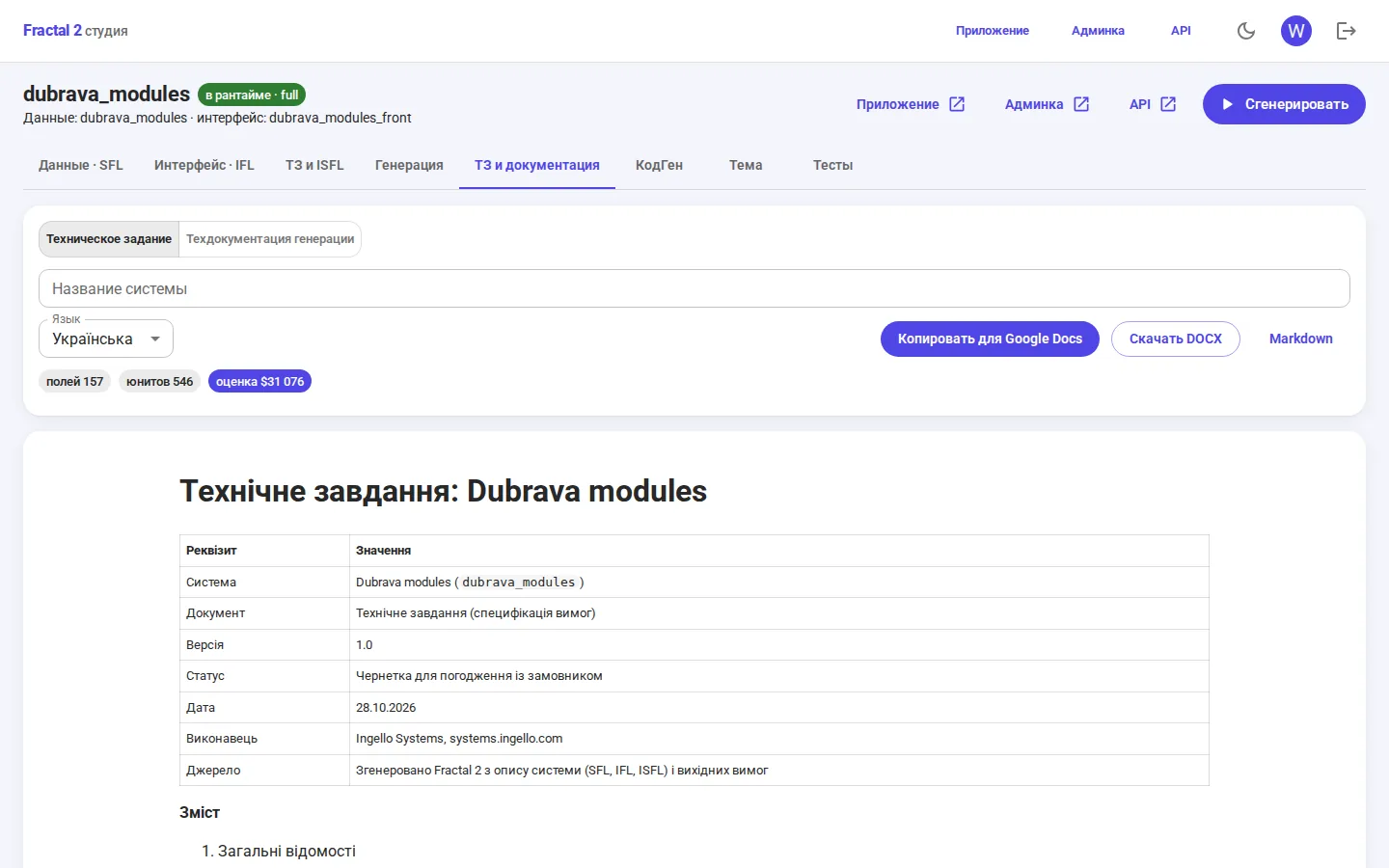
The technical specification for client sign-off is generated too: the stack, the data model by module with ER diagrams, requirements with identifiers and acceptance criteria, screens, the API, non-functional requirements, acceptance and an effort estimate. The document can be copied into Google Docs with its tables and diagrams, or downloaded as DOCX.
What the client gains and where the limits are
- Speed at the start. A working prototype with a database, API and screens appears before the first line of business logic is written, so the discussion is about the product rather than mock-ups.
- Documentation that does not lie. The specification, the API and the code are built from one description.
- Integrations without a separate project. Everything the user sees is available through the documented API.
- Ordinary code as output. It is Yii 2 and React, readable by any PHP or React developer.
The honest limit: the generator covers the standard part of a system. The rules a business commissions a system for (costing an estimate from materials, planning workshop capacity, complex payment statuses) are designed together with the client and written by people or by CodeGen, under the control of the checks. How this breaks down into stages and budgets is set out in our app development strategy, and a Fractal prototype corresponds to the prototyping stage. The first generation of the generator is described in the Fractal case study.
In a free consultation, an Ingello architect will look at your task and show you which part of the system can be built from a description and which will need manual work. Afterwards you will receive a price and timeline estimate broken down by stage. Book a consultation.


